Loading
Topic
Concurrent
7 posts about Concurrent by 6 contributors.
Know Concurrent? Share what you know with developers who are learning it.
+ Follow ConcurrentBe the first to follow this
- Articles
- 6
- Videos
- 1
- Contributors
- 6
Articles about Concurrent
- Article · Power Apps
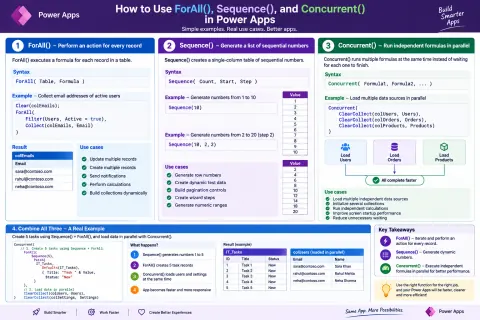
Configuring Concurrent Data Loading in Power Apps Using Concurrent()
Learn how to use the Concurrent() function in Power Apps to execute independent data-loading operations at the same time. This article explains how to configure concurrent data retrieval, identify dependent and independent operations, improve app startup performance, handle errors, and avoid common implementation mistakes.
- Article · Power Apps
How to Optimize Using ForAll(), Sequence(), and Concurrent() in Power Apps
Learn how ForAll(), Sequence(), and Concurrent() work in Power Apps for record processing, dynamic table generation, parallel operations, bulk updates, error handling, and performance optimization.
- Article · Threading
Synchronous Asynchronous Blocking Non-Blocking Concurrent Parallel Programming
Learn the differences between synchronous, asynchronous, blocking, non-blocking, concurrent, and parallel programming in C#, with practical examples using async and await.
- Article · .NET Core
Synchronous vs Asynchronous Programming in ASP.NET Core Web API
Synchronous Programming: In synchronous programming, tasks are executed one after the other, in a sequential manner. When a request is made to a synchronous API, the server processes the request and waits for it to be completed before moving on to the next task. This means that if one operation takes a long time to finish, it can block the execution of subsequent operations, potentially leading to slower response times for clients. Asynchronous Programming: On the other hand, asynchronous programming allows tasks to be executed concurrently. When a request is made to an asynchronous API, the server can initiate tasks and continue processing other requests without waiting for the previous tasks to be completed. This can lead to better scalability and responsiveness, especially in scenarios where certain operations, such as I/O operations, may take some time. ASP.NET Core Web API: In ASP.NET Core Web API, you have the flexibility to choose between synchronous and asynchronous programming models. The framework supports both approaches. Asynchronous programming is particularly useful when dealing with I/O-bound operations, such as accessing a database or making external API calls, where the application can continue processing other tasks while waiting for the I/O operation to complete. To implement asynchronous programming in ASP.NET Core Web API, you can use the `async` and `await` keywords in your controller methods, allowing you to write non-blocking code. This helps improve the overall performance and responsiveness of your API, especially in scenarios with high concurrency.
- Article · Threading
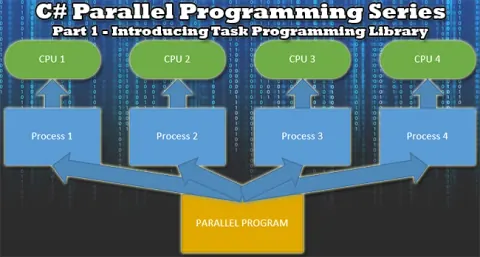
Parallel Programming Part 1: Introducing Task Programming Library
Introductory part of the parallel programming series in C# focused solely on the new Task Programming Library.
- Article · Threading
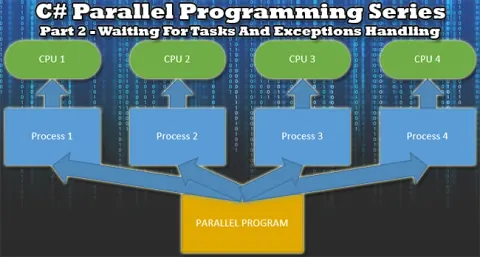
Parallel Programming Part 2: Waiting For Tasks and Exceptions Handling
This is the second part of the parallel programming series focused on waiting for tasks problematics and exception handling.