Loading
Topic
Dependency Property
5 posts about Dependency Property by 5 contributors.
Know Dependency Property? Share what you know with developers who are learning it.
+ Follow Dependency PropertyBe the first to follow this
- Articles
- 5
- Contributors
- 5
Everything about Dependency Property
- Article · WPF
Dependency Properties in WPF: Benefits, Usage, and Examples in C#
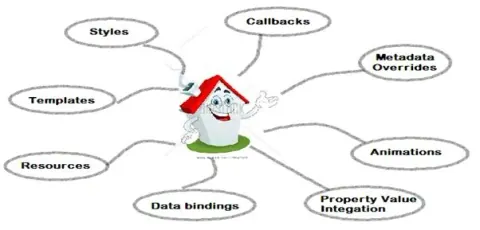
A Dependency Property in WPF is a specialized property supported by the WPF property system. It enables data binding, styling, animation, and value inheritance. This system improves memory efficiency and provides automatic change notifications, making it essential for dynamic, data-driven applications.
- Article · WPF
Create Custom Dependency Property In WPF
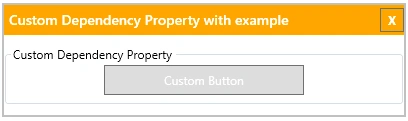
Creating custom dependency properties in WPF allows developers to extend the functionality of existing controls or create entirely new controls with additional properties. By leveraging dependency properties, developers can achieve data binding.
- Article · WPF
WPF Button Binding String Instead Of Imagesource With Dependency Property
Here we are going to see the way to reuse the dependency property created for binding in wpf button. It is not always necessary to create multiple dependency property with different return type. Below steps shows how to reuse the same dependency property for string as well as ImageSource type and this can be applied wherever similar scenario is applicable.
- Article · WPF
Simplest WPF Dependency Property For Beginners On Background Color
Dependency property is not wrapped over any private members unlike CLR properties, and it is also stored in Key-Value pairs inside the DependencyObject host instance. You must use Dependency properties if you need to create and apply properties on custom usercontrols, or change properties based on external inputs like Theme, Style, animation etc, or while applying data binding or set with a resource (static/dynamic) .
- Article · Silverlight
Silverlight Child Window - Passing Data Between Child And Parent
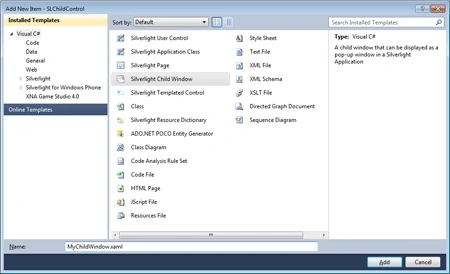
In this article we are going to see the Child window control in Silverlight. This example is taken from Silverlight 4 unleashed and implemented.