Loading
Topic
Desktop
8 posts about Desktop by 8 contributors.
Know Desktop? Share what you know with developers who are learning it.
+ Follow DesktopBe the first to follow this
- Articles
- 8
- Contributors
- 8
Everything about Desktop
- Article · Power Automate
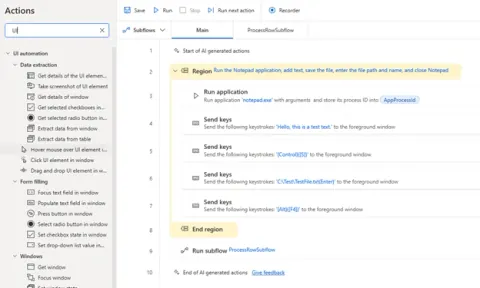
How to Capture UI Elements in Power Automate Desktop Flow (PAD)
Learn how to capture UI elements in Power Automate Desktop (PAD) to automate desktop applications easily. Perfect for beginners and those exploring UI automation with Microsoft PAD tools.
- Article · C#
C# Programming: Language Fundamentals, OOP, Async, LINQ
This guide provides a thorough exploration of the C# language, covering essential topics such as language fundamentals, object-oriented programming concepts, asynchronous programming, and Language Integrated Query (LINQ).
- Article · HTML 5
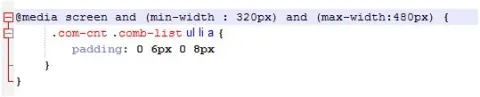
Media Queries For Mobile, Laptop, Desktop And iPad For Making Responsive Website Design
Media queries enable responsive web design by adapting layouts based on device characteristics like screen size. Tailoring designs for mobile, laptop, desktop, and iPad ensures optimal user experience across various devices and viewport dimensions.
- Article · Windows
How To Enable Screen Saver In Windows 10
Learn how to enable and configure a screen saver in Windows 10, choose a screen saver, set its idle timeout, and require sign-in when resuming.
- Article · Angular
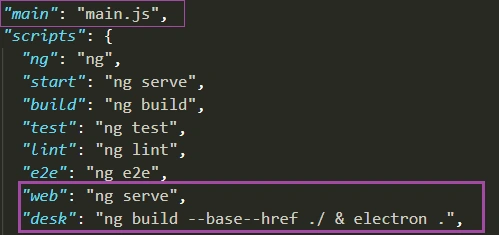
Use Angular Application As Desktop Application Using Electron
In this article we will learn about how to use Angular as a desktop application using electron plug-in and also we will see how to create setup for windows.
- Article · Security
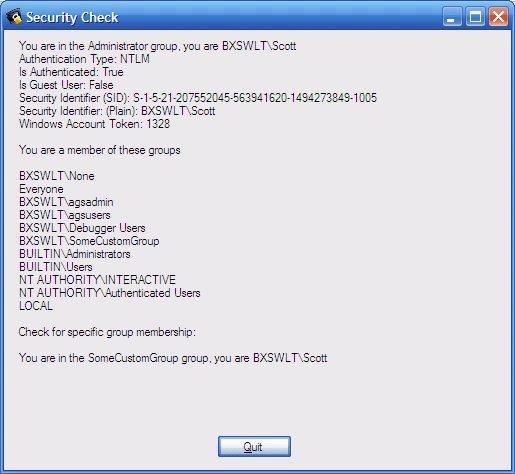
Test for Desktop User Group Membership with C#
This article describes a simple approach to determining whether or not a logged in user is a member of a group within the context of a desktop application. The approach shown relies upon the use of the user’s current Windows identity.
- Article · Windows Forms
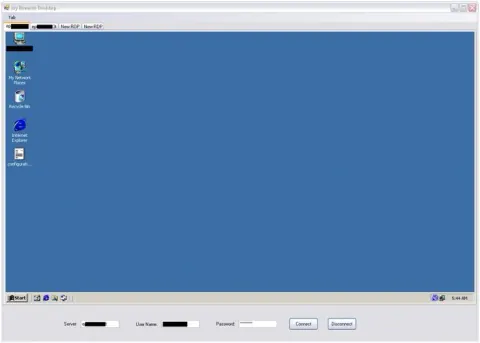
Remote Desktop Using C#.Net
Remote Desktop Services is one of Microsoft Windows components to access a remote computer through network. Only the user interface of the application is presented at the client. Any input is redirected over to the remote computer over the network.
- Article · Windows Services
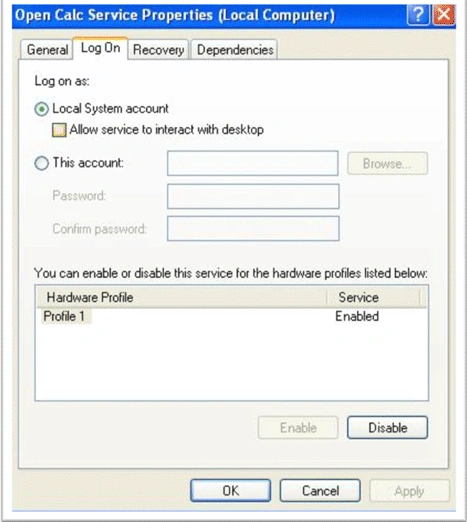
Allow windows service to "Interact with desktop"
Learn how to enable a Windows service to interact with the desktop using the registry, WMI, or the SC command, along with service account requirements and limitations.