email management
6 posts3 contributors
Articles about email management

Automatically Manage Blocked Users with Dynamic Distribution Groups and Transport Rules
Automate blocked user management in Microsoft 365! This guide details creating dynamic distribution groups and transport rules for efficient email handling and enhanced security. Learn how to configure auto-replies and NDRs.
Configuring Outlook Rules to Filter Auto-Reply Emails
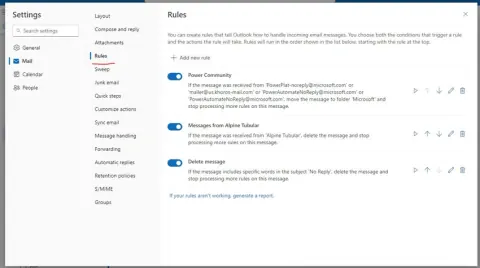
Tired of auto-replies cluttering your inbox? Learn how to configure Outlook rules to automatically filter out-of-office messages and reclaim your email sanity!
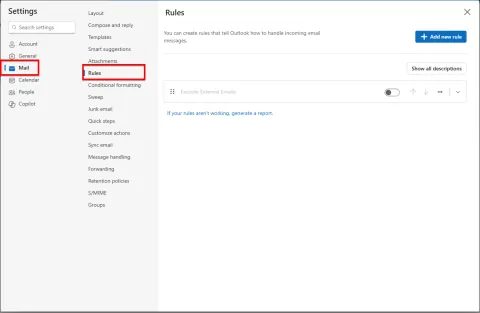
Configuring Outlook Rules to Identify and Manage External Emails
Master Outlook email management! Learn to create rules that automatically filter external emails, decluttering your inbox and prioritizing internal communications. Streamline workflow now!
Did You Know that Microsoft 365 Groups Come with a Hidden 50 GB Mailbox?
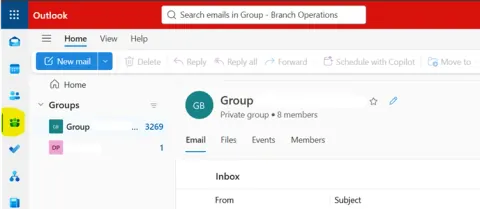
Unlock the hidden potential of Microsoft 365 Groups! Discover the 50 GB group mailbox, how to access it, manage storage, and best practices for optimal team collaboration.
Automatically Manage Blocked Users with Dynamic Distribution Groups and Transport Rules
Configure a dynamic distribution group for disabled Microsoft 365 mailboxes and an Exchange Online transport rule to reject incoming mail with a custom explanation.
Outlook Automation Features To Master Your Inbox
Outlook, a widely used email and productivity tool, offers an array of automation features designed to enhance your email management efficiency. Mastering these features empowers users to streamline their inbox management, boost productivity, and achieve better organization. Explore automation tools like rules, filters, and quick steps to automate repetitive tasks such as sorting emails, flagging important messages, and categorizing incoming mail. Learn how to utilize Outlook's advanced search capabilities and intelligent filtering options to swiftly locate specific emails, attachments, or conversations, saving valuable time. Additionally, delve into Outlook's integration with calendars and scheduling tools, enabling seamless coordination of meetings and appointments. By mastering Outlook's automation features, users can optimize their email workflow, stay organized, and respond promptly to important communications.