Loading
Topic
Excel Services
9 posts about Excel Services by 5 contributors.
Know Excel Services? Share what you know with developers who are learning it.
+ Follow Excel ServicesBe the first to follow this
- Articles
- 9
- Contributors
- 5
Articles about Excel Services
- Article · SharePoint
How to Configure Excel Services in SharePoint
This article walks you through the steps of deploying Excel Services in your SharePoint Server 2013 farm.
- Article · SharePoint
Showing Excel Charts And Tables In SPFx Webparts Using Excel Services REST API
This article shows how to use the Excel Services REST API to read resources like Cell data, Ranges, Tables, Charts, and Pivot Tables and use them in an SPFx web part.
- Article · SharePoint
SharePoint 2013: How to Configure Data Connection with SQL Server using Excel Services
Configure SharePoint 2013 Excel Services and Secure Store Service to connect Excel workbooks to SQL Server and refresh data in the browser.
- Article · SharePoint
SharePoint 2013: How To Configure Data Connection With SSAS Cubes, Using Excel Services
In this article, we will explore the process of consuming data present in Data Cubes hosted on SQL Server Analysis Server, using Excel Services.
- Article · SharePoint
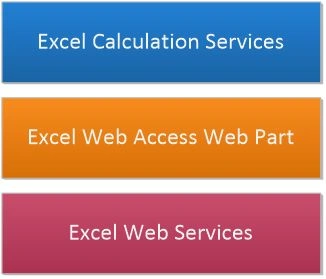
Excel Services in SharePoint 2013
In this article we can explore Excel Services in SharePoint 2013.
- Article · SharePoint
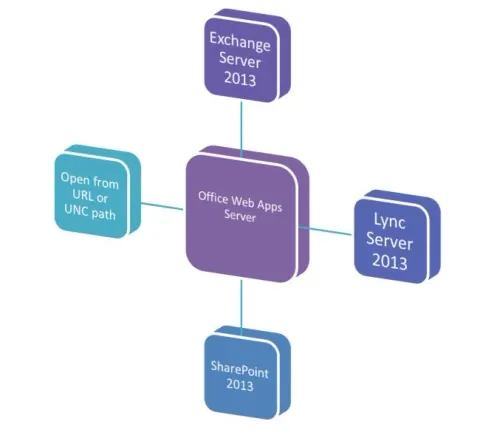
Office Web Apps and SharePoint 2013
In this article we can learn how to configure SharePoint 2013 with Office Web Apps Server.
- Article · SharePoint
REST API in SharePoint 2010 for Excel Services: Part 3
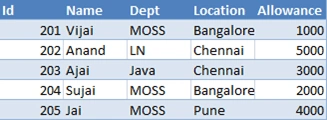
In this article we will be seeing how to access the Tables and REST API Return Formats.
- Article · SharePoint
REST API in SharePoint 2010 for Excel Services: Part 2
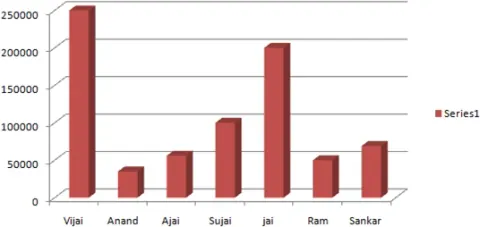
In this article we will be seeing how to access the Charts and PivotTable using REST URL and how to add the chart to the SharePoint Wiki page.
- Article · SharePoint
REST API in SharePoint 2010 for Excel Services: Part 1
The REST API in Excel Services is new in Microsoft SharePoint Server 2010. REST API is used to access workbook parts or elements directly through a URL.