Loading
Topic
Form Controls
7 posts about Form Controls by 7 contributors.
Know Form Controls? Share what you know with developers who are learning it.
+ Follow Form ControlsBe the first to follow this
- Articles
- 7
- Contributors
- 7
Articles about Form Controls
- Article · Windows Forms
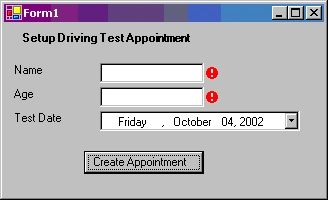
Using Error Provider Control in Windows Forms and C#
In this example we will see how to use the ErrorProvider control in Windows forms to provide validations in Windows Forms and display user-friendly error messages to the user if the validation fails.
- Article · Blazor
Form Controls and Create Basic Form in Blazor Component
Learn to build interactive forms in Blazor components using form controls like input fields, dropdowns, and buttons. Explore data binding techniques to connect form elements to your component's data model.
- Article · SharePoint
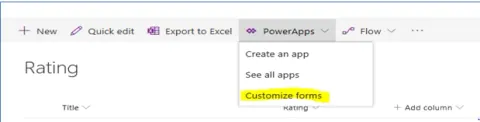
How To Bind PowerApps Rating Control To Sharepoint Column
To bind a PowerApps rating control to a SharePoint column, configure the control's data source to link with the SharePoint list. Use SharePoint integration features in PowerApps to map the rating control's value to the corresponding column, ensuring seamless data synchronization and user interaction within PowerApps forms.
- Article · HTML 5
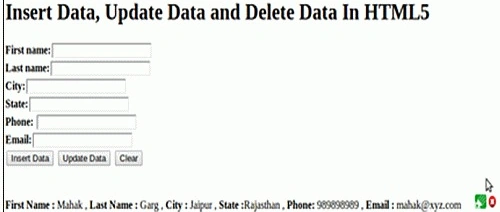
Insert, Update and Delete Data in HTML5
Learn to perform CRUD operations in HTML5 using JavaScript and SQL. Create a form with text boxes and buttons for data manipulation. Use JavaScript to interact with the database, showing, updating, and deleting records.
- Article · Power Apps
Power Apps: Combo Box Control & Dynamic SharePoint Data Binding
Learn to harness the power of Combo box Control in Power Apps to dynamically bind data from SharePoint. Elevate your app development skills with seamless integration and efficient data management, enhancing user experience and productivity.
- Article · Angular
Reactive Forms In Angular with Practical Example
Angular is a popular framework for building dynamic web applications, and one of its key features is its powerful Forms module. Angular offers two types of forms: template-driven forms and reactive forms. In this article, we'll delve into reactive forms in Angular, exploring their benefits, how to create them, and how to work with them effectively.
- Article · Windows Forms
ProgressBar in C# 6
In this article, we will see how to create a ProgressBar control in a Windows Forms application using Visual Studio 2015.