5 posts about Office 365 Groups by 4 contributors.
Know Office 365 Groups? Share what you know with developers who are learning it.
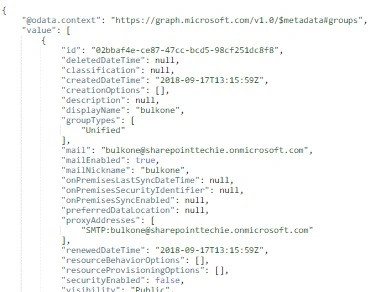
Learn to retrieve Office 365 groups & users programmatically via Microsoft Graph API. Access tokens, endpoints, & jQuery simplify the process for seamless integration.
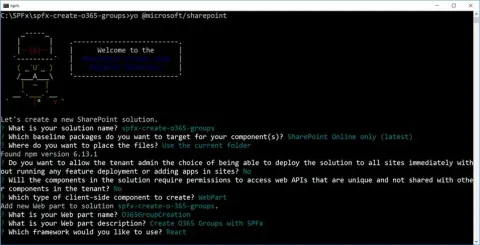
In this article, you will learn to integrate Office 365 Groups creation seamlessly with SharePoint Framework. Utilize Microsoft Graph API for efficient group management, enhancing collaboration within SharePoint Online.
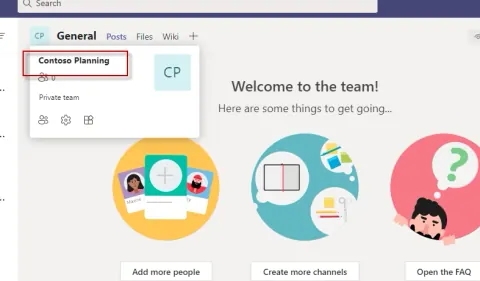
In this article we will see how to add users in bulk to Office 365 Teams and Groups
Howdy Folks! As promised in previous blog post related to Office groups , I’m back now with some cool PowerShell cmdlets which should ease your work in managing Office 365 groups in your organization . If you’re new to Office 365 groups, I humbly request you to read in detail about Office 365 groups by accessing this link. I’ve tried my best to explain Office 365 groups there.
Office 365 groups lets you choose a set of people that you wish to collaborate with and easily set up a collection of resources for those people to share. Resources such as a shared Outlook inbox, shared calendar, shared document library, Planner and a site for collaborating on files are a part of an Office 365 group.
DevSocialUpcoming · 3rd editionAI Agents ConferenceNov 23–27, 2026Live onlineMembers only16days leftRegisterPublish an article in this category and earn +1,000 SHARP when it is approved.
Write an article