Loading
Topic
Patch function
10 posts about Patch function by 8 contributors.
Know Patch function? Share what you know with developers who are learning it.
+ Follow Patch functionBe the first to follow this
- Articles
- 10
- Contributors
- 8
Everything about Patch function
- Article · Power Apps
Modern Attachments control in Power Apps
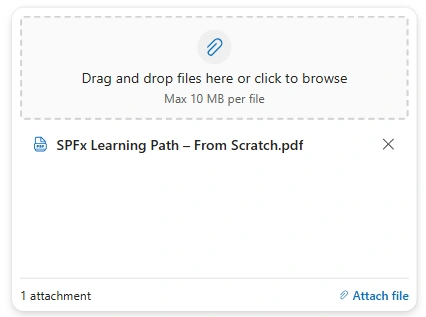
Learn how to configure the Modern Attachments control in Power Apps and save SharePoint list attachments with Patch.
- Article · Power Apps
How Variables Work in Power Apps - Set vs UpdateContext vs Collections
Master Power Apps variables! Learn when to use Set(), UpdateContext(), and ClearCollect() for efficient data management, global states, and screen-specific logic. Build cleaner, more professional apps. Variables are essential for managing data and state in Power Apps, but understanding the difference between Set, UpdateContext, and Collections can be confusing for beginners. This article clearly explains when and why to use each type of variable. Learn the scope, behavior, and real-world usage scenarios with simple examples. A beginner-friendly guide to help you write cleaner and more efficient Power Fx formulas.
- Article · Power Apps
How to Fix Patch Not Working & Duplicate Records in Power Apps
Solve Power Apps Patch issues! Prevent duplicate records and silent failures when saving data to SharePoint. Learn to update or create records reliably using LookUp. In real-world Power Apps projects, Patch failures and duplicate SharePoint records are common challenges that impact data integrity and user experience. This article explains the root causes behind these issues and how to handle them effectively. Learn practical techniques like proper form validation, conditional Patch logic, and duplicate checks. A real-world scenario walkthrough makes it easy to implement these solutions in your own apps.
- Article · Power Apps
Tracking Visits and Visitor Details on PowerApps Page
Track unique page visitors in Power Apps with SharePoint lists, global variables, and the Patch function. Display view counts and visitor details using labels, containers, and galleries.
- Article · Power Apps
Interactive Rating Control in PowerApps
Explore the integration of rating controls in social media and user-interactive applications using SharePoint lists. Learn about setting display modes, default properties, and user validations to enhance interaction and data management efficiency.
- Article · Power Apps
How to Save Power Apps Editable Gallery Data to Sharepoint List?
The PowerApps ForAll function iterates through Gallery5 items, using Patch to update TimeSheetEntriesDetail. It captures date, project ID, and employee details from tempcol, ensuring precise data insertion into SharePoint. This process automates data management, enhancing efficiency in app development and deployment.
- Article · Power Apps
PowerApps Canvas Patch Upsert Dynamics 365 Records
Build a PowerApps Canvas app to efficiently manage Dynamics 365 records with Patch and Upsert operations. Seamlessly integrate and synchronize data, enabling customizations and streamlined record management within your Dynamics 365 environment.
- Article · Power Apps
How to Use the Dataverse Patch Function?
In this article, we'll delve into the utilization of the patch function for generating a record within a Dataverse custom table. This will encompass tables with intricate columns such as lookup, user, file, image, etc.
- Article · Power Apps
Project Management Application (Create Project) Using PowerApps And SharePoint Online
In this article, you will learn about Project Management Application using PowerApps and SharePoint Online. Along with that, the series will be a Tutorial for PowerApps learning for Beginners. I hope, some tips and tricks will also help the PowerApps users to implement this on their work.
- Article · Power Apps
Development Of An Information System Using Microsoft PowerApps - Part Three
In this article, we connect the data with its corresponding Share Point List using some PowerApps formulae and functions.