Power Apps tutorial
8 posts about Power Apps tutorial by 7 contributors.
Know Power Apps tutorial? Share what you know with developers who are learning it.
- Articles
- 8
- Contributors
- 7
Articles about Power Apps tutorial
- Article · Power Apps
Implementing Proper Theming in Power Apps Using OnStart (Beginner to Advanced Guide)
This article explains how to implement a centralized theming approach in Power Apps using the App OnStart property. Instead of hardcoding styles, you’ll learn how to create reusable theme variables and apply them across your app for a consistent and maintainable UI. It also covers dynamic styling, hover effects, and best practices to build clean, scalable, and professional Power Apps applications.
- Article · Power Apps
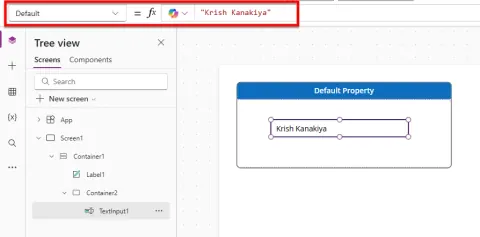
Default vs DefaultSelectedItems Property in Power Apps
Master Power Apps: Learn the difference between Default and DefaultSelectedItems properties. Set initial values correctly in Text Inputs, Combo Boxes, and more! Avoid common mistakes.
- Article · Power Apps
How to Fix Delegation Warnings and Handle 10,000+ Records in Power Apps with SharePoint
Delegation issues can break your Power Apps solution when working with large SharePoint lists. This article explains why delegation warnings occur and provides a practical, step-by-step solution to build scalable, high-performance apps without data loss.
- Article · Power Apps
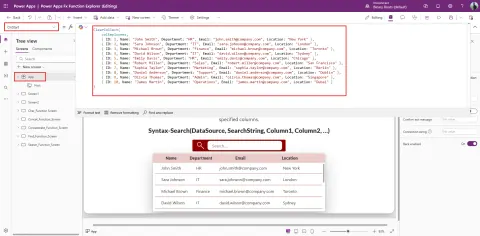
Implementing Search Functionality in Power Apps Using the Search() Function
Learn to implement dynamic search in Power Apps using the Search() function! Filter collections with a text input and gallery for a user-friendly experience. Perfect for small apps!
- Article · Power Apps
Power Apps Quick Functions – A Simple Guide
Power Apps functions are built-in formulas that help developers control how an app works. These functions are used to handle logic, manage data, control user actions, and improve the overall user experience. They allow you to build powerful applications with minimal code by defining what should happen when users interact with the app.
- Article · Power Apps
How to Use With() Function in Power Apps
Master the Power Apps With() function! Simplify complex formulas, create temporary variables, and enhance readability. Explore 15 practical examples for efficient coding.
- Article · Power Apps
How to Create a Generative Page in Power Apps
Generative Pages in Power Apps represent a major evolution in low-code development, enabling makers to build modern, responsive, and fully functional pages using natural language. This article explains what Generative Pages are, their key features, benefits, limitations, and how they transform model-driven app development. It also includes a detailed step-by-step guide on creating Generative Pages using AI, connecting Dataverse data, refining layouts, and publishing results. Perfect for beginners as well as Power Platform professionals exploring AI-powered app creation.
- Article · Power Apps
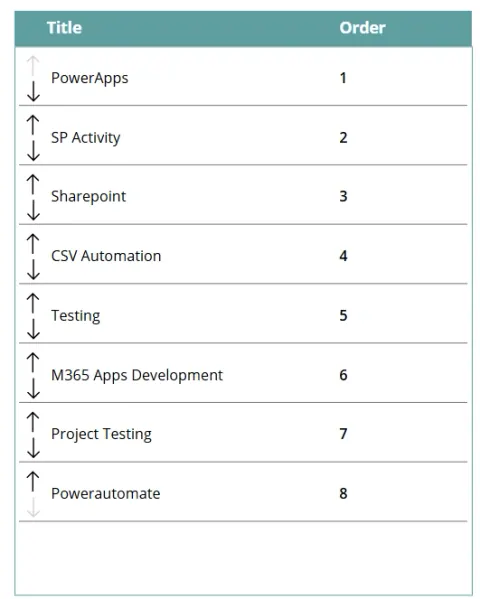
Building Dynamic Reordering Functionality in Power Apps Using Up/Down Arrow Icons
Effortlessly reorder items in your Power Apps Gallery with up/down arrow icons! This tutorial provides a simple, intuitive solution for dynamic record arrangement, improving user experience and control. Perfect for navigation menus, task prioritization, and more.