7 posts about Power BI Embedded by 1 contributor.
Know Power BI Embedded? Share what you know with developers who are learning it.
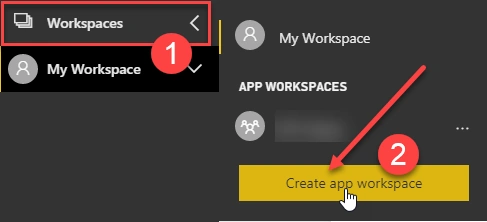
This article guides you through embedding Power BI reports into third-party applications. It covers creating an app workspace in Power BI, publishing the report, obtaining workspace and report IDs, registering an application in Azure AD, generating an embed token, and integrating the report into a web application.
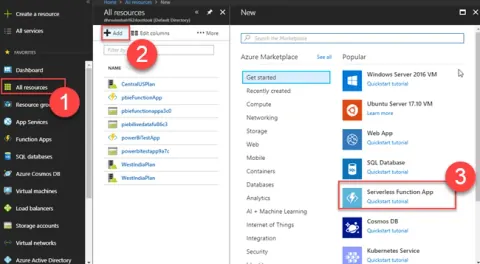
Learn to create an Azure Function App for generating tokens in Power BI Embedded. Follow this step-by-step guide to integrate authentication, authorization, and token management seamlessly into your application workflow.
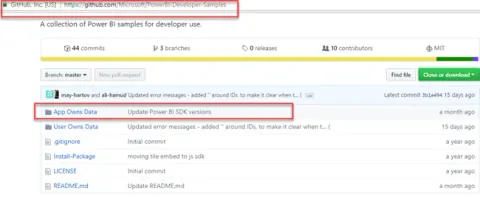
In this article series, we will learn how we can export the filtered data from Power BI report and insert the data back to the SQL Server.
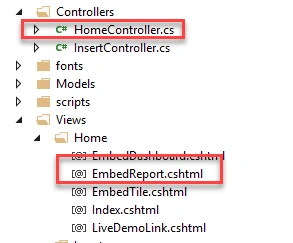
In this article, we will learn how we can Embed Power BI report using ASP.Net SDK.
Learn how to embed a Power BI report in an HTML page using the Power BI JavaScript SDK and an Azure Function that provides an embed token.
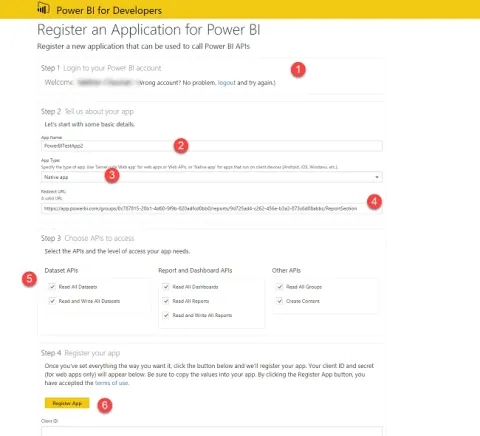
In this article, we will talk about how we can register our Power BI application with Azure AD.There are two ways to register the Power BI application with Azure AD. 1. Using Power BI portal 2. Using Azure AD We will talk about both methods to register Power BI application with Azure AD.
In this article, we will talk about how we can embed Power BI report with any third party or ISVs type of application. This is a series of the articles of Power BI Embedded. We will use Power BI JavaScript SDK and Power BI ASP.NET API.
DevSocialUpcoming · 3rd editionAI Agents ConferenceNov 23–27, 2026Live onlineMembers only16days leftRegisterPublish an article in this category and earn +1,000 SHARP when it is approved.
Write an article