Loading
Topic
PrintDialog
8 posts about PrintDialog by 6 contributors.
Know PrintDialog? Share what you know with developers who are learning it.
+ Follow PrintDialogBe the first to follow this
- Articles
- 8
- Contributors
- 6
Everything about PrintDialog
- Article · C#
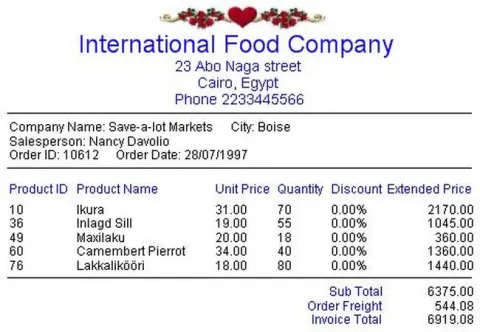
How To Use C# To Print Invoice
This is a trial to print Invoice with C# using PrintPreviewDialog control and PrintDocument control.Printing an Invoice in C#: This process involves designing an invoice layout, creating a PrintDocument object, handling the PrintPage event to draw invoice content, optionally displaying a print dialog, and printing the invoice. Handle exceptions and test thoroughly for a functional invoice printing solution.
- Article · Printing in C#
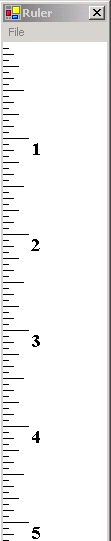
Printing a Ruler using C# and GDI+
If you misplaced your ruler, here's an application that will create one for you on your printer!
- Article · Printing in C#
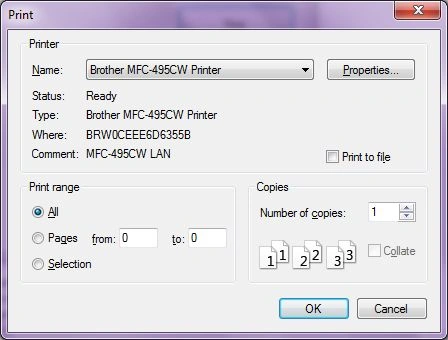
PrintDialog In C#
A PrintDialog control is used to open the Windows Print Dialog and let user select the printer, set printer and paper properties and print a file.
- Article · ASP.NET using VB.NET
PrintDocument,PrintDialog and PrintPreviewDialog control in VB.NET
In this article you will learn about PrintDocument,PrintDialog and PrintPreviewDialog control and how you can print a document and check PrintPreview using these controls.
- Article · Visual Basic 2010
PrintDialog Component in VB.NET
The Windows Forms PrintDialog component is a pre-configured dialog box used to select a printer, choose the pages to print, and determine other print-related settings in Windows applications.
- Article · WPF FAQ
How to use PrintDialog in WPF
In this article you will learn how to use PrintDialog in WPF.
- Article · Visual Basic 2010
Printing in VB.NET
This article explains about Printing in VB.NET.Printing is all carried out through components included in the toolbox. The main component that talks to the printer is the PrintDocument component.
- Article · Visual Basic 2010
Printing a Ruler in GDI+ and VB.NET
If you misplaced your ruler, here's an application that will create one for you on your printer! Unfortunately, you'll still need a ruler the first time using it so that you can calibrate the measurement for your particular printer, but once you know the calibration value, you are all set with a fairly accurate ruler. Below is the simple design of our ruler. The ruler itself is drawn in a Form.