Loading
Topic
SendMessage
9 posts about SendMessage by 8 contributors.
Know SendMessage? Share what you know with developers who are learning it.
+ Follow SendMessageBe the first to follow this
- Articles
- 9
- Contributors
- 8
Articles about SendMessage
- Article · C#
Find And Close The Window Using WIN API
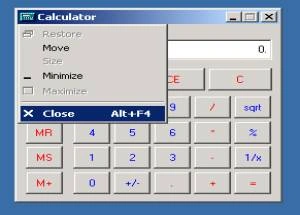
This article explains how to find and close the window using Win API. To find and close a window using the Windows API in a C# application, you can use the FindWindow function to locate the window by its title or class name, and then use the SendMessage function with the WM_SYSCOMMAND and SC_CLOSE parameters to send a close command to the window. Here's a step-by-step description.
- Article · .NET Core
SignalR to enable real-time communication between clients and the server
SignalR to enable real-time communication between clients and a server. SignalR is a library for ASP.NET that allows you to build real-time, interactive web applications. In this example, we'll create a simple chat application where clients can send and receive messages in real-time.
- Article · C#
Clicking a Button in Another Application
This article provides a simple sample of an application that clicks a button in another application.
- Article · C#
Usage of system hotkeys and window messages in C#
This article will show how to register a system hotkey for a currently running application and how to handle window messages for altering controls functionality or adding new functions to them.
- Article · Dialog Boxes
Set your wallpaper as background of a dialog box
This article describes how to set your wallpaper as background of a dialog box
- Article · Enterprise Development
Working with Win32 API in .NET
Windows exposes lots of functionality in the form of Win32 API. Using these API you can perform direct operation in windows, which increases performance of your application.
- Article · Enterprise Development
Working with Win32 API in .NET
Windows exposes lots of functionality in the form of Win32 API. Using these API you can perform direct operation in windows, which increases performance of your application.
- Article · Compact Framework
MSMQ on Pocket PC 2003
Learn how to use MSMQ on Pocket PC 2003 with the .NET Compact Framework, including the basics of mobile development and asynchronous messaging.
- Article · Windows Forms
Kill an Application with System Menu using C#
This article uses the Windows API’s to kill the application running under windows environment.