8 posts about SharePoint Performance by 5 contributors.
Know SharePoint Performance? Share what you know with developers who are learning it.
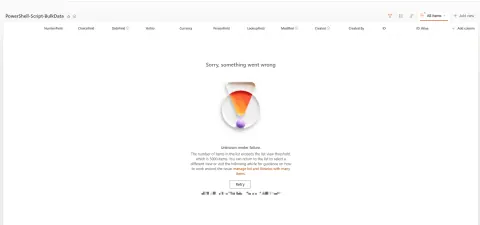
Learn how to manage SharePoint lists beyond the 5,000-item threshold using indexed columns, filtered views, streamlined columns, and pagination.
Optimize SharePoint list performance! Learn how indexed columns speed up filtering, sorting, and queries in large lists, bypassing the 5,000-item threshold. Improve PowerApps & Automate flows.
Configure resource throttling for SharePoint 2016 web applications in Central Administration, including list view thresholds, large-query windows, unique permissions, and HTTP request monitoring.
Usually, SharePoint performance issues don’t originate from the platform itself. The SharePoint troubles frequently come from the overall network problems, incorrect configurations of SharePoint farms or flawed custom solutions.
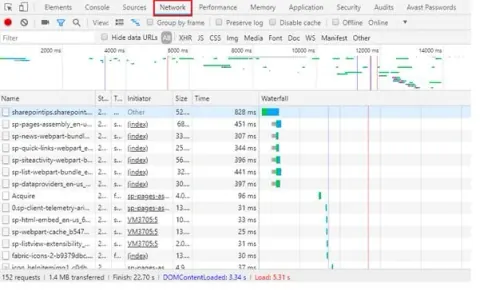
In this article we will see that an army of information is required to be gathered to resolve a SharePoint performance issue. I am not aiming to guide on how to resolve the issue in this article.
In this article we will understand PageLatch and PageIOLatches in SharePoint Databases. Understanding these details will help with investigating SharePoint databases performance.
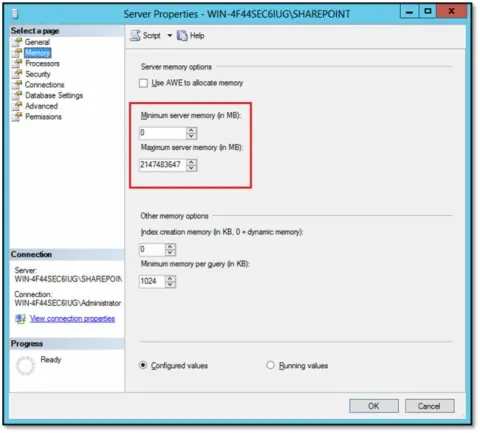
In this article, let’s understand the Minimum and Maximum server memory settings of SQL Server.
In SharePoint, within a SQL data tier, there are four distinct groupings of databases and files we should consider from a performance perspective. The assignment of these grouping to various storage types can have a dramatic effect on performance.
DevSocialUpcoming · 3rd editionAI Agents ConferenceNov 23–27, 2026Live onlineMembers only16days leftRegisterPublish an article in this category and earn +1,000 SHARP when it is approved.
Write an article