Loading
Topic
SharpZipLib
7 posts about SharpZipLib by 2 contributors.
Know SharpZipLib? Share what you know with developers who are learning it.
+ Follow SharpZipLibBe the first to follow this
- Articles
- 7
- Contributors
- 2
Articles about SharpZipLib
- Article · .NET
Reading Zip Files with SharpZip Library in .NET
SharpZipLib is a library for .NET that allows working with compressed files, particularly ZIP archives. To read a ZIP file using SharpZipLib, you first install the library and import the necessary namespaces. Then, you open the ZIP file using a `ZipFile` object, access its entries (files or folders), and process the entry data according to your application's needs. Finally, ensure to close the ZIP file properly to release associated resources.
- Article · Visual Basic .NET
Compress Folders with Visual Basic and the SharpZipLib in VB.NET
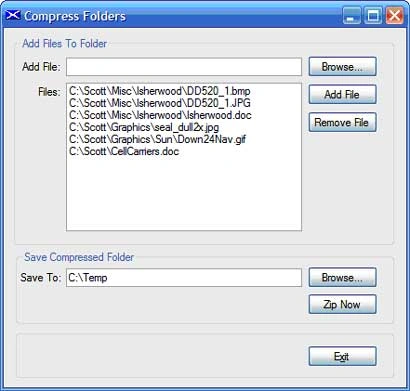
This article shall describe an approach that may be used to collect files from multiple locations and zip them up into a single zipped folder. The code contained in the sample project may be useful.
- Article · Visual Basic .NET
Opening Jars with Visual Basic
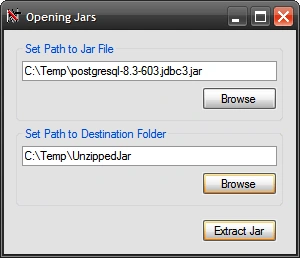
This article shall describe an approach that may be used to extract Jar files.
- Article · Windows Forms
Compress Folders with C# and SharpZipLib
Learn how to use SharpZipLib in a C# Windows Forms application to collect files from multiple locations and create a ZIP archive for storage or upload.
- Article · Cryptography in VB.NET
Compress Folders with Visual Basic and the SharpZipLib
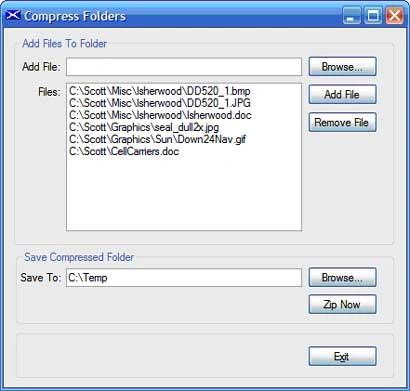
This article shall describe an approach that may be used to collect files from multiple locations and zip them up into a single zipped folder. The code contained in the sample project may be useful if one needs to gather up multiple files, zip them up, and then do something with them such as upload the zipped files to a server location for storage or processing. The application uses the SharpZipLib for the basis of the compression function.
- Article · Visual Basic Language
Opening Jars with Visual Basic
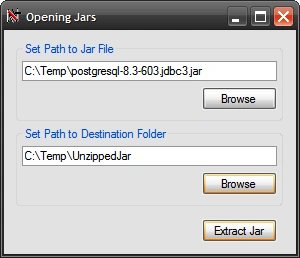
This article shall describe an approach that may be used to extract Jar files. Jars are merely files compressed using zip compression; the primary difference between a standard trash zip file and a jar file is that the jar file includes a manifest; also a true jar files can be run as an executable on a machine equipped with the java runtime. Jars typically contain java class files; if you have some need to extract a jar and view its contents, it is no more difficult to do that than it is to unzip a normal zip file.
- Article · C#
Opening Jars with C#
This article shall describe an approach that may be used to extract Jar files. Jars are merely files compressed using zip compression; the primary difference between a standard trash zip file and a jar file is that the jar file includes a manifest; also a true jar files can be run as an executable on a machine equipped with the java runtime.