Loading
Topic
Trigger Expressions
1 post about Trigger Expressions by 1 contributor.
Know Trigger Expressions? Share what you know with developers who are learning it.
+ Follow Trigger ExpressionsBe the first to follow this
- Articles
- 1
- Contributors
- 1
Everything about Trigger Expressions
- Article · Power Automate
Trigger Conditional in Power Automate: How & When to Use Them
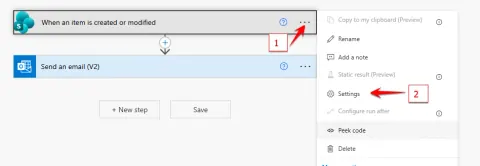
Trigger Conditions in Power Automate allow you to control when a flow should start, based on specific logical expressions. Instead of running a flow every time a trigger event occurs—such as when an item is created, modified, or a file is added—you can use trigger conditions to ensure the flow runs only when certain conditions are met. By adding one or more trigger conditions to a flow’s trigger settings, you can limit unnecessary executions, improve performance, reduce flow run counts, and ensure automation is executed only when truly required. Trigger conditions use Power Automate expressions to evaluate field values, changes, or business rules before the flow begins.