Loading
Topic
Web Automation
8 posts about Web Automation by 6 contributors.
Know Web Automation? Share what you know with developers who are learning it.
+ Follow Web AutomationBe the first to follow this
- Articles
- 8
- Contributors
- 6
Everything about Web Automation
- Article · Software Testing
Playwright Testing for ASP.NET Core Applications: A Practical Guide
Master Playwright for ASP.NET Core E2E testing. Learn setup, writing tests, best practices, and CI/CD integration for reliable web app validation.
- Article · AI Agents
How Developers Are Building AI Browser Automation Agents
Explore AI browser automation: build agents that navigate websites, automate tasks, and adapt to changes. Discover tools, architectures, and use cases for developers.
- Article · Generative AI
Generative AI: OpenAI Atlas - An AI-Native Web Browser Arrives
OpenAI's Atlas browser integrates ChatGPT directly into web browsing, offering agentic automation, side-by-side chat, and personalized memory. Built on Chromium, it aims to streamline tasks like form filling and reservations. This move positions OpenAI to compete with Chrome and Edge, potentially shifting web interaction from search-and-click to AI-assisted goal completion. Will it be safe and reliable?
- Article · Algorithms in C#
Advanced Selenium Chrome Automation in C#
Master advanced Selenium Chrome automation in C# with this comprehensive guide. Learn to handle dynamic elements, forms, alerts, and pop-ups using explicit waits and ChromeDriver options. Discover best practices for robust error handling, headless mode automation, and screenshot capturing. Elevate your web testing and CI/CD pipelines with production-ready code and expert techniques for maintainable test scripts.
- Article · AI
Artificial Intelligence: Agentic Web Browser with Code Generation Features
Agentic web browsers are revolutionizing how we interact with the internet. These AI-powered browsers autonomously interpret, navigate, and execute tasks, transforming workflows for developers, compliance officers, and more. Featuring code generation, fact-checking, and built-in security, they promise increased productivity and reduced risk. This is a paradigm shift, not just a step forward, for web interaction.
- Article · Software Testing
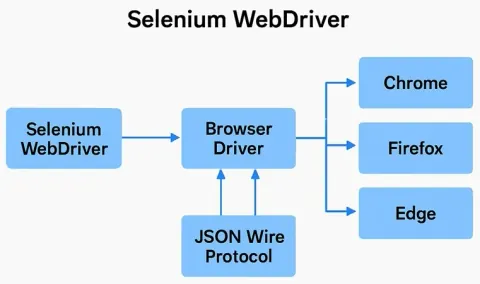
Selenium WebDriver Overview
Selenium WebDriver is a powerful tool for automating web browser interactions. It enables cross-browser testing, supports multiple languages, and is essential for robust and scalable test automation frameworks.
- Article · Power Automate
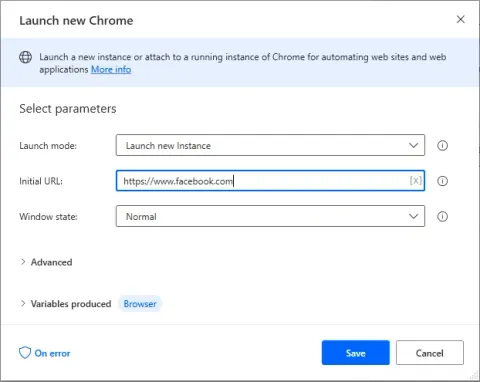
UI Flow with Power Automate Desktop
Explore how to create your first web UI flow using Power Automate Desktop in this step-by-step guide. Learn how to record browser actions to automate repetitive tasks efficiently. This demo covers everything from installing the Power Automate add-in to saving and running your UI flow.
- Article · Software Testing
How To Highlight Web Elements Using JavascriptExecutor In Selenium WebDriver
Learn how to highlight web elements in Selenium WebDriver using JavascriptExecutor. This guide covers how to use JavaScript to draw attention to elements on a webpage during automated testing, making it easier to debug and verify your test cases.