Loading
Topic
Web Browser Control
8 posts about Web Browser Control by 6 contributors.
Know Web Browser Control? Share what you know with developers who are learning it.
+ Follow Web Browser ControlBe the first to follow this
- Articles
- 8
- Contributors
- 6
Everything about Web Browser Control
- Article · Windows Forms
How to Play Flash in Windows Forms Application Using C#
Learn how to integrate and play Flash (.swf) files in Windows Forms apps. Explore two methods: Shockwave Flash Object and WebBrowser control.
- Article · Windows Forms
Add a Quick Map to a Windows Application
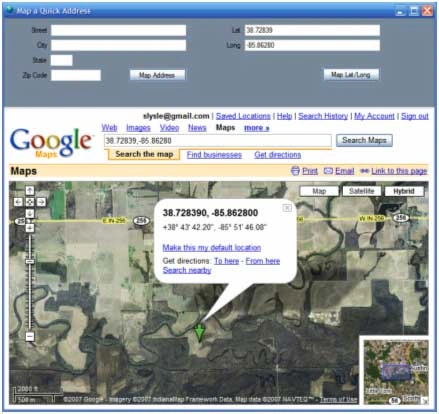
This project demonstrates a quick and easy way to add mapping to a windows desktop application (with an available internet connection) using Google Maps as the basis and source for the map.
- Article · Microsoft Phone
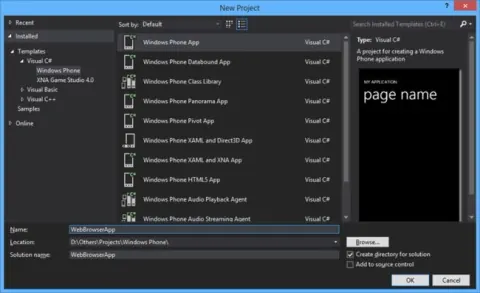
How to Create Web Browser Control in Windows Phone
In this article I will demonstrate how to create a Web Browser control on a page in Windows Phone.
- Article · Microsoft Phone
Windows Phone : Web Browser Control
Let's see how to use a Web Browser Control in Windows Phone.
- Article · Visual Basic .NET
Add a Google Map to a VB Desktop Application
This project demonstrates a quick and easy way to add mapping to a windows desktop application (with an available internet connection) using Google Maps as the basis and source for the map.
- Article · Microsoft Phone
WebBrowser Control With ProgressBar in Windows Phone 7
Use the Windows Phone 7 WebBrowser control with a custom indeterminate ProgressBar that appears while a page is loading.
- Article · Visual Basic 2010
Add a Google Map to a VB Desktop Application
This project demonstrates a quick and easy way to add mapping to a windows desktop application (with an available internet connection) using Google Maps as the basis and source for the map.
- Article · Office Development
Play with the Excel Object Library using .NET
Use the Excel Object Library in a C# Windows Forms application to populate worksheet cells, generate a chart, save an Excel report, and display it in a WebBrowser control.