Loading
Topic
WebBrowser control
8 posts about WebBrowser control by 5 contributors.
Know WebBrowser control? Share what you know with developers who are learning it.
+ Follow WebBrowser controlBe the first to follow this
- Articles
- 8
- Contributors
- 5
Everything about WebBrowser control
- Article · Windows Forms
WebBrowser Control in C# and Windows Forms
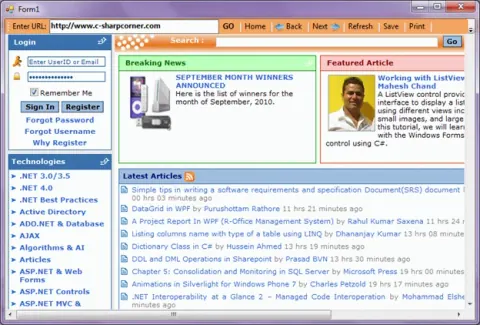
WebBrowser control allows developers to build Web browsing capability within Windows Forms applications. In this article, I will demonstrate how to use the WebBrowser control in a Windows Forms application using C# and Visual Studio 2010.
- Article · Windows Forms VB.NET
WebBrowser Control in VB.NET
WebBrowser control allows developers to build Web browsing capability within Windows Forms applications. In this article, we will demonstrate how to use a WebBrowser control in a Windows Forms application using Visual Basic .NET.
- Article · WPF using VB.NET
Webrowser control in WPF using VB.NET
In this article we will learn how to use WebBrowser control in WPF using VB.NET.
- Article · WPF using VB.NET
WebBrowser Control in WPF
In this article, I am going to show how we can use WebBrowser control in WPF application.
- Article · Windows Forms
Display a Web Page in a Windows Forms
In this article, we will see how we can display a web page on Windows Forms.
- Article · COM Interop in VB.NET
Using a COM callable wrapper to launch a program from a hyperlink in the webbrowser control
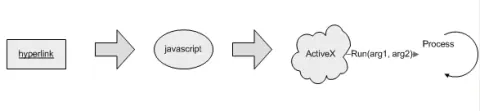
This article describes how you can launch an application from a link inside the WebBrowser Control using a combination of javascript and an ActiveX Control created in VB.
- Article · COM Interop
Using a COM Callable Wrapper to Launch a Program from a Hyperlink in the WebBrowser Control
This article describes how you can launch an application from a link inside the WebBrowser Control using a combination of javascript and an ActiveX Control created in C#.
- Article · Windows Forms
Windows Forms WebBrowser Control
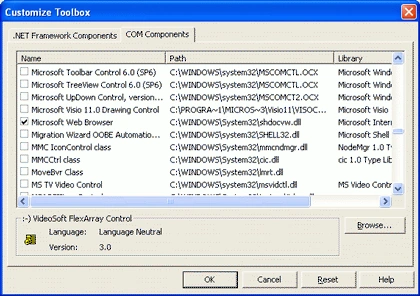
Windows Forms 1.0 lacked a Web Browser control. The work around was to use IE ActiveX control using COM Interop. Now Windows Forms 2.0 provides a Web Browser control, which is a managed wrapper of IE ActiveX control.