Loading
Topic
Webresource
9 posts about Webresource by 1 contributor.
Know Webresource? Share what you know with developers who are learning it.
+ Follow WebresourceBe the first to follow this
- Articles
- 9
- Contributors
- 1
Articles about Webresource
- Article · Windows Services
Working With HTML Webresource In Dynamics CRM
During certain scenarios we must build a custom html to show data from Dynamics CRM as per customer requirement. As an example, a separate tab was shown on contact form to show selected contact’s Account Address details in the below use case.
- Article · Dynamics CRM
Get SubGird Record Count With Webresource In Dynamics CRM
During certain scenarios, we must acquire the total records count present in a sub grid. To achieve this functionality, explicit logic should be written using JavaScript with form controls that are available on the form. Contact forms with account sub grids are required, and the Contact record was used to explain this functionality.
- Article · Dynamics CRM
Retrieve Environment Variable Value With Webresource In Dynamics CRM
Applications often require different configuration settings or input parameters when deployed to different environments. Environment variables store the parameter keys and values, which then serve as input to various other application objects. Separating the parameters from the consuming objects allows you to change the values within the same environment or when you migrate solutions to other environments. The alternative is leaving hard-coded parameter values within the components that use them. This is often problematic; especially when the values need to be changed during application lifecycle management (ALM) operations. Because environment variables are solution components, we can transport the references (keys) and change the values when solutions are migrated to other environments. As an example, on selected contact record an -environment variable value will be retrieved based on the schema name using webresource.
- Article · Dynamics CRM
Get Users Local Date Time With Webresource In Dynamics CRM
In Dynamics 365 CRM, for certain requirements we need to get users local system date time to compare with the given dates for certain business logic. As an example, on selected contact record users local date time was fetched.
- Article · Dynamics CRM
Get Header Values With Webresource In Dynamics CRM
In Dynamics 365 CRM, for certain requirements we need to get header values that are present in a record. We can get values with form context. As an example, on contact record form context was used to retrieve value of owner.
- Article · Dynamics CRM
Understand Open Dialog With Webresource In Dynamics CRM
In Dynamics 365 CRM, for certain requirements we need to show dialog window. We can use openAlertDialog method present in Client API Reference in Dynamics crm. As an example, for a selected contact record, open dialog will be shown.
- Article · Dynamics CRM
Show And Hide Tabs With Webresource In Dynamics CRM
In Dynamics 365 CRM, at times we must show respective tabs based on some values of controls which were kept on form. Tabs can be shown or hidden based on the form context object. As an example, in contact form, if at all vaccination was completed then only Vaccination details tab will be shown to the user otherwise it will be hidden.
- Article · Dynamics CRM
Link Web Resource To A Form In Dynamics CRM
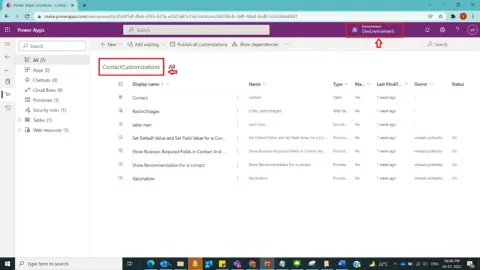
In Dynamics 365 CRM, post creation of a web resource, to use it in CRM Form for a selected entity then we must add web resource into Form Libraries present at form level and then tie it to Event Handlers for a selected Event on Main Form. As an example, in Contact Customizations Solution for Contact Entity Main Form a web resource will be added to perform customizations on Contact Record.
- Article · Dynamics CRM
Creation Of Web Resource JavaScript Type In Dynamics CRM
In Dynamics 365 CRM, any functionality cannot be achieved through OOB [Out of Box] functionality, then first thing comes into mind was customizations. So, basic customizations can be achieved starting with Web resources (js type) under code especially through JavaScript. As a business case, a new web resource will be created in Contact Customizations Solution.