Loading
Blogs by Arun Potti

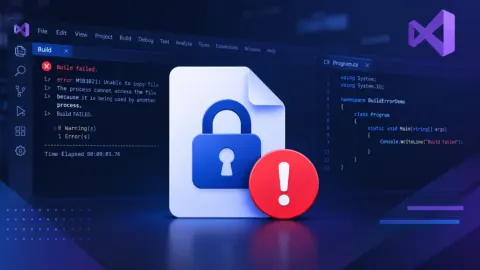
Fixing “Exceeded Retry Count of 10” Build Error in Visual Studio for D365 CE Projects
Learn how to fix the Visual Studio build error caused by a locked Dataverse console application executable by identifying and ending the running process in Task Manager.
Fixing Postman Connection Issues: A Step-by-Step Guide
Fix Postman connection errors with this step-by-step guide! Learn how to resolve 'Unable to load data' and websocket connection issues by updating Postman. Get your API workflow back on track!

Edit in Visual Studio Code for the Web in Power Apps Portals
Explore the new Power Apps Portals feature that lets you open and edit portal components directly in Visual Studio Code online, enabling real-time changes, instant saving, and a seamless development experience.

Microsoft Azure: You’re Not Eligible for an Azure Free Account
If you see the message "You’re not eligible for an Azure free account," it means your account does not meet Microsoft Azure’s free tier criteria.
Power Pages: Update Your Portal Auth Key Before Expiry
Learn how to renew the authentication key for your Microsoft Power Pages site to avoid downtime. Follow a step-by-step guide via Power Platform Admin Center to ensure uninterrupted access to Dynamics 365.

OpenApiConnection Error: inputs.parameters Invalid
I encountered a Power Automate error due to a name parameter exceeding the field length. Resolved it by updating the column size, reloading parameters, and saving the flow. A potential bug; the workaround worked seamlessly after adjustments.
Use FilteringAttributes with Update Event in Triggers
Encountered an error in Power Automate Flow while creating an Order Product. The trigger failed with error code 0x80040203 due to incorrect Change type and Select columns. Solution: Update Change type and remove Select columns.
Dynamics 365 CE Solution Import Failed in Azure DevOps Pipelines
This article, covers common errors, troubleshooting steps, and best practices for ensuring successful solution deployment in DevOps, helping streamline your CI/CD processes and avoid common pitfalls.
Power Automate Error: Cannot Write more Bytes to the Buffer
Learn how to resolve the 'Power Automate Error: Cannot write more bytes to the buffer.' This error typically occurs when the buffer size exceeds its capacity during data processing.

Recipient of type ‘Contact’ with ID is marked as non-emailable
Encountered an error in Power Automate: "Recipient of type ‘Contact’ is marked as non-emailable." The issue stemmed from the email preference being set to "Do Not Allow" in the contact’s preferences. After updating to "Allow," the flow successfully sent the email.
Dark Mode in Microsoft Power Apps
Step by step details to enable the Dark mode in Microsoft Power Apps.
[Resolved] Web Resource Method Does Not Exist in Dynamics 365 CE JS
Step-by-step details to resolve the "Web resource method does not exist" in Dynamics 365 CE JavaScript Error. Learn how to troubleshoot and resolve JavaScript errors in Dynamics 365 CE.
What is Microsoft Dataverse Accelerator?
Dataverse Accelerator, a Microsoft Experimental feature, empowers developers with low-code plug-ins in Dataverse environments. It enables server-side synchronous business logic workflows, offering seamless integration with Power Platform connectors.
[Resolved] PCF Field Control Not showing in the PCF Test Environment?
In this article, we will learn about step-by-step details to resolve the PCF control issue in the PCF Test Environment. While I was working on a field control in the Visual Studio code, it was not showing anything in the PowerApps components framework Test Environment.
How to convert the Number String to Number Array in JavaScript?
Steps to convert the number string to Number Array in JS
ReferenceError: Web resource method does not exist in Dynamics 365 CE
Step by step details to resolve the issue in dataverse, ReferenceError: Web resource method does not exist in Dynamics 365 CE Javascript Error
Resolved: Subcomponent cannot be added to the solution in Dataverse
Step by step details to resolve the issue in Dataverse, Subcomponent cannot be added to the solution because the root component Template is missing
Microsoft Model Driven App's Play Button is Disabled?
In a recent experience with a Model Driven app, I encountered a disabled Play button in the Power Apps Maker Portal. The solution? Simply remember to Publish your app after making changes to activate the Play button. Follow these steps to ensure a smooth process. Your feedback is appreciated!
What is Preview, Experimental and Retired features in Canvas Apps?
Explanation about Preview, Experimental and Retired features in the Microsoft Power Platform
Unable to see Dynamic Content and Expression Pop-up in Power Automate?
Step by step details to show the Dynamic Content and Expression Popup in the Power Automate flow
Microsoft Power Apps Left Navigation pane has a new look!!!
Step by step process to show the latest Microsoft Power Apps left navigation pane
How To Download Microsoft Power Platform Icons?
Step by step process to download the Microsoft Power Platform Icons
How To Download Microsoft Azure Architecture Icons
In this blog, you will learn how to download microsoft azure architecture icons.
Microsoft Dynamics 365 CE Certifications List
In this blog, you will learn about Dynamics 365 CE Certifications List.