Loading
Bechir Bejaoui's contributions
Using the default keyword in C#
The keyword default plays several and important roles in the C# language, therefore, I will enumerate some cases where the default keyword is used.

How to explore a given type dynamically
In this blog I will show you how to explore a given type properties, methods, fields and so forth programmatically.
Using Symmetric Algorithms to Encrypt Data
In this article, I will propose a method of how to encrypt data and store it using symmetric algorithms whose are, in fact, four integrated classes within the .Net framework, namely DES,RC2,Rijndael and TripleDES but I will perform the task using the two last ones as they are the mostly used in real time cases.

Handle resource file - Add resources into a windows application using VS 2005: Part II
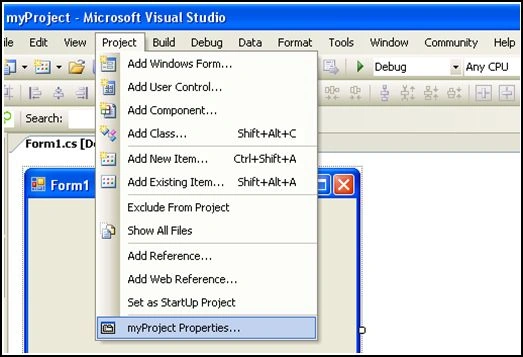
In this article, I will show how to add resources to a windows application using tools provided by the Visual studio 2005 integrated development environment.
Why and when using where keyword within a generic class context
In this article, I will try to make understand the importance of the where keyword used as a part of a generic class context.
Introduction to The Resources .resx and Resources Files: Part I
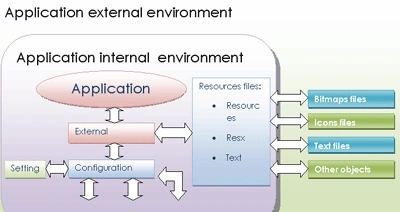
In some cases an application needs some external resources to perform specified tasks. And I mean by external resources, those none executables data logically deployed with a given application.
Using IComparable and IComparer to compare objects
This article informs you that the .Net framework and especially the System.Collection namespace provides us two built in interfaces witch are IComparable and IComparer interfaces that enables us compare and sort objects.
What really it differs an Interface from a class: Part III
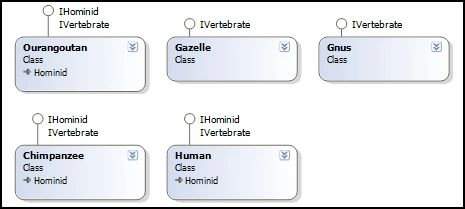
As a response to the third question asked in the first article Part I-What really it differs an Interface from a class? I can say that also interfaces play others important roles. They can serve as a powerful tool to explore objects
Using IComparable and IComparer to compare objects
The .Net framework and especially the System.Collection namespace provides us two built in interfaces witch are IComparable and IComparer interfaces in order to compare two objects
What's really differs an Interface from a class?: Part II
In this article, I will respond to the second question posed in the previous one. Part I-What's really differs an Interface from a class?
What really it differs an Interface from a class: Part I
This article tells you about the basic difference between an interface and a class.
Enable conserve the application settings through differents sessions
Enable the application user to conserve his settings such as the font color and the font family or the background color of a given text box through differents sessions
Save the application settings using VS2005 for subsequent application sessions
It is practical to save some usefuls data that can be kept in a separate file when the application is out of the service.
Save the application settings for subsequents sessions
Learn how to persist Windows Forms control properties, such as font and colors, across sessions using ApplicationSettingsBase, data binding, and user-scoped settings.
Configuration Sections- Create a configuration section group and retrieve configuration information from it: Part IV
In the previous article , we demonstrate how to create a custom section with custom attributes using the ConfigurationSection class and IConfigurationSectionHandler interface.
Add and handle connection strings in an application configuration file: Part I
There are two ways to save data and parameters. In this case we save application parameters like information entered by the user during the installation process.
Get the machine configuration file information using ConfigurationManager class
This article tells you how to retrive information of configuration file which is applied to the entire application.

Add and handle application settings in the configuration file: Part II
This article tells you how to add connection string using the configuration file itself.
Configuration Sections- Create customized section using IConfigurationSectionHandler Interface: Part III
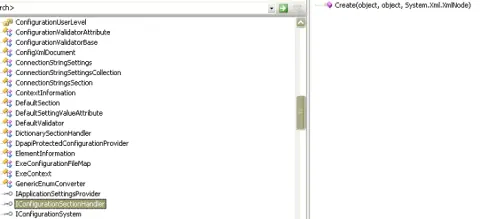
In this part III article we will try to achieve, step by step, the same goal as in the Part II article, but using another tool, namely, the IConfigurationSectionHandler interface.
Configuration Sections; Introducing the Custom Configuration Section Concept: Part I
Custom sections of an ASP.NET Configuration File are customized sections that a developer configures by himself. In this case, the developer also sets their attributes and elements to suit special application needs in terms of settings.
Configuration Sections-Create a customized section using ConfigurationSection class: Part II
This article extends the custom configuration section concept.
Filter data dispalyed in a DataGridView using BindingSource and DataView
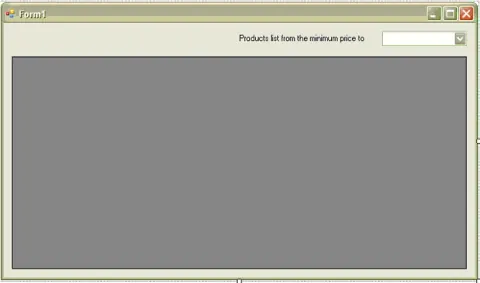
In this article, I will show you how to use the BindingSource or the DataView to filter data in a given data grid view.
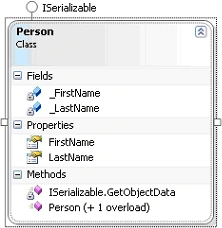
How to serialize an object using an ISerializable interface
In this article I will show you how to serialize an object using ISerializable interface with a very simple manner.
Host a combo box column within a DataGridView control
In this article I willl show how to host a data grid view combo box column within a data grid view control.
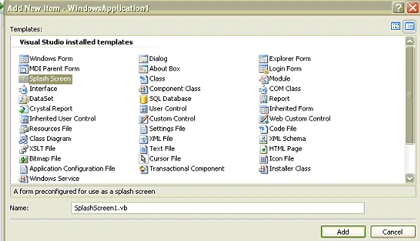
Add a Splash Form to a Windows Application
This article shows you a method of how to add a splash form to a windows application programmatically.