Loading
Destin Joy's contributions

Enable self-service site creation for the web application in SharePoint 2013
In this blog I just show you some simple configuration to Enable self-service site creation for the web application
Understanding Server Roles in SharePoint 2013
In this article we can see the various SharePoint Server roles and their functionalities.
Tuning and Optimizing a SharePoint Environment
This article provides some information on how to optimize a SharePoint deployment.
Working With SharePoint 2013 REST API in a C# Managed Code
In this article we can see some examples of accessing SharePoint list data using a REST service
Enabling Anonymous Access SharePoint 2013
Anonymous access, as the name suggests, allows anonymous users to view pages. Most public facing Internet websites use this type of access.
Database Hardening For SharePoint 2013
This article explains how to secure communication between servers in a farm by blocking the default ports used for SQL Server communication and establishing custom ports for this communication instead, in SharePoint 2013.
Configuring SharePoint 2013 and SQL Server to Communicate Over Non-Standard Ports
This article explains how to configure SharePoint 2013 and SQL Server to communicate over non-standard ports.
Planning a Secure Deployment SharePoint 2013
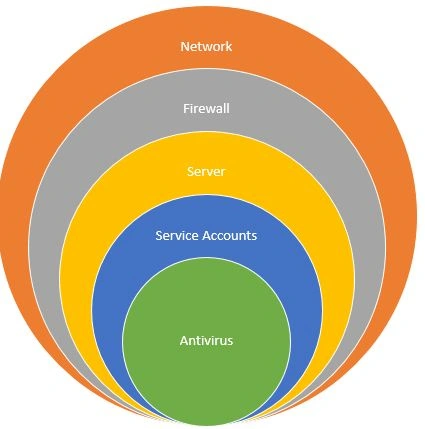
This article explains types of scenarios for a secure deployment of SharePoint 2013.
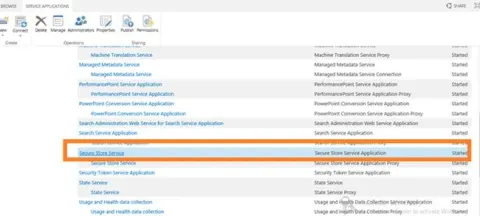
Overview of Service Application Architecture in SharePoint 2013
Overview of service application architecture in SharePoint 2013.
How to Back Up Individual Components of a SharePoint 2013 Farm
Performing full farm backups is an important task that should be performed regularly; however, some farm data, such as configuration databases, will not change frequently, so it will not require frequent backups.
High Availability for Central Administration SharePoint 2013
An important consideration for making a SharePoint farm highly available is what to do with Central Administration.
How to Make High Availability for SharePoint 2013 Service Applications and Services
How to make high availability for SharePoint 2013 Service applications and services.

Introduction to Machine Translation Services in SharePoint 2013
Here we can see an introduction to machine translation services in SharePoint 2013.
High-Availability Options For Database Server in SharePoint 2013
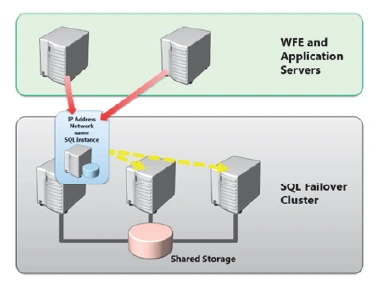
This article describes how to make your server farm resilient to hardware failures, in other words, how users can continue to access SharePoint if a single component in the farm fails.
How to Make SharePoint 2013 Infrastructure Highly Available
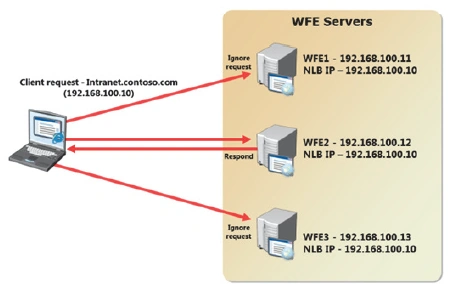
This article describes how to help ensure that both Web Front End (WFE) services and service applications within a SharePoint farm can be made highly available.
Designing Business Continuity Management Strategies in SharePoint 2013
In this article we can see some of the Business Continuity Management Strategies in SharePoint 2013.
New Architectural Features for SharePoint 2013
In this blog we can see some of the new architecture features of SharePoint 2013
TryGetList in SharePoint 2013
In this blog we can see what is the use of TryGetList in SharePoint 2013.
Congratulations 2014 Microsoft MVP!
Happy news to share you all third time in the row I got MVP in SharePoint Server.
How to Enable SSO For Web Services Used in InfoPath Form in SharePoint 2013
To use SharePoint Web services in InfoPath form with is configured using Claim based SharePoint sites we have to create SSO for Web service connection and have to be mentioned in the connection file(.udcx). We can see the detailed steps for the same in this article.
Planning Farm Topology in SharePoint 2013 - PART II
In this article we can learn various types of topology available in SharePoint 2013.
Planning Farm Topology in SharePoint 2013: Part I
In this article we can learn various types of topology available in SharePoint 2013.
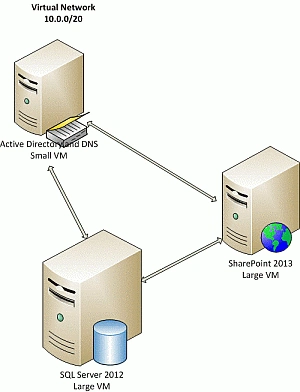
How to Setup SharePoint 2013 With Windows Azure : Part 2
In this article we can learn how to set up the SharePoint Server 2013 in Windows Azure.