Loading
Dinesh Beniwal's contributions
Polygon in WPF
A polygon is a series of connected lines which is a closed shape. A closed shape is a shape that has same start point and end point. This article demonstrates how to create and use a polygon in WPF using XAML.
Your First Graphics Web Application in GDI+
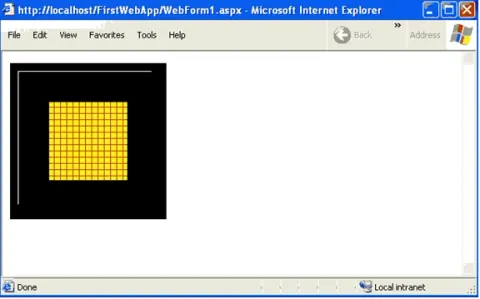
In this application we will draw a few simple graphics objects, including lines and rectangles.
Working with the ODBC .NET Data Provider
In this article, I’ll show you how to work with different data sources (or database) using the ODBC .NET data provider. You’ll see how you can use the ODBC.NET data provider to work with MySQL, Oracle, Excel, and even text data files.
Understanding and Using Graphics Paths in GDI+
In this article I will explain understanding and using Graphics Paths in GDI+.
Using the ADO Recordset in ADO.NET
In this article I will explain Creating Your First ADO.NET Web Application.

WPF ScaleTransform in VB.NET
Scaling is a process of stretching or shrinking an element. The ScaleTransform scales an element by a given factor.
Adding Web Controls to a Web Form in GDI+
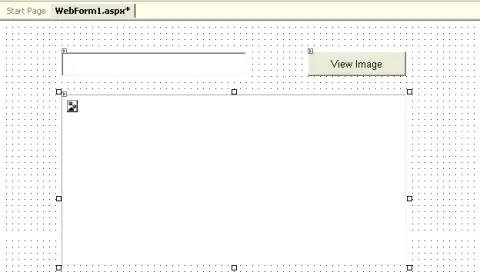
In this article you will learn how to Add Web Controls to a Web Form in GDI+
WPF Path in XAML
A graphics path is a set of connected lines, curves, and other simple graphics objects, including rectangles, ellipses, and text. This article demonstrates how to create and use paths in WPF and XAML.
Ellipse in WPF
The Ellipse object represents an ellipse shape and draws an ellipse with the given height and width. This article demonstrates how to create and use an ellipse in WPF and XAML.
Creating Your First ASP .NET Web Application in GDI+
In this article you will learn how to Create Your First ASP .NET Web Application in GDI+

Executing a Stored Procedure Programmatically
Learn how to execute SQL Server stored procedures in C# with ADO.NET, including input, output, and return-value parameters.
Rectangle in WPF
The Rectangle object represents a rectangle shape and draws a rectangle with the given height and width. This article demonstrates how to create rectangles in WPF and XAML.
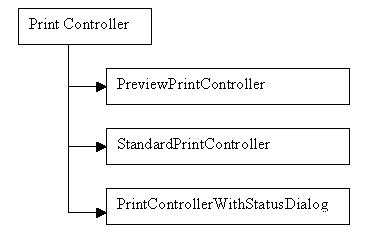
Getting into the DetailsCustom Controlling and the Print Controller in GDI+
In this article I will explain about Custom Controlling and the Print Controller in GDI+.
Drawing Other Objects with Line Caps and Styles in GDI+
In this article I will explain about image class methods and properties in GDI+.
The DocumentName Property and Marginal Printing in GDI+
In this article I will explain about the DocumentName Property and Marginal Printing in GDI+.
Working with DataView and DataViewManager Events in ADO.NET
In this article you will learn how to Work with DataView and DataViewManager Events in ADO.NET
WPF SkewTransform in VB.NET
SkewTransform is used to skew or shear an element. Shear can be used to add depth to elements to give them a 3-D look.
Customizing Line Caps and Line joins in GDI+
In this article I will explain about Customizing Line Caps and Line joins in GDI+.

Printing Multiple Pages in C#
In this article, you will learn how to print multiple pages in C# using GDI+.
Getting and Setting Line Caps and Styles in GDI+
In this article I will explain about Getting and Setting Line Caps and Styles in GDI+.