Loading
Dinesh Beniwal's contributions

TreeView in Silverlight
A TreeView control provides a hierarchical view of list items. This article demonstrates how to work with a TreeView control in Silverlight 2 using XAML and VB.NET.

WPF Controls,Layout panel and Graphics primitives in VB.NET
In this article you will learn how to use Controls,Layout Panel and Graphics primitives in WPF.
WPF Controls,Layout panel and Graphics primitives
In this article you will learn how to use Controls,Layout Panel and Graphics primitives in WPF.

WPF Controls,Layout panel and Graphics primitives
In this article you will learn how to use Controls,Layout Panel and Graphics primitives in WPF.
Windows Live SkyDrive
Store, access, and share your files with friends or co-workers, from anywhere online. Free 25 GB online storage means you can easily get to your stuff with just a few quick clicks.
WPF WrapPanel in VB.NET
A WrapPanel control is used to arrange child controls to arrange vertically or horizontally. This article demonstrates how to create and use a WrapPanel control in WPF using XAML and VB.NET.
Beginner Developer Learning Center: Overview
Welcome to the Beginner Developer Learning Center - a centralized learning environment specifically targeted to beginning programmers. Here you'll find a rich array of learning content that starts with the very basics, and guides you through step-by-step to becoming a fully-fledged developer!
WrapPanel in WPF
A WrapPanel control is used to arrange child controls to arrange vertically or horizontally. This article demonstrates how to create and use a WrapPanel control in WPF using XAML and C#.
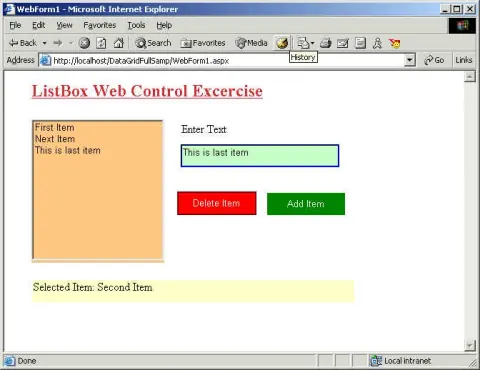
Using ListBox Web Control
This article explains the ListBox Web Forms control properties and methods and how to use it.
Fix Commom PC Problems
Having trouble with your computer? You've come to the right place. Even if you don't know a computer language (or don't want to), you can solve several common PC problems on your own, using the resources listed here.
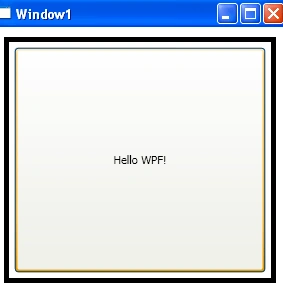
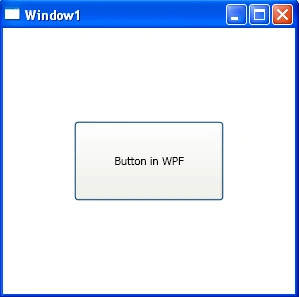
Button Control in WPF
This tutorial demonstrates how to create and use a Button control in WPF using XAML and C#.
Button Control In WPF
The Button class and XAML Button element represent a WPF Button control that is used to execute code on the button click event. Code examples in this article covers how to use Button, add a button click event handler, and format a WPF button in C# and XAML.
Implementing Opacity Masks in WPF
Opacity masks allow us to make portions of an object transparent or semi transparent. This article demonstrates how to implement opacity masks feature in WPF objects such as a Rectangle and an Image.
Implementing Opacity Masks in WPF
Opacity masks allow us to make portions of an object transparent or semi transparent. This article demonstrates how to implement opacity masks feature in WPF objects such as a Rectangle and an Image.
Implementing Opacity Masks in WPF
Opacity masks allow us to make portions of an object transparent or semi transparent. This article demonstrates how to implement opacity masks feature in WPF objects such as a Rectangle and an Image.

Implementing Opacity Masks in Silverlight
In this article you will learn how to use Implementing Opacity Masks in Silverlight.
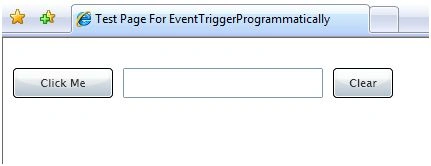
Programmatically Trigger Events of a Control in Silverlight
This article shows you how to fire the click event of a Button control programmatically in Silverlight 2.0.

Be an IT Hero
Affirm your status as an IT (super) hero by managing your company's mobile devices the same way you manage the rest of your technology infrastructure.
Application State and Global Variables in ASP.NET
This article explains the basics of application state and how to manage application state in ASP.NET.
Building Custom Controls in Silverlight 2.0
This tutorial discusses how to create and use custom controls in Silverlight 2.0 and Visual Studio 2008. The first part of the tutorial creates an ImageViewer user control and second part shows how to use this control in a Silverlight Web application.
Rise to the economic challenge
In economically challenging times, companies need to manage costs and make targeted investments to drive short- and long-term growth.