Loading
Dinesh Beniwal's contributions

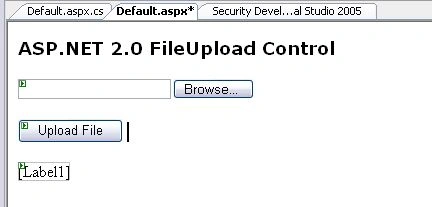
ASP.NET 2.0 FileUpload Control
ASP.NET 2.0 FileUpLoad control is used to browse and upload a file from a web page. This tutorial shows how to use ASP.NET 2.0 FileUpload control.
.NET Beta 2 and Navigation in XML Documents
.NET Beta 2 was released yesterday at tech-ed, 2001, Atlanta. Many things have been changed in Beta 2 since Beta 1. In this article, I'll cover changes in XmlNavigator class replaced with XPathNavigator.

ASP.NET 2.0 Xml Control <asp:Xml>
The Xml control of ASP.NET 2.0 is used to display an XML document and apply XML transformations to transform the data. This article shows how to use Xml control.
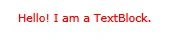
WPF TextBlock
In this article, I discussed how we can create and format a TextBlock control in WPF and VB.NET.
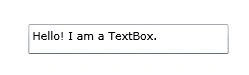
WPF TextBox in VB.NET
This article demonstrates how to create and use a TextBox control in WPF using XAML and VB.NET.
ListBox in Silverlight
A ListBox control is an items control that works as a ListBox control but only one item from the collection is visible at a time and clicking on the ListBox makes the collection visible and allows users to pick an item from the collection. This article demonstrates how to use a ListBox control in Silverlight.
TextBlock in Silverlight
A TextBlock control in .NET 3.5 provides a lightweight control for displaying small amounts of flow contents. This tutorial demonstrates how to create and use a TextBlock control in Silverlight using XAML and C#.
ListBox in WPF
This tutorial shows you how to create and use a ListBox control in WPF and XAML. The tutorial also covers styling and formatting, add images, checkboxes, and data binding in a ListBox contrtol.
TextBox in Silverlight
This article demonstrates how to create and use a TextBox control in Silverlight using XAML and C#.
ListBox in WPF
This tutorial shows you how to create and use a ListBox control in WPF and XAML. The tutorial also covers styling and formatting, add images, checkboxes, and data binding in a ListBox contrtol.
Hyperlink Button in Silverlight
This article demonstrates how to create and use a HyperlinkButton control in Silverlight using XAML and C#.
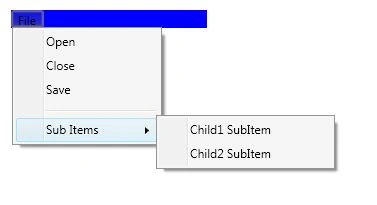
Menus in WPF
This tutorial shows you how to create and use a Menu control available in Windows Presentation Foundation (WPF).
ToolTip Control in Silverlight
A ToolTip is a pop-up window that displays some information in a small window. The ToolTip class in .NET 3.5 represents a ToolTip. This article demonstrates how to use a ToolTip control available in Silverlight.
Rectangle in Silverlight
This article demonstrates how to create and use a Rectangle control in Silverlight using XAML and C#.
Polygon in Silverlight
A polygon is a series of connected lines which is a closed shape. A closed shape is a shape that has same start point and end point. This article demonstrates how to create and use a Polygon control in Silverlight using XAML and C#.
Label Control in Silverlight
This article demonstrates how to use a Label control in Silverlight using XAML and C#.
TabControl in Silverlight
This article discusses how to create and use a TabControl available in Silverlight 2.0.
CheckBox in Silverlight
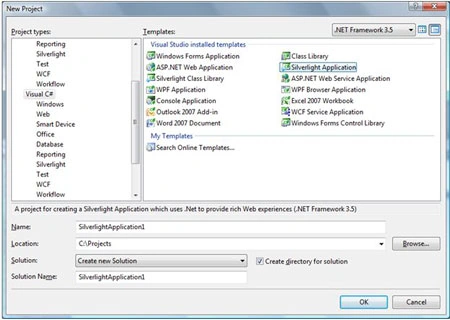
This article demonstrates how to create and use a CheckBox control in Silverlight with the help of XAML and C#.
RadioButton in WPF
This tutorial shows you how to create and use a RadioButton control available in Windows Presentation Foundation (WPF) and XAML.
WPF TextBox
This article shows how to use and work with the TextBox control available in WPF and XAML.
WPF Popup
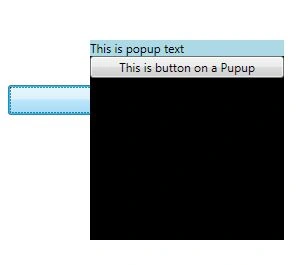
This tutorial shows you how to create and use a Popup control available in Windows Presentation Foundation (WPF) and XAML.

WPF ProgressBar in VB.NET
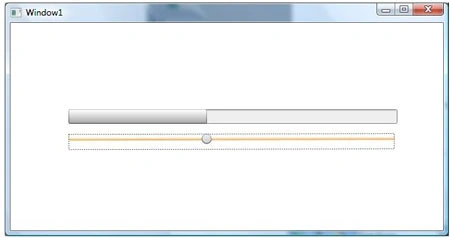
This tutorial shows you how to create and use a ProgressBar control available in Windows Presentation Foundation (WPF) and XAML.

Features of Visual Studio 2008
Microsoft Visual Studio 2008 Professional Edition supports developers working on projects that target the Web (including ASP.NET AJAX), Windows Vista, Windows Server 2008, the 2007 Microsoft Office system, SQL Server 2008, and Windows Mobile devices.