Loading
Farhan Ahmed's contributions

Restrict Uploaded File Type in ASP.NET Core
Learn how to validate uploaded files in ASP.NET Core MVC by checking file extensions, MIME types, and file size on the server.
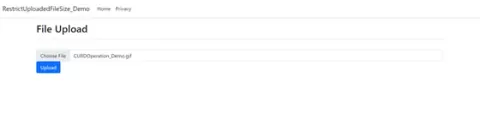
Restrict Uploaded File Size in ASP.NET Core
In ASP.NET Core, you can restrict the uploaded file size using the RequestSizeLimit attribute in the Program.cs file or by configuring it in the appsettings.json file. Additionally, you can set the maximum file size programmatically in your controller actions.

Usage of Classes, Structs, and Records in C#
In the world of C# programming, choosing the right data structure can significantly impact the efficiency and readability of your code. In this article, we'll delve into the nuances of each construct and explore when to use them in your C# projects.
Stored Procedure with Dapper in .NET Core API
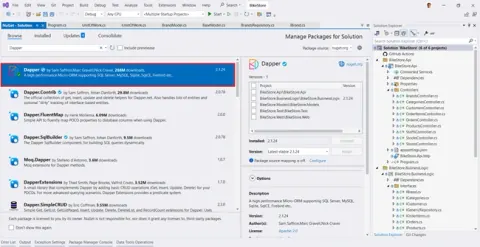
Learn how to use Dapper with SQL Server stored procedures in an ASP.NET Core Web API, including database setup, CRUD procedures, and model classes.
Stars Rating System with Dapper in .NET Core
This tutorial teaches ASP.NET Core MVC web application development with controllers and views. Implementing a star rating system with Dapper in .NET Core involves several steps. First, you need to set up your database schema to store ratings.
Upload, Edit, and Delete Image with Dapper in .NET Core
This tutorial teaches ASP.NET Core MVC web development with controllers and views. You will learn upload, edit and delete image file with dapper, repository pattern and UnitOfWork in .NET Core.
.NET Core API With Dapper, Repository And UnitOfWork
In this tutorial, you will use ASP.NET Core Web API to create a web API that returns a list of brands. This article focuses on creating web API using dapper, repository pattern and UnitOfWork pattern in .NET 8. I will guide you through the steps by step to create web API.

ASP.NET MVC QR Code Generator
This article discusses dynamically generating QR codes in ASP.NET MVC. It covers generating QR codes, creating QR code images, and working with QR code-related tasks in ASP.NET MVC using a library called IronBarCode.
CRUD Operation with Dapper Using ASP.NET Core
Using Dapper for CRUD operations in ASP.NET Core is straightforward and efficient. Dapper is a micro ORM that provides simple methods to execute SQL queries and map results to objects. Here's a basic example of how you can perform CRUD operations with Dapper in ASP.NET Core.
CURD Azure SQL Database Dapper And Repository Pattern Using ASP.NET Core 6 MVC
In this article, will learn CURD (Create, Update, Read and Delete) operation which common for all the applications. Here will understand Azure SQL Database, Dapper Micro-ORM (Object Relation Mapper) along with repository pattern using ASP.NET Core 6 MVC.
How To Retrieve, Upload And Delete Blob Storage File Using Core 6 MVC
Learn how to list, upload, and delete files in Azure Blob Storage from an ASP.NET Core MVC application using .NET 6.

How To Create Blob Storage Using Azure Portal
Learn how to create an Azure Blob Storage container and upload, download, and delete blobs using the Azure portal.
How To Create Storage Account Using Azure Portal
In this article we will learn how to create storage account using azure portal. We will see what storage account and its benefits.
How To Create Azure SQL Database Using Azure Portal
Azure SQL Database is a relational database as a service (DaaS) based on the latest stable version of the Microsoft SQL Server database engine.
How To Send Queue Message To Azure Service Bus Using ASP.Net Core MVC 6
In this article, we will learn how to send message to azure service bus using ASP.NET core MVC 6. Before starting this, you can through below article link to understand service bus.
How To Create Azure Function App Using Azure Portal
In this article, we will understand azure function app. How to create azure function app using azure portal. Azure Functions lets you run your code in a serverless environment without creating a virtual machine (VM) or publish a web application.
How To Create Azure Service Bus Using Azure Portal
Azure Service Bus is a fully managed enterprise message broker with message queues and publish-subscribe topics (in a namespace).
How To Create Azure Key Vault In Microsoft Azure Portal
In this article will learn how to create azure key vault using azure portal. Microsoft azure key vault is a cloud service for securely storing and access application secrets.
How To Generate Barcode In ASP.NET MVC Core
In this article, we will learn how to generate Barcode in ASP.NET MVC Core 6 by simply entering text, numbers, and a combination of both in the textbox and clicking on the generate Barcode button.
CRUD Operation With Image Upload In ASP.NET Core 5 MVC
Today in this article I am going to show CURD operation with ASP.NET Core 5 MVC. We all know that Microsoft have released the version of core 5 which is now called .NET 5, So I thought why not create an article on ASP.NET core 5 MVC.
Create A Custom Pipe In Angular
This article gives you an overview of using pipes and also creating a custom pipe in Angular.