Loading
Ghanashyam Nayak's contributions
C# File Operations: Part 2
In this article we will see additional file operations like delete a file, copy a file & move a file from source to destination.
C# File Operations: Part 1
In this article we will see how we can write something into the file & how we can append our data into an already existing file.

WPF-Validations On All Database Operations
This article shows how to use validation whenever a user enters data. By using validation you will stop entering the wrong data into the database and avoid exceptions.

C# Registry Operations
This article describes performing different-different operations on the registry.
How To Use Automatic Completion in a WPF Application
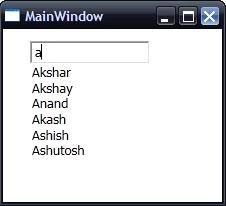
This article shows how to use automatic completion in an application; the application will also display related data in a DataGrid depending on the selected value
WPF Perform All Database Operations
This article shows how to perform different-different database operations & the effect of modified data into DataGridView at runtime

Display images in different-different angles
This article shows how you can display images in different-different angles.
Add Root/Child Node to a TreeView Selected Node At Runtime and Rename the Selected Node
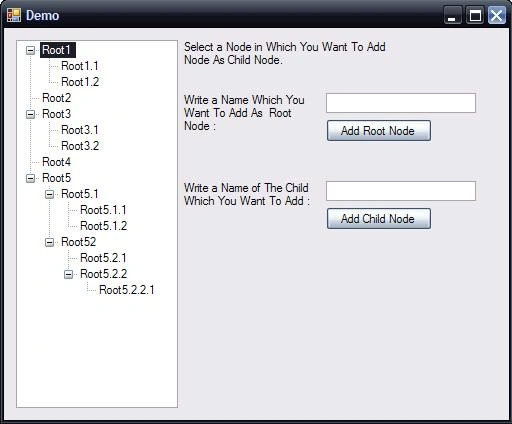
This article will show how to add a Root Node & Child Node to a TreeView selected node at runtime & the user can rename the node by pressing the F2' key from the keyboard...
Add Controls At Runtime & Also Perform An Event Of That Control
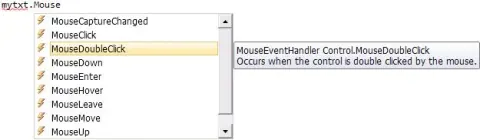
This article explains how you can add a particular control into your form at runtime & also it will perform a particular event of that control.
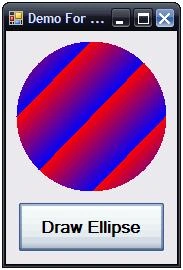
Draw a gradient ellipse in different-different gradient size.
This article shows how you can draw an ellipse in a different-different size of gradient. This size you can give when creating a rectangle.
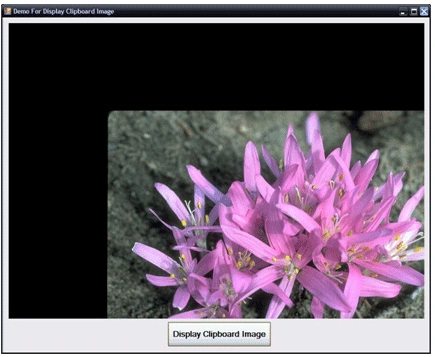
Display User's Clipboard Image Into Picturebox Control
This article shows how you can display an image from the clipboard in a picture box control of a form.
c#.net-Add context menu at runtime.
This code shows you that how you can add context menu at run time to your form...
WPF-Add SpellCheck feature.
This code shows you that how you can add SpellCheck features in your WPF application
Graphics-Draw a vertical string.
This code shows you that how you can draw a vertical string on a form.
Graphics-Draw a Gradient string.
This code shows you that how you can draw a gradient string on your form.
Draw A Vertical Gradient String
This article explains some fundamentals of graphics; Fonts, Brushes, Rectangles, Points etc. basic things. The main topic is how to draw a string into the gradient & vertical direction.
Javascript-Check Indian Zipcode.
This code shows you that how you can check indian Zp code at runtime, which given by user.
Javascript-Remove Currency from the given user's string.
This code shows you that how you can remove currency from the given user's input.
Javascript-Add currency to your given number.
This code shows you that how you can add currency(Here i use "$" currency) in your given number.
Javascript-Remove Comma from the given user's string.
This code shows you that how you can remove comma from your given string.
Javascript-Add commas into your given number after every three digits.
This code shows you that how it will add automatically comma after every three digits of number which is given buy user.
Javascript-Check US Zipcode.
this code shows you that how you can check the user's value is valid US Zipcode or not using javascript on button click event.