Loading
Ketan Sathavara's contributions
- Article · Power Automate
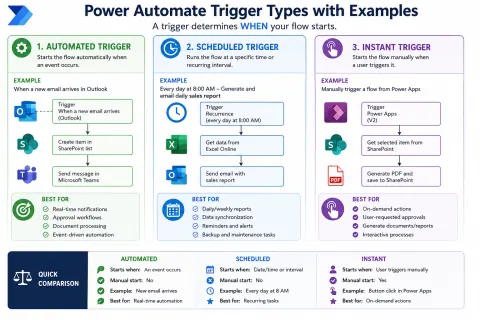
How to Use Power Automate Triggers: Automated, Scheduled, and Instant
Master Power Automate triggers: Automated for events, Scheduled for recurring tasks, and Instant for user-initiated actions. Build efficient workflows.
- Article · Power Automate
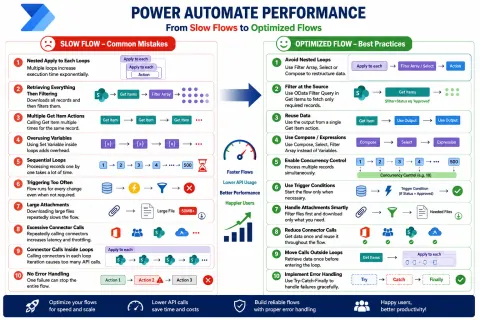
How to Improve Power Automate Performance by Avoiding Common Mistakes
Boost Power Automate speed! Learn 10 common mistakes and best practices to optimize flow performance, reduce API calls, and enhance efficiency.
- Article · Power Apps
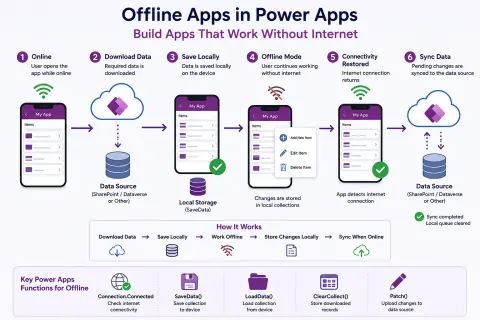
How to Build Offline Apps in Power Apps That Work Without Internet
Build Power Apps that work offline! Learn to save data locally, detect connectivity, and sync seamlessly for uninterrupted productivity.
- Article · SharePoint
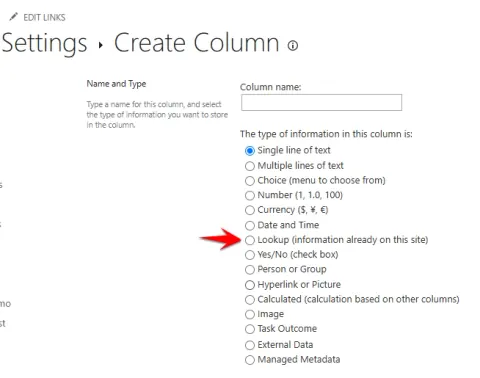
How Restrict Delete and Cascade Delete Work in SharePoint Lookup Columns
Master SharePoint Lookup column relationship behaviors: Restrict Delete vs. Cascade Delete. Ensure data integrity and prevent accidental loss.
- Article · Power Automate
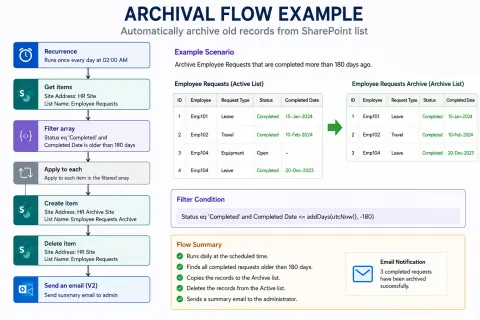
How to Archive Completed Records Automatically Using Power Automate
Automate archiving of old records in Power Automate to boost performance, simplify data management, and ensure compliance. Keep your systems clean!
- Article · Power Automate
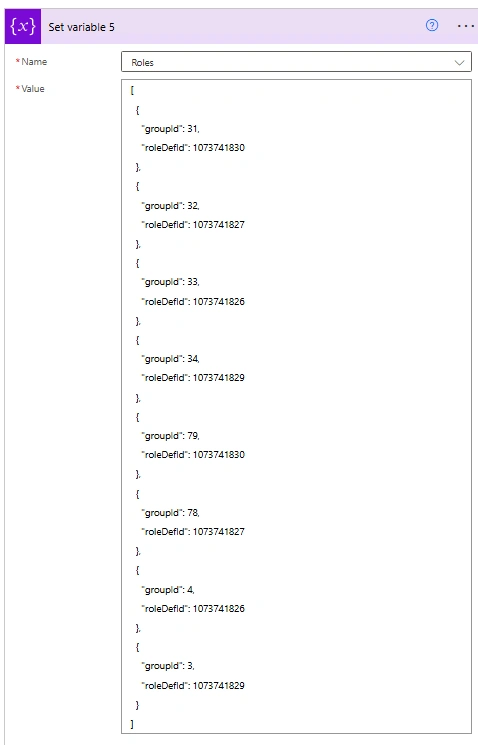
How to Set Item-Level Permissions in SharePoint Using Power Automate
Master SharePoint item-level permissions with Power Automate. Secure sensitive data by breaking inheritance and assigning unique access.
- Article · Power Apps
How to Use the GroupBy Function in Power Apps
Master Power Apps GroupBy() for efficient data organization, hierarchical galleries, and powerful summary reports. Elevate your app development!
- Article · Power Apps
How to Create Custom People Picker Control in PowerApps
Learn to build a custom Power Apps People Picker using Office365Users. Search, select users with photos, and support single/multi-select.
- Article · SharePoint
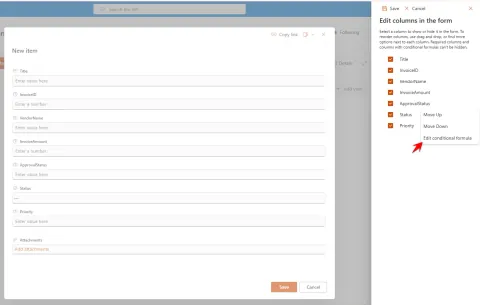
How to Conditionally Show or Hide Fields in SharePoint Online List Forms
Learn to conditionally show/hide SharePoint Online list form fields using JSON formulas for a cleaner, user-friendly experience.
- Article · Power Apps
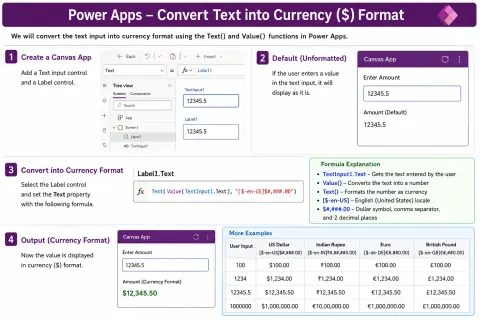
How to Convert Text into Currency ($) Format in Power Apps
Learn to format numbers as currency in Power Apps using the Text() function for professional and readable financial data display.
- Article · SharePoint
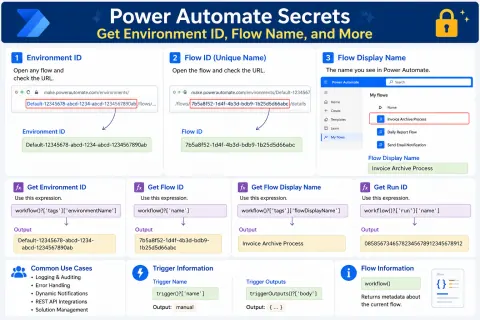
Power Automate: How to Find Environment ID, Flow ID, Run ID, and Other Hidden Details
Unlock Power Automate's hidden details! Learn to find Environment ID, Flow ID, Run ID, and more using URLs, admin centers, and expressions.
- Article · SharePoint
How to Version History and Document Control in SharePoint
Master SharePoint's Version History & Document Control for efficient collaboration, secure access, and compliance. Track changes, manage approvals, and ensure data integrity.
- Article · Power Apps
How to Use Entity Tag (ETag) in Power Apps
Master ETag in Power Apps for data consistency, preventing conflicts, and optimizing API calls. Essential for reliable data management.
- Article · SharePoint
How to use the "Alert Me" Feature in SharePoint Lists
The "Alert Me" feature in SharePoint Lists allows users to receive automatic notifications when changes occur within a list. Users can configure alerts for new items, modifications, deletions, or all changes and choose how frequently notifications are delivered. This feature helps teams stay informed, improves collaboration, and ensures timely action on important updates without the need to manually monitor SharePoint lists
- Article · SharePoint
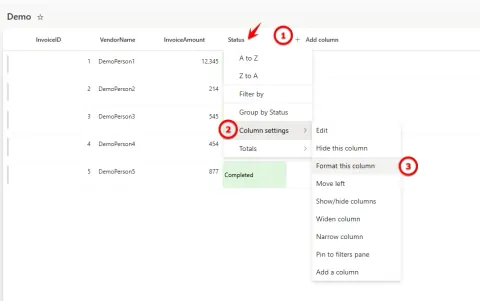
How to Apply Conditional Formatting with JSON in SharePoint
Learn how to use JSON in SharePoint to apply conditional formatting! Highlight data, add icons, and improve list readability without complex code. Boost user experience!
- Article · Power Apps
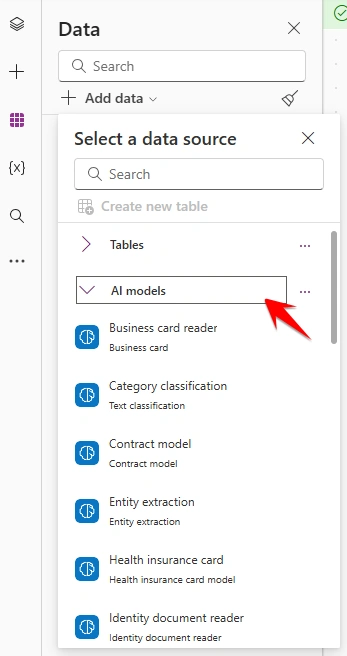
How to Use Text Translation AI in Power Apps
Translate text in Power Apps easily using the Text Translation AI model! Build multilingual apps with real-time translation and support for multiple languages. Enhance accessibility!
- Article · Power Apps
How to Use the Concurrent Function in Microsoft Power Apps
Unlock Power Apps concurrency! Learn how to use the Concurrent() function to load data faster, improve performance, and enhance user experience. Optimize your app now!
- Article · SharePoint
How to Use New Modern Microsoft Lists Forms Experience in SharePoint
Streamline data collection in SharePoint using the new Microsoft Lists forms! Customize fields, apply themes, and easily share forms for efficient data management.
- Article · Power Apps
How to Build a Tabbed Form in Power Apps Using Tab List Control
Learn how to create a tabbed form in a Power Apps Canvas app using the Tab List control to organize fields, reduce scrolling, and improve form navigation.
- Article · Power Apps
How to Use Confirm function in PowerApps
Learn how to use the Confirm() function in Power Apps to prevent accidental actions! This guide covers syntax, examples, and best practices for user confirmation. Control your app logic!
- Article · Power Automate
How to Use Append to String and Append to Array Variable in the Flow
Master Power Automate's 'Append to String' and 'Append to Array' actions! Learn to dynamically build text and collections for flexible, powerful flows. Includes practical examples.
- Article · SharePoint
SharePoint Online Web Parts Guide
Unlock SharePoint Online's potential! This guide covers adding, configuring, and mastering web parts to create dynamic, engaging, and collaborative pages. Boost user experience!
- Article · SharePoint
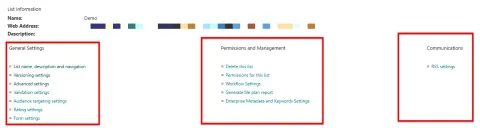
How to Configure Advanced SharePoint List Settings
Master SharePoint lists! This guide covers advanced settings: versioning, permissions, workflows, validation, metadata, and communication for optimal data management.
- Article · Power Apps
How to Use the Index Function in Power Apps
Master the Power Apps Index function! Learn how to retrieve specific items from collections and tables by position, enhancing app interactivity and efficiency. Dynamic data selection made easy!
- Article · Power Apps
How to Filtering a SharePoint Choice Column at the App Level
Learn how to filter SharePoint Choice column options in Power Apps based on user roles without changing the underlying list.