Loading
Mahesh Chand's contributions

Top 10 New Features in ADO.NET 2.0
This article summarizes the new and updated features of ADO.NET 2.0, which ships with .NET Framework 2.0. In my following articles I will discuss these features in more details with sample examples.
Introduction to ADO.NET 2.0 Data Source Controls
ADO.NET 2.0 provides new data source and data-bound server controls, which allow developers to write full-fledged data-driven applications without writing even a single line of code. This article is an introduction to these new data source controls.
Getting Data Providers Details in ADO.NET 2.0
In ADO.NET 2.0, there is a new addition of DB provider factory classes, which allow developers to get the information about the data providers available (installed) on a machine.
Get difference between two dates in C#
This code snippet shows how to get difference between two dates in C#.
Learning Visual Studio 2005 IDE - Document Outline in Windows Forms 2.0
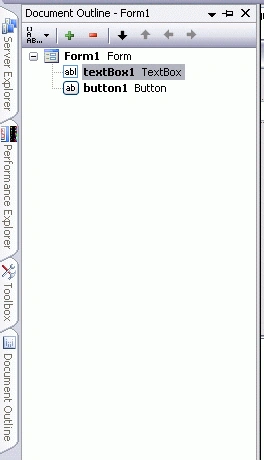
We all have seen Document Outline feature in Visual Studio 2003, which allows ASP.NET developers to select a control on a Web Form and in code editor, it would select the code respective to that control.

Learning Visual Studio 2005 IDE - Document Outline in Windows Forms 2.0
We all have seen Document Outline feature in Visual Studio 2003, which allows ASP.NET developers to select a control on a Web Form and in code editor, it would select the code respective to that control.
Get Current Time Zone In C#
Here is code example of how to get current time zone using C# TimeZone class.
Convert a Comma Delimited String to an Array in C#
This article shows how to convert an array to a comma delimited string in C#.
Learning Visual Studio 2005 IDE - Quick Access to Active Tool Windows and Files
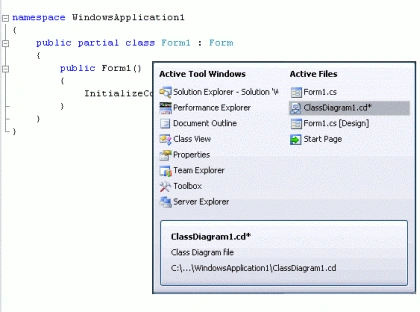
One of the coolest feature in Visual Studio 2005 I like is quick access to all active Windows and Files and switing control between them.
Learning Visual Studio 2005 IDE - Quick Access to Active Tool Windows and Files
One of the coolest feature in Visual Studio 2005 I like is quick access to all active Windows and Files and switing control between them.
Learning Visual Studio 2005 IDE - Integrated FxCop and Accessibility Options
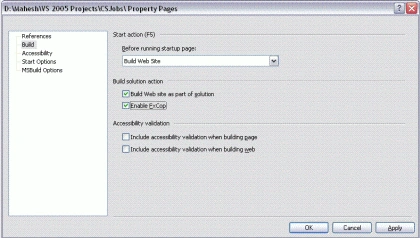
Visual Studio 2005 IDE brings you many new and updated features and Project Properties dialog is one of the areas where you will see some new additions. In this article, I will discuss Accessibility and FxCop features of Project Properties dialog.
Learning Visual Studio 2005 IDE - Integrated FxCop and Accessibility Options
Visual Studio 2005 IDE brings you many new and updated features and Project Properties dialog is one of the areas where you will see some new additions. In this article, I will discuss Accessibility and FxCop features of Project Properties dialog.
Text Programming in XAML
XAML provides elements such as Paragraph, LineBreak, TextFlow, and Block that are used to create a text document. In this article, I will discuss how to use these XAML elements to generate text document.
Working with Brushes in XAML
Brushes are used to fill drawing objects such as a rectangle, ellipse, and path. The XAML and WPF model has significant improvements over the previous GDI and GDI+ drawing model. This article covers basics of drawing and various brush types and how to use them in XAML.
Drawing Graphics Shapes in XAML
This article describes the drawing model in XAML and how to draw various objects such as line, rectangle, ellipse, and paths using XAML.

Working with Fonts in XAML
In this article, I will discuss XAML fonts and related elements including font size, font family, font style, font stretch, and font weight. The font related elements are applicable on most of the controls.

Working with Fonts in XAML
In this article, I will discuss XAML fonts and related elements including font size, font family, font style, font stretch, and font weight.
WinInet MFC Classes
Here is MFC classes hierarchy. In MFC hierarchy you see CFtpConnection, CHttpConnection, and CGopherConnection classes are derived from CInternetConnection.
Working with common WinInet APIs
This article has two parts. First introduction to WinInet APIs required to use InternetOpenUrl and second a sample code. Sample code is a dialog base VC++/MFC application which is attached as Url.zip.
Common HTTP and FTP WinInet APIs
This article explains about the HTTP and FTP Protocols and some of their common functions.This article also explains about the WinInet and the Gopher Protocols.
how to get full path of an application
Learn how to retrieve the full path of a VC++ or MFC application using Windows APIs such as GetModuleFileName.
Launch IE with a URL : ShellExecute
This article explains how to launch IE with url by the help of shell execute.