Loading
Mahesh Chand's contributions

FileInfo in C#
This book is all about the FileInfo. The FileInfo class in the .NET Framework class library provides static methods for creating, reading, copying, moving, and deleting files using the FileStream objects.
How To Get File Name In C#
Furthermore, DirectoryName returns the full path of the directory containing the file, assisting in navigation and hierarchical file organization. Lastly, CreationTime offers insights into the file's creation timestamp, enabling tracking and chronological management of file activities.
Create a file using FileInfo in C#
Code sample to show how to create a file in C# and get a file attributes such as file creation time, file size, file last updated, file last accessed, and file last write time.
Binary Numbers were used before Computers
Computers and programming languages are developed based on binary numbers (0s and 1s). Binary number system was introduced by an Indian scholar way before computers were born.
How to read a binary file in C#
Learn how to read a binary file in C# and .NET. The Read overloaded method writes primitive data types to a stream. The Write method can write Boolean, Byte, Char, Decimal, Double, and Integer data types.
How to write a binary file in C#
How to write a binary file using C# and .NET. The Write overloaded method is used to write primitive data types to a stream. The Write method can write a Boolean, Byte, Char, Decimal, Double, and Integer data types.
How to create a Binary File in C#
Learn how to create and write binary files in C# with System.IO.BinaryWriter, including writing primitive values to a stream and selecting character encoding.
How To Find An Item In C# List
C# List Find. Check if an item is in the C# list or not. The Contains method checks if the specified item already exists in the C# List.
How to search an item in a C# List
List.BinarySearch() method searches a List of collection using binary search algorithm. The code example shows how to search a list items using C#.
How to remove an Item from a C# List
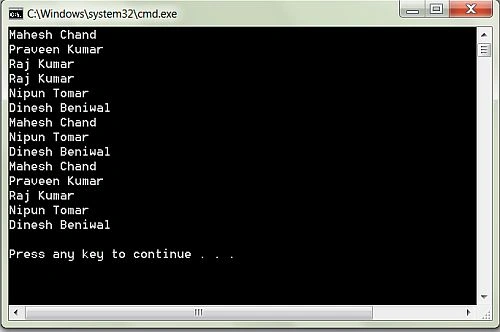
How to remove an Item from a C# List. The Remove method removes the first occurrence of a specific object from a List. The Remove method takes an item as its parameter. We can use the RemoveAt method to remove an item at the specified position within a List.
How to Insert an Item into a C# List
C# List<T> class represents a collection of a type in C#. List.Add(), List.AddRange(), List.Insert(), and List.InsertRange() methods are used to add and insert items to a List<T>. The code examples in this article demonstrates how to add items to a List using C#.
How do I find the index of an item in a C# List?
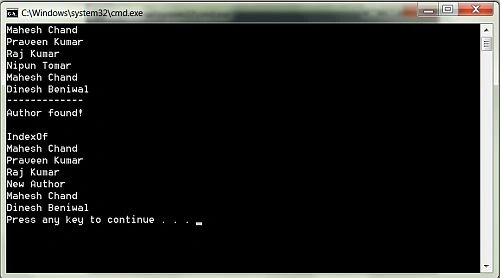
The IndexOf method returns the first index of an item if found in the List.
How to Remove C# List Items
The List<T> class in C# and .NET represents a strongly typed list of objects. List.Remove() and List.RemoveAt() methods with List.Clear() method can be used to remove items of a List<T> in C#. The code examples in this article demonstrates how to remove an item of a List using C#.
How to Delete All Items Of A C# List
C# List<T> class provides methods and properties to create a list of objects (classes). List.Remove(), List.RemoveAt(), and List.Clear() methods are used to delete items of a List in C#.
How To Get Last Index Of An Item In A C# List
The LastIndexOf method returns the last index of an item if found in the List.
How to reverse a C# List
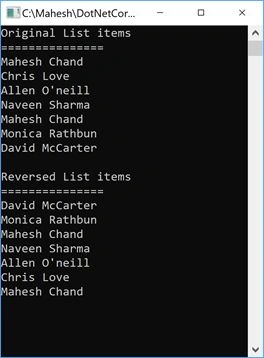
Learn how to reverse the order of items in a C# List using the List.Reverse() method, with a simple code example.
Remove Item at a specified position in a C# List
Learn how to remove items from a C# List by value, index, range, or by clearing the entire list.
Programming List with C#
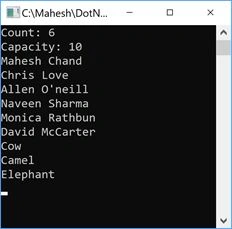
A list is a collection of items that can be accessed by index and provides functionality to search, sort and manipulate list items. This book is a tutorial of how to use and work with Lists using C# language.
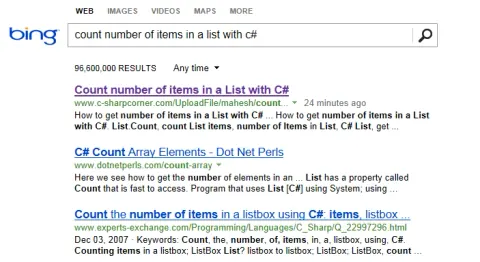
Is Bing stepping up its search
Today, something bizarre happened and Chrome just annoyed me. It seems like Bing is top of its search results.
How To Create A List In C#?
A list is a collection of items that can be accessed by index and provides functionality to search, sort and manipulate list items. Here we see how to create a list in c#.