Loading
Mahesh Chand's contributions

What is New in Windows Phone 7.5
On C# Corner, we have been talking about Windows Phone Mango for a while now. It is finally here.
Build Touch Applications for Windows 8
Watch Reed Townsend talks about how to build advanced touch applications for Windows 8.
How to prepare your apps for Windows 8 and beyond
Watch Uday Shivaswamy talks about how to check your app is ready for Windows 8.

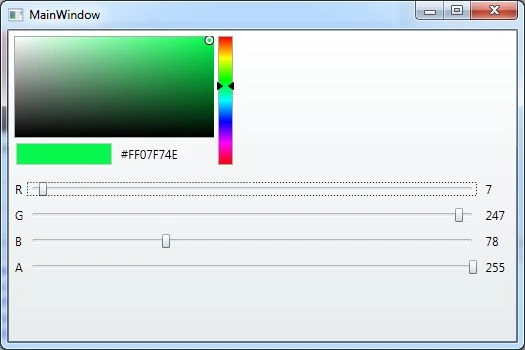
WPF ColorCanvas
The ColorCanvas allows you to select a color either using an advanced color canvas, by setting the hexa-decimal values, or by setting the ARGB values. The ColorCanvas control comes with the WPF Toolkit Extended. This article demonstrates how to use the ColorCanvas control in a WPF application using C# and XAML.
WPF Themes
Check out this free project, WPF Themes on CodePlex. It provides a collection of themes to be used in WPF projects.

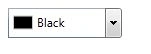
WPF ColorPicker
The ColorPicker allows you to pick a color from the color palette. The ColorPicker control comes with the WPF Toolkit Extended. This article demonstrates how to use the ColorPicker control in a WPF application using C# and XAML.
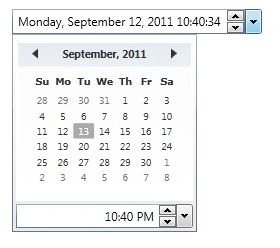
WPF DateTimePicker
This article demonstrates how to use a DateTimePicker control in WPF with the help of XAML and C#.
Personal Career Advice: Take Responsibility
One bit of advice I can give you from my experience is, take responsibility. When a task is assigned to you, you need to take full responsibility.

Ready for Visual Studio 11
Are you ready for Visual Studio 11? Wonder what will be different in the next version of Visual Studio 1010, the best tool for developers?
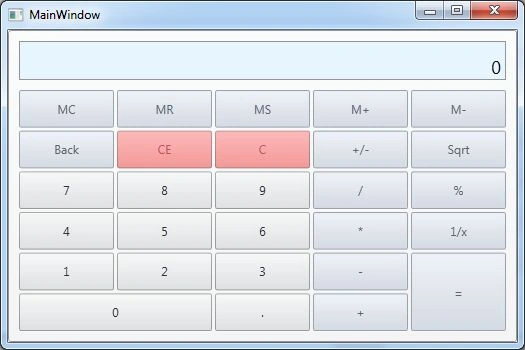
WPF Calculator
The Calculator control comes with the WPF Toolkit Extended. This article demonstrates how to use the Calculator control in a WPF application using C# and XAML.
How to Become a Programming Guru
So you want to be an expert developer? You want to be a “guru”? Well, I have a “Guru Mantra” for you and it’s simple.

Free Book Building Standalone Data-Driven Applications using SQL Server Compact 4.0 is Available Now
My free book on SQL Server Compact 4.0 Programming is available now. Microsoft SQL Server Compact 4.0 (SQL Compact onwards) is a free SQL Server embedded database ideal for building standalone desktop, web, and mobile applications that need local data storage.
WPF CheckListBox
This article demonstrates how to use the CheckListBox control in a WPF application using C# and XAML.

Writing SharePoint 2010 Books
Here is a good news. I am writing some books with Destin Joy on SharePoint 2010 for C# Corner. TOC and plan is ready.
SQL Server Compact 4.0 Programming Book is Ready
One more book free book is added to C# Corner books list. Last night, I finished book titled Building Standalone Data-Driven Applications using SQL Server Compact 4.0 and Visual Studio 2010.
Spin Button in WPF
The WPF SpinnerButton control allows us to add a spinning feature to any element. This article demonstrates how to use the ButtonSpinner control in a WPF application using C# and XAML.
ODBC is In. OLE DB is Out.
Guess what? Microsoft is bringing back the native ODBC support in the next version of SQL Server, probably SQL Server 2012. ODBC is already supported by SQL Azure.
The open angle bracket character '<' is not valid in an attribute
Recently I tried to add a less than sign to a Button control in XAML, I got this error The open angle bracket character '<' is not valid in an attribute.
Adding Reference to WPF Toolkit Extended Assembly
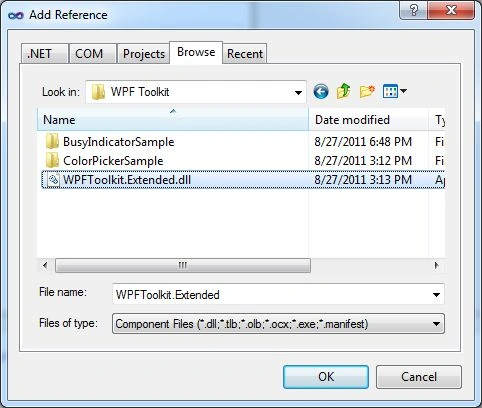
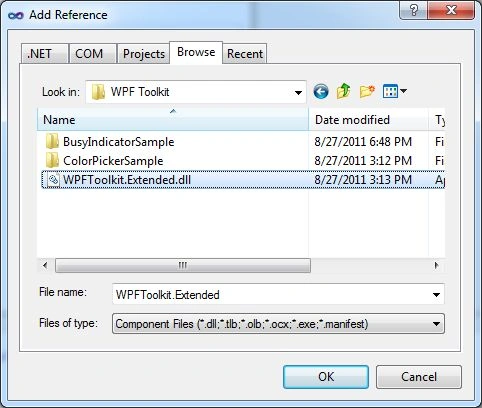
This blog talks about how to add reference to the WPF Toolkit Extended Assembly.
WPF BusyIndicator
A BusyIndicator control provides an alternative to a Windows wait cursor to show user an indication that an application is busy doing some processing. It is a combination of the wait cursor and the ProgressBar control.