Loading
- Featured
Bootstrap Interview Questions
This article is a list of top Bootstrap interview questions and answers.
- Featured
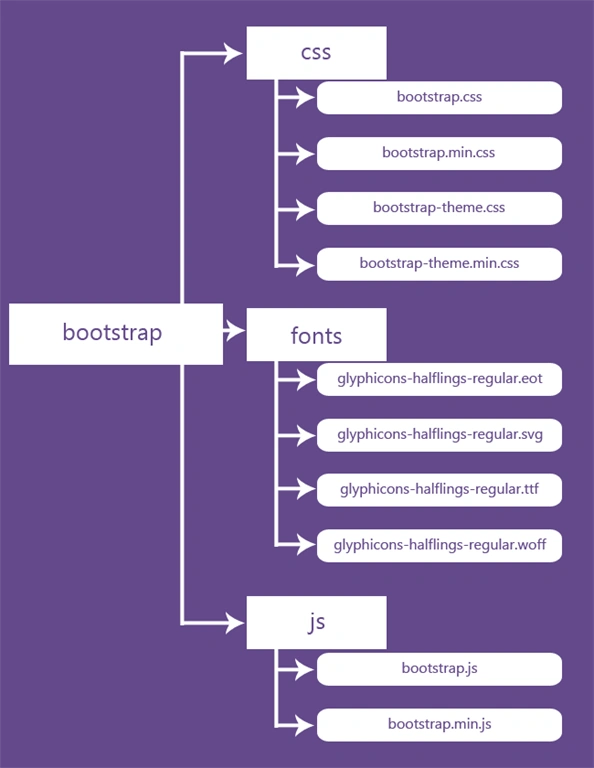
Guide To The Basic Pillars Of Bootstrap
In this article you will learn about the basic pillars of Bootstrap.
- Featured
Visual Studio Tools For Bootstrap
This article focuses on the Tools available in Visual Studio to develop Web Applications using Bootstrap.
- Featured
Getting Started With Bootstrap: Part 2
In this article you will learn styling and formatting of text content, table, form, list, image and icons in Bootstrap.
- Featured
Getting Started With Bootstrap
In this article you will learn how to create a basic Bootstrap template using the Twitter Bootstrap v3.2.0 .
Run C# Method on confirm bootstrap modal (to delete) Razor Pages
Hi Ladies and Guys, I'm new to the forum. I'm working on an ASP.NET Core Razor Pages app. It's a CRUD. I was already able to implement Create and Edit in the same Razor page. I have a list of products (in Index.cshtml) and after the model fields on each row I have buttons for Edit and Delete. What I want is that when I click the Delete button, appears the bootstrap Modal and if I click the Confirm button in it, the C# POST method that is in the same Index page deletes the row (and the row in the DB). I took from Internet some Javascript and the Modal appears, but when I click the confirm button, the C# method is not called and the VS Debugger shows Model.productos in: @foreach (var producto in Model.productos) { // here go the rows } as null (NullReferenceException), only productos, not Model. Here are the relevant files in where the problem is. First, the Index.cshtml.cs namespace CrudProductos.Pages.Productos { public class IndexModel : PageModel { private readonly ApplicationDBContext _context; public IList<Producto> productos { get; set; } public IndexModel(ApplicationDBContext context) { _context = context; } public void OnGet() { productos = _context.Producto.ToList(); } public IActionResult OnPostDeleteConfirm(int id) { Producto Producto = _context.Producto.Find(id); if (Producto == null) { return NotFound(); } _context.Producto.Remove(Producto); _context.SaveChanges(); return RedirectToPage("Index"); } } } And the Index.cshtml @page @model CrudProductos.Pages.Productos.IndexModel @{ ViewData["Title"] = "Lista de Productos"; } <h1>Lista de Product
Bootstrap modal popup issue
Hello, I am using botstrap modal on button. but when i click button , the popup does not opn , insteat it # appears in url (for ex : locahost://projectname/edit.aspx#) Same code works on production environment, but gives above issu on local. My porojc is asp.nt projevt Rgards, Sushant T
Custom 404 Error Page in ASP.NET Using Bootstrap 5
This blog showcases a clean Bootstrap design and a futuristic glitch animation, both crafted with HTML, CSS, and Google Fonts to provide stylish, responsive, and user-friendly error handling.
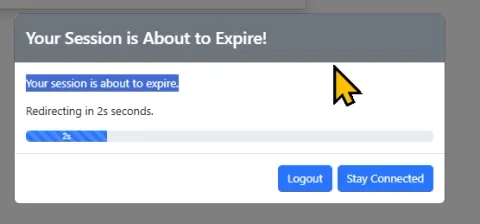
Bootstrap5 Session Timeout Script (JS)
This article presents a custom Bootstrap 5 session timeout script using JavaScript and jQuery. It ensures security by logging out inactive users, handling AJAX challenges, and supporting multilingual Bootstrap themes
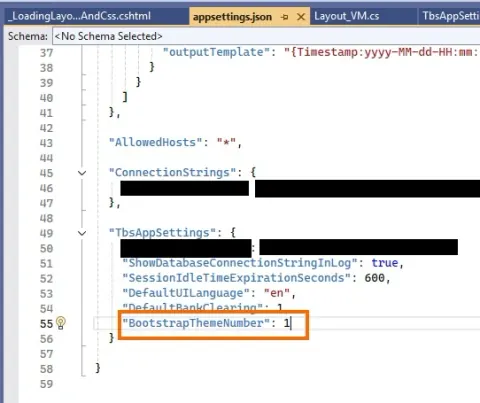
ASP.NET 8 – Using Bootstrap 5 Themes
This article covers selecting and installing themes, configuring settings in appsettings.json, passing theme data to views, and managing UI consistency across different themes for a professional web app look.
Importance of Bootstrap in FrontEnd Development
Bootstrap simplifies front-end development by providing responsive design, pre-designed components, and consistent styling. This article includes a detailed project demonstrating Bootstrap's implementation through code snippets to build a responsive portfolio website.
Creating DropDown Menu in Bootstrap
Learn how to create a dropdown menu in Bootstrap, a powerful frontend framework for web development. This guide covers step-by-step instructions to implement responsive navigation menus using HTML, CSS, and JavaScript.
Bootstrap Dropdown Menu
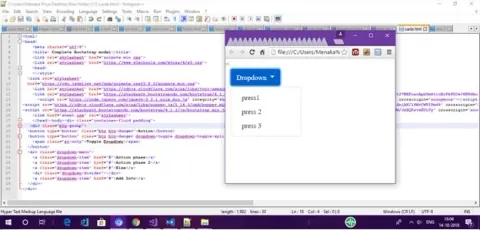
This article provides a step-by-step guide on creating a dropdown menu using Bootstrap. It covers dropdown basics, customization options like variations (dropup, dropright, dropleft), setting active or disabled states, and triggering dropdowns via buttons or anchors.
Bootstrap For Beginners - Part Two (Bootstrap Containers)
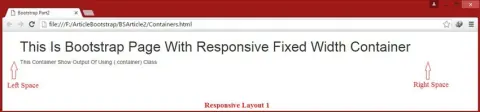
This article explores Bootstrap containers, focusing on the two main classes: .container for a responsive fixed-width layout and .container-fluid for a full-width layout. It provides practical examples to illustrate how to create interactive, responsive website designs using these classes.
How To Implement Bootstrap 4 Popover
This article covers the Bootstrap 4 Popover component, a versatile tool for displaying pop-up content when users interact with elements. It highlights key features such as initialization with jQuery, integration with Popper.js for positioning, and various triggering methods (click, focus, hover).
How to use Bootstrap With Angular
This guide covers Bootstrap installation in Angular projects, configuring styles and components, and tips for optimizing your design, helping you build modern, responsive web apps.
Creating Table Using Twitter Bootstrap
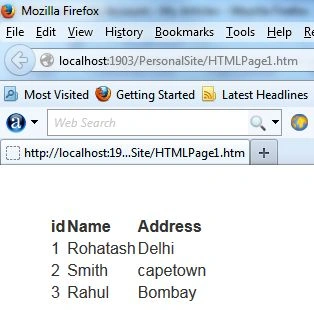
Learn how to design and implement stylish, responsive tables using Twitter Bootstrap. This guide covers Bootstrap’s table classes, grid system, and utility classes to enhance table layouts and functionality.
Switch Theme Between Light and Dark Mode on Webpage Using Bootstrap
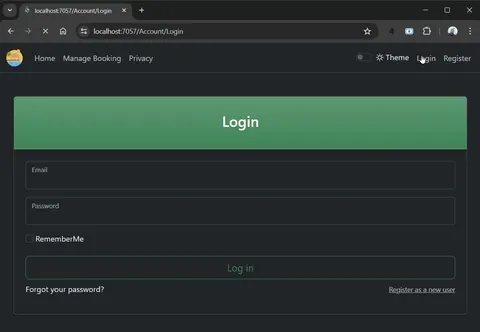
Learn how to add a Bootstrap 5 light and dark mode switch using data-bs-theme, a Bootstrap form switch, and JavaScript in an ASP.NET Core MVC project.
How To Create DropDown And Pagination In Bootstrap 4
This article provides a step-by-step guide on using Bootstrap 4 for dropdowns and pagination. Learn to create responsive dropdown menus and pagination components with Bootstrap’s built-in classes and JavaScript functionalities.
How to Create a Border Animation and Hover Effect in Bootstrap
In this article, you'll learn to create a border animation and hover effect using Bootstrap and CSS. Follow step-by-step instructions to integrate the necessary Bootstrap and JS links, write CSS for the animation, and implement HTML code. This effect adds dynamic visuals to your web design.
Introduction to Bootstrap
Learn how to create responsive, mobile-first websites using Bootstrap's powerful grid system, pre-designed components, and customizable classes. Ideal for beginners and experienced developers.
Comprehensive Guide to Bootstrap Admin Dashboard
Bootstrap Admin Dashboards streamline back-end management with responsive layouts, pre-designed components, and customization options. They ensure consistency, scalability, and efficiency, integrating seamlessly with plugins for enhanced functionality and data visualization.
Learn about Spinners in Bootstrap
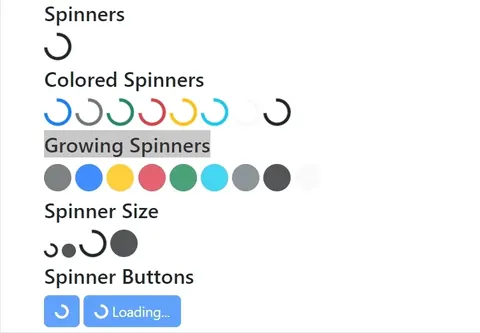
Learn how to use Bootstrap 5 border and growing spinners, apply colors and sizes, add spinners to buttons, and follow loading-indicator best practices.
Popover data-content anchor tag href redirection is not working
Hi Friends, I am using the following code for Popover in the footer menu using bootstrap .net core. <div id="supporticon"> <img src="~/assets/Icons/Menu.png" /> </div> </button> I am trying to redirect to view .cshtml page with @Url.Action("Base","Home") but it is not working. I tried with jquery code and li elements by identifying anchor tag class name and id name, but the redirection to another page is not working. Please tell me how to do this?
Explain Floating Labels Animation in Bootstrap
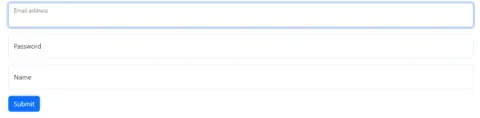
In this article, we will cover how we can implement Floating Labels Animation in Bootstrap 5. Bootstrap 5 introduces form-floating labels, enhancing form design by providing dynamic floating labels above input fields, improving usability, and saving space.
Bootstrap Modal query
i am making an app using aspnet identity in which login page is displayed in a bootstrap modal all the validations are working fine if fields empty.but issue is modal is not closing and other page data is displaying in the same modal, which looks so weired. what i want send data from login page to desired page, if any errors they should be displayed on modal if no errors then modal should close successfully and that page data shows in appropriate manner. and during this process modal should not close or any other barrier which can stop user interaction to my site if i set data dismiss property then modal is closing no submitting happens. please help me
MVC Partial Views and bootstrap Modal
I am callng a partial view by click on bootstarp nav bar(login anchor).that partial view is displaying perfectly but on that partial view validations are not working(in case the fields are blank).how to handle this. that partial view is a login page.displayed under modal using jquery
Bootstrap: Design Elevated
Bootstrap, a game-changing front-end framework, simplifies web development with responsive grids, pre-designed components, and customization features. This article explores Bootstrap's significance, key features, and diverse applications, emphasizing its role in creating efficient and visually appealing websites.
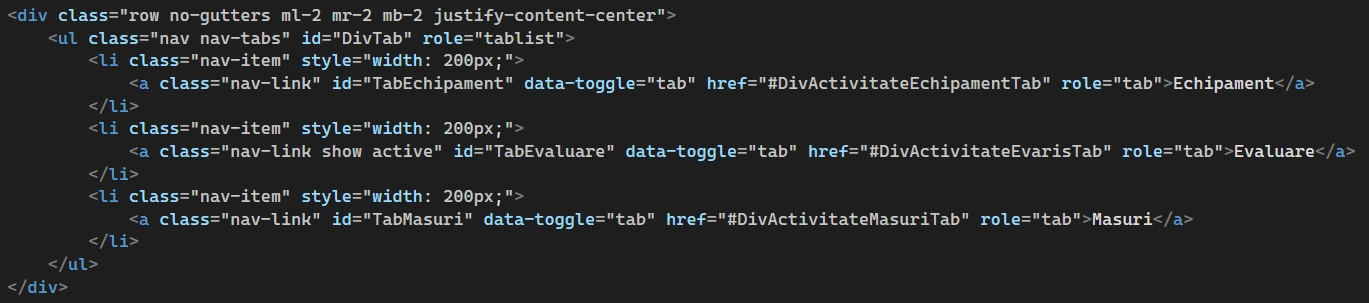
btn link click to switch tab not working
I have a 3 tabs and 3 divs. second tab is active and what I want to do is on a click on a link button in second div to switch to third tab and show content of its div. The problem is that it will only switch for only 1 second and then revert back. It seems I can't put the code for a hyperlink ?? so I add a picture instead jquery $("#txtFormaManifestare").on("click", function () { $("#MasuriTab").addClass("active"); $("#DivActivitateMasuriTab").addClass("active"); });
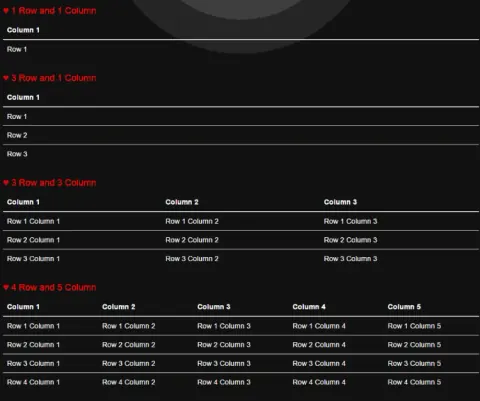
How To Create A Responsive Bootstrap Table
This blog helps you to create Bootstrap tables, which are responsive, and you can create any number of rows and columns in them. They adjust themselves on all the screen sizes