Loading
Topic
Table Creation
4 posts about Table Creation by 3 contributors.
Know Table Creation? Share what you know with developers who are learning it.
+ Follow Table CreationBe the first to follow this
- Articles
- 4
- Contributors
- 3
Articles about Table Creation
- Article · SQL Server
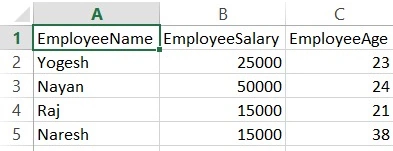
Create Table And Put Data In SQL Server Using CSV File
Learn how to import data from a CSV file into an SQL Server database using SQL Server Management Studio. Follow step-by-step instructions to create a database, import flat files, map fields, and verify imported data. Enhance your SQL skills with efficient data import techniques.
- Article · Node.js
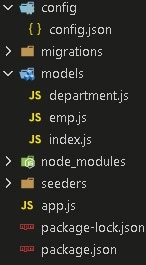
How To Use Sequelize-CLI In Node
Use Sequelize CLI in a Node.js and MySQL project to generate models and migrations, create tables, and define Department–Employee foreign key relationships.
- Article · Databases & DBA
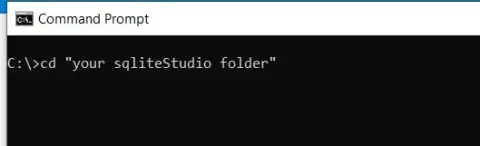
Simple Way To Create Sqlite Database
Creating an SQLite database is a straightforward task that involves a few essential steps. First, install a SQLite library or tool compatible with your programming language or environment. Then, use the provided commands or APIs to create a new SQLite database file. You can define tables, columns, and data types using SQL statements. Once the database file is created, you can start adding data by executing SQL INSERT statements. SQLite's lightweight nature makes it an ideal choice for local data storage in applications.
- Article · SQL Server
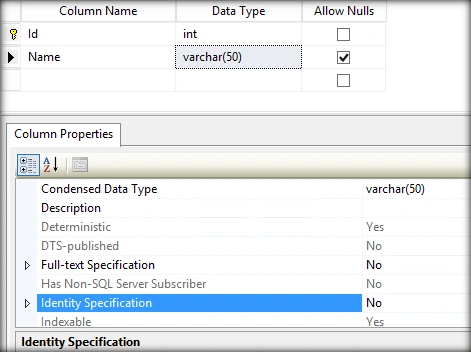
Working With Identity Column After Table Creation In SQL Server
In this article, you will learn about working with an identity column after table creation in SQL Server.