Loading
Mushtaq M A's contributions

Dropdown Control In Xamarin.iOS
Create a Xamarin.Forms dropdown for iOS using a custom renderer, bindable properties, and the FPTInformationSystem Dropdown control.
Multiple Item Selection Picker in Xamarin.Forms
In this article, you will learn about Multiple Item Selection Picker in Xamarin.Forms.
Gradient View In Xamarin.Forms Using Magic Gradients
In this article, you will learn about Gradient View in Xamarin.Forms Using Magic Gradients.
Multilingual Implementation Using Xamarin.Forms
In this article, you will learn about Multilingual Implementation using Xamarin.Forms.

Custom Camera Dialog For Windows Using UWP
In this article, you will learn about custom camera dialog for Windows using UWP.
Placeholder For Picker - Xamarin.Forms
In this article, you will learn about placeholder for picker - Xamarin.Forms.
YouTube Player API In Android Using Kotlin
In this article, you will learn about YouTube Player API in Android using Kotlin.
Verify OTP Without SMS Permission In Android Using Kotlin
In this article, you will learn how to verify OTP without SMS permission in Android using Kotlin.
How To Use Extensions Method In Kotlin
In this article, you will learn how to use the Extensions methods in Kotlin.
Dropdown Control In Xamarin.Forms - Part One
In this article, you will learn about dropdown control in Xamarin.Forms.
Grid View In Xamarin.Forms Using FlowListView
Learn how to use FlowListView in Xamarin.Forms to create a GridView with features like infinite loading, item-tapped Commands, and more. Follow implementation steps: creating a new Xamarin.Forms project, setting up the FlowListView plugin, and implementing GridView.

How To Use Extensions For LINQ - C#
In this tutorial, we will learn how to use extension methods with LINQ in C# to simplify the coding.
Rg Popup In Xamarin.Forms Using Fresh MVVM
In this tutorial, we will learn how to use Rg.Plugin.Popup in Xamarin.Forms using Fresh MMVM.
Custom Master Detail Page In Xamarin.Forms Using Fresh MVVM
In this tutorial, we will learn how to use master detail page in Xamarin.Forms using Fresh MVVM with FreshNavigationContainer.
How To Convert Web Link To PDF Without Using iText Library In Android
In this article, we will learn how to convert a Website url to a pdf file in Android.
Tabbed Page In Xamarin.Forms Using Fresh MVVM
In this tutorial, we will learn how create Tabbed Page in Xamarin.Forms using Fresh MVVM. We already learned how to create your master details page in my previous tutorials. If you are new to Fresh MVVM, you can read my previous article here.
Master Details Page In Xamarin.Forms Using FreshMVVM
In this tutorial, we will learn how to create Master details Page in Xamarin.Forms using FreshMVVM.
How To Use Retrofit 2 With Android Using Kotlin
In this article, we will learn how to use Retrofit 2 with Kotlin Android to build an application.
How To Use Camera API For Android N And Above Devices In Android
In my previous article, we learned how to handle “android.os.FileUriExposedException” if we have an app that shares files with other apps using a URI on API 24+. In this article, we will learn how to use Camera Intent in Android N and above devices.
How To Handle "android.os.FileUriExposedException" In Android
In this article, we will learn how to handle “android.os.FileUriExposedException”, if we have an app that shares files with other apps using a URI on API 24+. As of Android N, we need to use FileProvider API.
How To Use Zxing Intent Integrator In Xamarin.Android
In this article, we will see how to use Zxing Intent Integrator in Xamarin Android Applications. We have seen a lot of articles about how to integrate Zxing Plugin in Android & iOS Applications. But integration of Zxing Intent Integrator is available for Java Android Apps only. So, I have created a Xamarin Library for Xamarin.Android to Zxing Intent Integrator.
Room Architecture In Android
In Google I/O 2017, Google announced about Room Architecture for Android. This Architecture is used to maintain the State of Android Application when the orientation changes. As well as google announced about Room Architecture.
How To Create Weather App Using Retrofit 2 In Android
In this article, we will learn How to create our own weather app using Retrofit 2. There are a lot of providers available to provide weather data. In this tutorial we will use the famous provider “OpenWeatherMap” Api to build our own weather app.
Upload Multiple Files To Server Using Retrofit 2 In Android
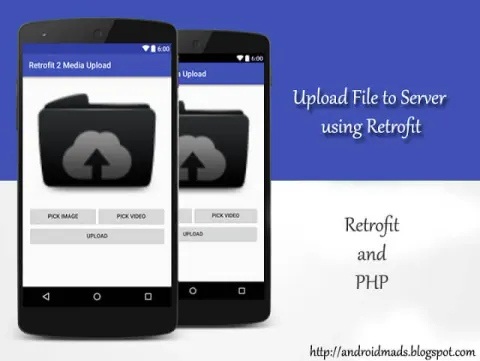
This article is a continuity of the article “Upload file to server using Retrofit 2 in Android”, where we have learned how to upload file to server. In this article, we will learn how to upload many files to online server using Retrofit 2 in Android.