Loading
Articles by Mahesh Chand
- DLL/ActiveX
DLL Tutorial : Export a dialog from an Extension DLL
This tutorial describes how to export a dialog from an extension dll.This article also explains about how to Export a dialog from a regular DLL and exporting a dialog or a Property Page from an ActiveX.
- DLL/ActiveX
DLL Tutorial Part III : Extension DLLs
This Tutorial explains how to create an extension dll and use it a VC++ client application.
- Windows Forms
Browse or Open a File
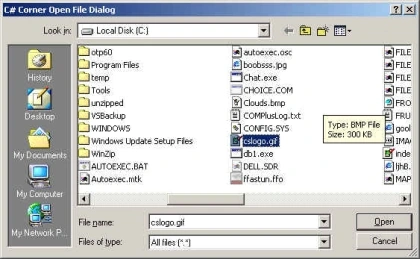
This sample code show you how to use OpenFileDialog class to open or browse a file.
- DLL/ActiveX
DLL Tutorial : Implementing Dialogs in Regular DLLs
This tutorial explains how to implement dialogs in regular DLLs.
- C#
FileStream - Read or Write Data Streams
FileStream class can be used to read/write data to a file with the help of StreamReader and StreamWriter classes.
- Database
Create an Excel Database using MFC ODBC
This article explains how to create an Excel Database using MFC ODBC.
- C, C++, MFC
DLL Tutorial Part II: Regular DLLs
This part of tutorial explains how to create a regular MFC dll and use it in a client application.
- C, C++, MFC
DLL Tutorial Part I : MFC DLL Basics
Learn the basics of creating and using MFC DLLs, including regular DLLs and extension DLLs in Visual C++.
- Visual Studio
Tutorial: Creating C# Class Library (DLL) Using Visual Studio .NET
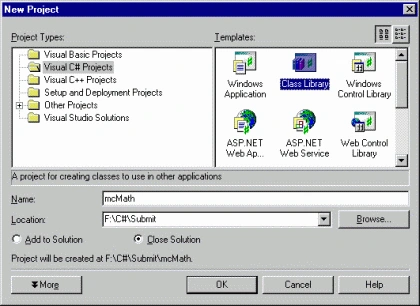
This step-by-step tutorial shows you how to create a class library (DLL) in Visual Studio .NET.
- C#
Creating C# Class Library (DLL) Using Visual Studio .NET
This tutorial explains how to create a C# class library(dll) and call it from a C# console client application. In this tutorial we will see how to build a Class Library, and to build a client application to test the DLL.
- C#
Tutorial: Creating C# Class Library (DLL) Using Visual Studio .NET
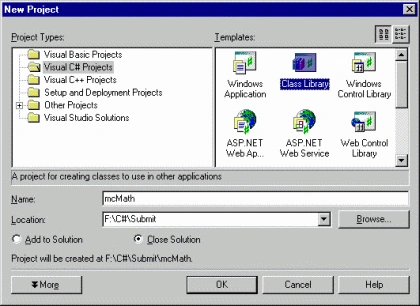
This step-by-step tutorial shows you how to create a class library (DLL) in Visual Studio .NET.
- Database
Compacting a Microsoft Jet ( *.mdb) Database
This article explains how to use DAO class CDaoWorkspace and ADO to compact a Jet database.
- Database
Repair an access database
This article explains how to repair an Access database.Its very easy to get your MS Access database corrupted. You might need to repair the database if it is corrupted. Using DAO MFC classes, repairing a database is a very simple task.
- Database
ODBC Data Source Administration
An overview of ODBC Admin.Creating an ODBC Data Source is not a big deal.You need to understand ODBC Admin before creating an ODBC data source.
- Database
Adding ODBC support to an existing application
This article explains how to add ODBC support to an existing application.Before adding ODBC support to your application, you need to create an ODBC data source.
- ADO.NET
Write data to an access database using SQL Query and ADO.NET
See how to use SQL Statements to write data to an access database.
- Database
Adding ODBC support to a new application
This tutorial guides you to add CRecordview support to your MFC application. MFC AppWizard let you add ODBC support to your application by adding few simple extra steps.
- Visual Studio .NET
Creating an Empty Project using VS.NET
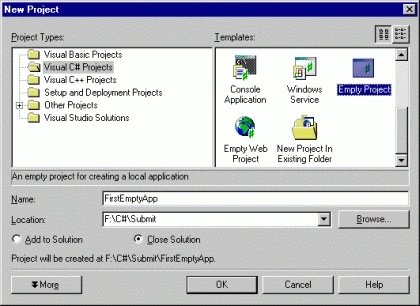
This tutorial guides you towards your first C# Empty project step by step. After that I'll show you how to add a class to the project and few members to the class and call this class members from the main method.
- Visual Studio
Creating an Empty Project using VS.NET
Learn how to create an empty C# project in VS.NET, add a class and methods, create a Main entry point, and build and run the application.
- Internet & Web
Get IP Address of a Host
The .Net DNS class can be used to get a host name or an IP of a given host name. To use DNS class in your project, you need to include System.Net
- Tutorials
Add DAO support to an existing application
This tutorial guides you to add DAO support to an existing application. You can add CDaoRecordset class to support DAO in an application.
- Internet & Web
CSDownloadURL : Download Contents of a Web Page
Learn how to use C# WebRequest and WebResponse to download a web page over HTTP and read its response stream into a string.
- MFC
A Directory Picker Class
This article explains the use of directory picker class.CDirDialog is a class which let you pick a directory from your system.
- Database
Add DAO support to your SDI Application
This article guides you to add CRecordview support to your MFC application. MFC AppWizard let you add ODBC support to your application by adding few simple extra steps.
- C#
A Simple Calculator Class
Code sample shows how to create a simple calculator class and call it from Main C# program.