Loading
Articles by Mahesh Chand

Cursors In C#
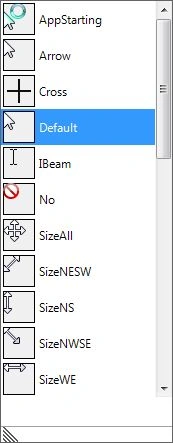
A cursor in Windows is an icon that is displayed when you move a mouse, a pen, or a trackball. This code shows how to apply and manage cursors in your Windows applications.
Cursors in VB.NET
A cursor in Windows is an icon that is displayed when you move a mouse, pen, or trackball. Usually, a different cursor image is displayed for different activity.

Printing in WPF using VB.NET
This code snippet shows how to print a control, user control or a Window in WPF using VB.NET.

Printing a Control in WPF using C#
This code snippet explains how to print a control, user control, container, or a Window in WPF using C#.
Create Image Thumbnails in VB.NET
The code snippet and project attached in this article demonstrates how to create a control that displays thumbnails of images using GDI+ and VB.NET.
Windows Forms ChecksBox
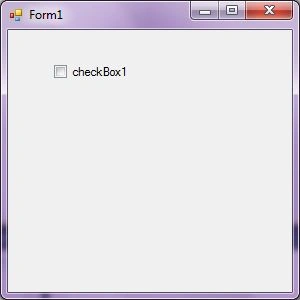
A CheckBox control allows users to select a single or multiple options from a list of options. In this article, I will discuss how to create a CheckBox control in Windows Forms at design-time as well as run-time.
OpenFileDialog In C#
C# OpenFileDialog control is used to browse and select a file on a computer. In this article, you'll learn how to use the OpenFileDialog in C#.
Create Image Thumbnails in C#
The code snippet and project attached in this article demonstrates how to create a control that displays thumbnails of images using GDI+ and C#.
MenuStrip In C#
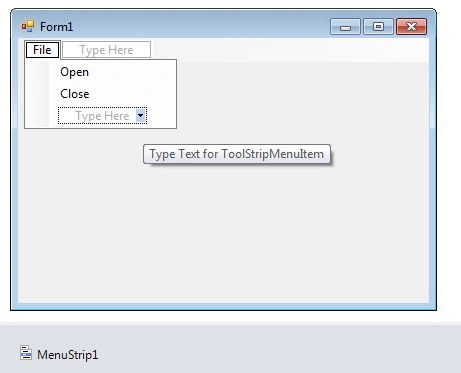
A Menu in C# is used for navigation. WinForms MenuStrip control represents menus in C#. In this tutorial, you'll learn how to implement menus using a MenuStrip in C# and WinForms.
ComboBox in VB.NET
A ComboBox control is a combination of a TextBox and a ListBox control. Only one list item is displayed at one time in a ComboBox and other available items are loaded in a drop down list.
Menus in VB.NET
The MenuStrip class is the foundation of menus functionality in Windows Forms. If you have worked with menus in .NET 1.0 and 2.0, you must be familiar with the MainMenu control. In .NET 3.5 and 4.0, the MainMenu control is replaced with the MenuStrip control

ComboBox with AutoComplete TextBox in VB.NET
This article demonstrates how to use auto completion text related features available in ComboBox and TextBox controls in Windows Forms using VB.NET.
ColorDialog in VB.NET
A ColorDialog control is used to select a color from available colors and also define custom colors. This article demonstrates how to use a ColorDialog in Windows Forms and VB.NET.
TextBox in VB.NET
A TextBox control accepts user input on a Form. In this article, I will discuss how to create a TextBox control in Windows Forms at design-time as well as run-time. After that, I will continue discussing various properties and methods available for the TextBox control.
CheckedListBox in VB.NET
A CheckedListBox control is a ListBox control with CheckBox displayed in the left side where user can select a single or multiple items. In this article, I will discuss how to create a CheckedListBox control in Windows Forms at design-time as well as run-time. After that, I will continue discussing various properties and methods available for the CheckedListBox control.
Button in VB.NET
Button class in Windows Forms represents a Button control. A Button control is a child control placed on a Form and used to process click event and can be clicked by a mouse click or by pressing ENTER or ESC keys.
CheckBox In C#
In this article, I will discuss how to use a CheckBox control in a Windows Forms using C#.
Button In C#
Learn how to create, configure, and handle events for Button controls in C# Windows Forms applications, including dynamic button creation, styling, images, and text alignment.
Auto Complete TextBox in VB.NET
This article demonstrates how to use auto completion text related features available in ComboBox and TextBox controls in Windows Forms using VB.NET.
TextBox In C#
A TextBox control accepts user input on a Form. In this article, I will discuss how to create a TextBox control in Windows Forms at design-time as well as run-time. After that, I will continue discussing various properties and methods available for the TextBox control.

How To Use A String Collection in C#
Learn to create and manage C# StringCollection objects, including adding, inserting, searching, removing, copying, and accessing strings.
StringCollection in VB.NET
StringCollection class is a new addition to the .NET Framework class library that represents a collection of strings. In this article, we will discuss how to take advantages of its methods and properties to manage a collection of strings.

Binding an Enumeration to a ComboBox in VB.NET
This code snippet shows how to bind a control to an enumeration in VB.NET.
Display an Image as Button Background in C#
This code snippet shows how to set an image as background of a Button control using C#.