Loading
Articles by Mahesh Chand
XAML SolidColorBrush Element
SolidColorBrush is used to draw graphics objects with a solid color. This article shows how to use SolidColorBrush element of XAML.
XAML LinearGradientBrush Element
LinearGradientBrush is used to draw graphics objects with a solid color. This article shows how to use LinearGradientBrush element of XAML.
XAML Ellipse Element
The element of XAML is used to draw and fill an ellipse. This article shows how to use the Ellipse element to draw and fill ellipse in XAML.
XAML Canvas Element
A canvas in XAML defines an area within which you can explicitly position child elements by coordinates relative to the canvas area. This article shows you how to use a canvas in XAML.
XAML CheckBox Element
CheckBox element represents a CheckBox in XAML. This article shows how to create and use a CheckBox control in XAML.

XAML ContextMenu Element
ContextMenu element represents a context menu in XAML. This article shows you how to use ContextMenu element to create context menus in XAML.
XAML BulletPanel
XAML Bullet Panel is used to draw a bulleted list of items. These items can be text, controls, or even graphics objects. In this article I will discuss how to use XAML Bullet Panel.
GDI+ in VB.NET Tutorial for Beginners
GDI+ is next evolution of GDI. Using GDI objects in earlier versions of Visual Studio was a pain. This tutorial gives you a head start with GDI+ using VB.NET. In this tutorial, you will learn how to write graphics applications and understand the concept behind the System.Drawing namespace and its members.
Building a Class Library Component and Consumer Client Application with VB.NET
GDI+ is next evolution of GDI. Using GDI objects in earlier versions of Visual Studio was a pain. This tutorial gives you a head start with GDI+ using VB.NET. In this tutorial, you will learn how to write graphics applications and understand the concept behind the System.Drawing namespace and its members.
Changing color of Specific Control on a dialog
This article explains how to change color of specific control.
Add, Update, and Delete data using SQL queries in VC++ and MFC.
This article explains how to add, update and delete data using SQL queiries in VC++ and MFC.
Line Caps and Line Styles in XAML
A line has three parts - starting cap, ending cap, and a line body. The starting poing of the line is starting cap and ending point of the line is ending cap. The part connects starting and ending caps is line body. In this article, I will discuss how to set line style and line caps in XAML.

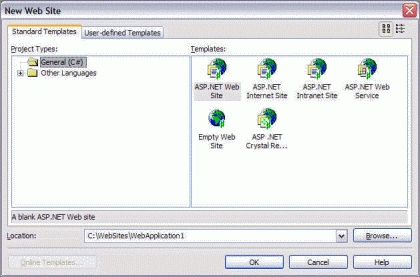
Building a Web Site using Visual Studio 2005
Learn how to use Visual Studio 2005 to create an ASP.NET website, select a site template, run it without IIS, and use built-in web controls.
Drawing Shapes in XAML
This article explains how to draw various shapes including line, rectangle, ellipse, curves, bezier, and path using XAML.
Using ADO Recordset in ADO.NET
Using ADO recordset in managed code using ADO.NET data providers is pretty simple. Visual studio .NET provides you to add reference to the COM libraries. In this article I'll show you how to access data using ADO recordset and fill a ADO.NET data provider from the recordset data. This application is a Windows application. Create a Windows application and drag a data grid control to the form from toolbox.
XAML Text Decorations
Text decorations allows you to add an underline, overline, strikethough, or other decoration to text in XAML. This article explains how to use text decorations in your applicaitons.
XAML RadialGradientBrush Element
RadialGradientBrush is used to draw graphics objects with a radial gradient. This article shows how to use RadialGradientBrush element of XAML.
XAML Tools - Xamlon, MyXaml, MacroXAML, Mobiform Aurora XAML Editor , Visual Studio 2008
In this article, I will talk about some companies that have already developed or developing XAML tools for developers..

ASP.NET Application and Global.asax
The HttpApplication is another important class that is use to control and manage the global scope of an application. The HttpApplication defines methods, properties, and events that are common to all application objects within an ASP.NET application. This article explains the ASP.NET application class, global.asax and using context in an application.
Application State and Global Variables in ASP.NET
There are occasions when you need to define global variables in an application that are available to all modules of that application. In ASP.NET, it can be done by application state. This article explains the basics of application state and how to manage application state in ASP.NET.
Browser Cookies and ASP.NET
Browser cookies are used to store small pieces of information on a client machine. A cookie can store only up to 4 KB of information. Generally cookies are used to store data which user types frequently such as user id and password to login to a site. This article explains how to create, read and delete browser cookies using ASP.NET.