Loading
Mahesh Chand's contributions

WPF Layout: Horizontal and Vertical Alignment
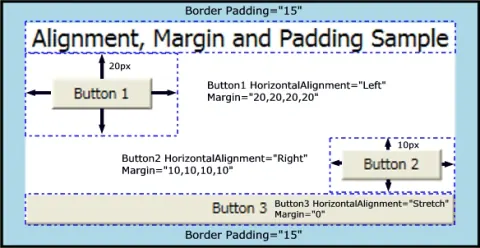
This article focuses on the vertical and horizontal alignment of elements.
WPF Layout: Margins
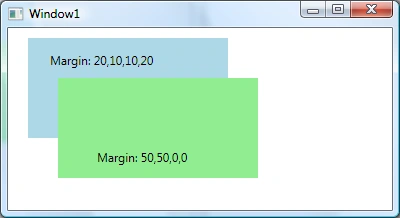
In the previous article, WPF Layout: Size, Width, and Height, I discussed how to manage the size of elements. Margins are another vital piece of the layout system. This article focuses on the margins only.
WPF Layout: Size, Width, and Height
Learn how WPF element Width, Height, minimum and maximum size properties determine the actual rendered size of controls.
WPF Layout System: An Introduction
In a series of articles, I will discuss the layout process in WPF. The series starts with an understanding of the WPF layout process.

Virtualization in WPF Using VirtualizingStackPanel
This article demonstrates how to implent virtualization in WPF using VirtualizingStackPanel
Bill Gates’s New Project – A Personal Agent
Imagine having access to your own personal secretary at your disposal without paying a salary.

XAML WrapPanel
The WrapPanel element in XAML represents a Wrap Panel. This tutorial shows how to use a XAML WrapPanel in WPF and C#.
Microsoft Surface Does Not Have a Cloudy Future
Read this blog about Microsoft Surface and its future.
Most Important Tip To Be Productive At Work
Learn how scheduling time for email, social media, and text messages can reduce distractions and improve focus and productivity at work.
XAML ListView
The ListView element in XAML represents a ListView control. The code example in this tutorial demonstrates how to use a XAML ListView in WPF using C#.
How To Create A GridView In XAML
Learn how to create a WPF GridView layout by setting a ListView's View property and defining GridViewColumn headers, widths, and data bindings.
XAML ListBox
This is a reference tutorial of XAML ListBox element with code examples written in XAML and C#.
XAML Viewbox Tutorial
Learn how to use XAML Viewbox with code example. <Viewbox> element in XAML represents a Viewbox control of WPF and C#. Viewbox.Stretch and Viewbox.StretchDirection properties.
XAML TreeView
XAML <TreeView> element represents a TreeView control in WPF. Here are a few XAML TreeView code examples.
WPF Toolbar Tutorial
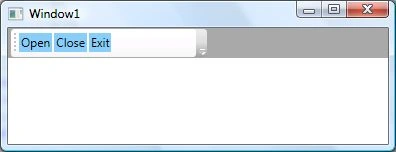
The <Toolbar> element in XAML and the Toolbar class in WPF represent a Toolbar control. This tutorial consists of several code examples of how to create a Toolbar and add buttons to a toolbar control in WPF using XAML and C#.
XAML ToolTip Reference
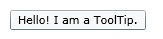
XAML ToolTip element represent a ToolTip of control that can be set using the ToolTip property of a WPF control. Here are some code examples of how to show tool tips of controls in WPF.
XAML TextBox
The element in XAML represents a TextBox control. Code examples of how to use XAML TextBox.
Using XAML TextBlock
XAML TextBlock element represents a TextBlock control. These code examples demo how to declare and use a XAML Text Block.
Scroll Windows With WPF ScrollViewer in C# and XAML
Implement vertical and horizontal scrolling in your WPF applications using ScrollViewer. Control content visibility with properties like VerticalScrollBarVisibility and HorizontalScrollBarVisibility for seamless user experience.