Loading
Mahesh Chand's contributions
What is new in ASP.NET 4.0
Here is a list of new features in ASP.NET 4.0 and their related documentation.
Assembly Information in VB.NET
Assembly attributes are the properties of an assembly that gives information such as company name, product, copyright, version, culture and other information about an assembly.

Application Startup and Executable Path
The code snippet in this article demonstrates how to use Application class static properties to get Windows Forms application startup path, executable path and user data path using C#.

Get Application Startup and Executable Path in VB.NET
Learn how to retrieve a Windows Forms application's startup path, executable path, and user data path with VB.NET Application properties.
Color Transformation and the Color Matrix in GDI+
In this article I will explain about Color Transformation and the Color Matrix in GDI+.
Getting Audio and Video Devices Information in Silverlight
Silverlight provides audio and video supports such as Webcam or microphones. This article and code snippet demonstrates how to get all available audio and video devices on a machine.
Scaling, Shearing and Rotating Colors in GDI+
In this article I will explain about Scaling, Shearing and Rotating Colors in GDI+.
Getting Started with Silverlight 4
Silverlight 4 RC2 is available to download now. It works with Visual Studio 2010. First, you need to download and install Visual Studio 2010. Here are some getting started points and resources related to Silverlight 4.
Graphics class and Transformation in GDI+
Learn how to apply global and composite GDI+ transformations with the Graphics class, Matrix objects, scaling, rotation, translation, and clipping regions.
Miscellaneous Advanced 2D Topics in GDI+
In this article I will explain about miscellaneous Advanced 2D Topics in GDI+.
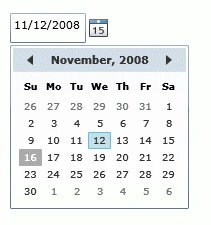
Silverlight DatePicker Control
A DatePicker control is used to create a visual DatePicker that let user to pick a date and fire an event on the selection of the date. This article demonstrates how to create and use a DatePicker control in Silverlight with the help of XAML and C#.

Cool features of Visual Studio 2010
Web development will be much smoother with Visual Studio 2010 specially if you are JavaScript, JQuery, or AJAX lover. I am really impressed with these few features added to Visual Studio 2010.
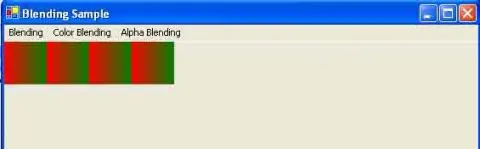
Compositing Mode and Blending in GDI+
In this article I will explain about Compositing Mode and Blending in GDI+.
Brushes, Pens and Alpha Blending in GDI+
In this article I will explain about Brushes, Pens and Alpha Blending in GDI+.
Alpha Blending and Images in GDI+
In this article I will explain about Alpha Blending and Images in GDI+.
Adding Multicolor Support to Gradients in GDI+
In this article I will explain about Adding Multicolor Support to Gradients in GDI+.
Blending using PathGradientBrush Objects in GDI+
In this article I will explain about Blending Using PathGradientBrush Objects in GDI+.
Blending Using LinearGradientBrush Objects in GDI+
In this article I will explain about Blending Using LinearGradientBrush Objects in GDI+.
Reading Metadata of Images in GDI+
Learn how to read image metadata in GDI+ using the Image.PropertyItems collection and PropertyItem fields such as ID, type, length, and value.