Loading
Vijai Anand Ramalingam's contributions

LINQ To SQL: Average Operator
In this blog we will be seeing how to return the average value from a Numeric Sequence

REST API in SharePoint 2010 for Excel Services: Part 3
In this article we will be seeing how to access the Tables and REST API Return Formats.
REST API in SharePoint 2010 for Excel Services: Part 2
In this article we will be seeing how to access the Charts and PivotTable using REST URL and how to add the chart to the SharePoint Wiki page.
REST API in SharePoint 2010 for Excel Services: Part 1
The REST API in Excel Services is new in Microsoft SharePoint Server 2010. REST API is used to access workbook parts or elements directly through a URL.
Delete the theme file from the theme gallery in SharePoint using powershell
In this blog we will be seeing how to delete the theme file from the theme gallery in SharePoint using powershell
Programmatically delete the theme file from the theme gallery in SharePoint
In this blog we will be seeing how to delete the theme file from the theme gallery in SharePoint using C#
Create a custom theme using PowerPoint in SharePoint 2010
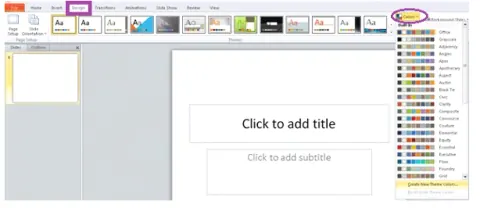
In this article we will be seeing how to create a custom theme using PowerPoint in SharePoint 2010.
REST API in SharePoint 2010 for listdata.svc: Part 2
In this article we will be seeing how to create, read, update and delete the list data using REST API.
REST API in SharePoint 2010 for listdata.svc: Part 1
In SharePoint 2010, we can get the list data using SharePoint object model, client object model or LINQ to SharePoint, we can also get the list data from listdata.svc.

Add Web Reference in Visual Studio 2010
In this article we will be seeing how to add web reference in Visual studio 2010.
Fixed Value based Status Indicator in SharePoint 2010
In this article we will be seeing how to create fixed value based Status Indicator. In some cases we may need to enter the value manually for a status indicator.
SharePoint List based Status Indicator
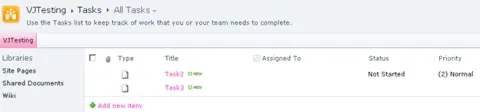
Create a SharePoint List-based status indicator that calculates the average percentage complete from a task list, with goal and warning thresholds.
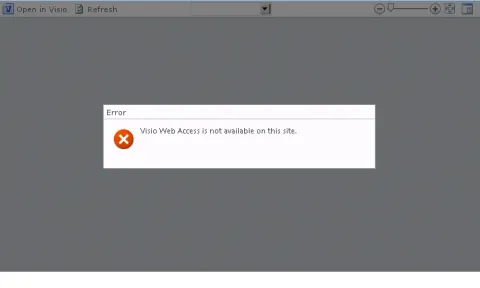
Visio Web Access is not available on this site
In this blog we will be seeing how to resolve the following error "Visio Web Access is not available on this site."

Installing AdventureWorks Analysis Services Database
Install and deploy the AdventureWorks Analysis Services database in SQL Server 2008 using Business Intelligence Development Studio and SQL Server Management Studio.
Configure RSS settings for a list using Powershell
In this article we will be seeing how to configure RSS settings for the SharePoint list using powershell.
Programmatically Configure RSS Settings For a List
In this article we will be seeing how to programmatically configure RSS settings for the SharePoint list.
Configuring an RSS Viewer Web Part
In this article we will be seeing how to obtain the URL for an RSS feed from the SharePoint list and how to configure a RSS viewer web part for it.
Enable Enterprise keywords in SharePoint 2010 using powershell
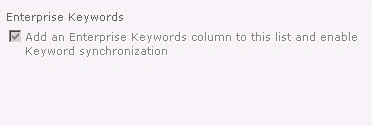
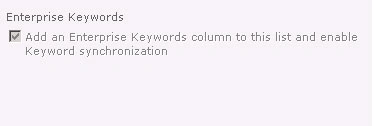
In this article we will be seeing how to enable Enterprise keywords for a list using powershell script.
Programmatically enable Enterprise keywords in SharePoint 2010
In this article we will be seeing how to enable Enterprise keywords for a list using SharePoint object model.
Tags and Notes in SharePoint 2010
In this article we will be seeing about the Tags and Notes feature available in SharePoint 2010.
Configure Metadata publishing in SharePoint 2010
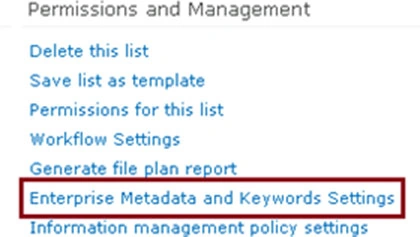
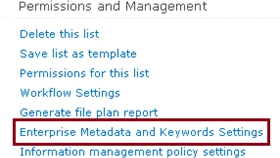
In SharePoint 2010 the terms or keywords added to the Managed Metadata or Enterprise Keywords columns in a library can be made available as keywords for social tagging. To do this we need to enable an option in the library settings, which will be available in Enterprise Metadata and Keyword Settings. In this article we will be seeing how to enable this option for the SharePoint document library.
Enterprise Keywords in SharePoint 2010
In this article we will be seeing how to enable Enterprise keywords for a list.
Submission Policy for term set in SharePoint 2010:Part 2
In this article we will be seeing how to enable this option to add the terms to the term set by the end user using SharePoint object model and powershell.
Submission Policy for term set in SharePoint 2010
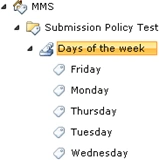
Learn how to enable an open submission policy for a SharePoint 2010 term set so users can add terms through a managed metadata column.
Programmatically Creating Alerts in SharePoint 2010
In this article we will be seeing how to create an alert for a particular user and for a specified document library using the SharePoint object model.