Loading
Everything in CSS
animation-iteration-count property in CSS3
animation-iteration-count property is used to defines that how many times an animation should be played. We can’t use this property in Internet Explorer and Opera.
CSS z-index property
z-index property in CSS, is used to specify the stack order of an element.
backface-visiblity property in CSS3
backface-visiblility property in CSS3, it is used to determine that the backside should be vivible or not. This property is useful when the element is rotated and we do not want to see the backside of the element.
Box-Flex Property In CSS3
It specifies whether the child elements of a box is flexible or inflexible in size .
Overflow Property In CSS
The Overflow property specifies that what we should do if the content of an Element Box Overflows.
Appearance Property In CSS3
It is used to make an element look like a User Interface Element.
Web Safe Fonts In CSS
Browser Compatibility is the biggest Issue. CSS Provides us the facility that we use multiple fonts at one time means if the browser does not support the first font, it will take automatically the second font.
Clip Property Of CSS
If we want to see the particular part of the Image, we use the Clip Property.
Rounded Corners in CSS3
Here we take an example by which we can understand that how we can use the border-radius property for rounded corners.
CSS in HTML
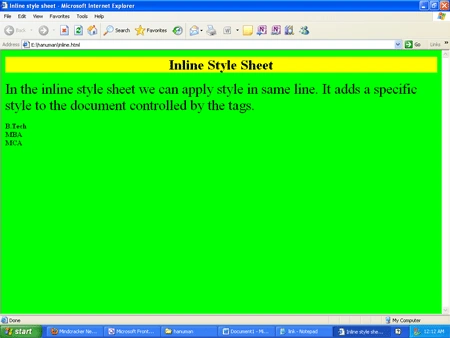
This blog shows how to control the formatting of HTML tag using cascading style sheet.
Backgrounds and Text Shadow Property of CSS3
CSS3 allows us to use the multiple background and text-shadow property applies shadow to text.
Django Bootcamp - Part Three (CSS Basic)🐍
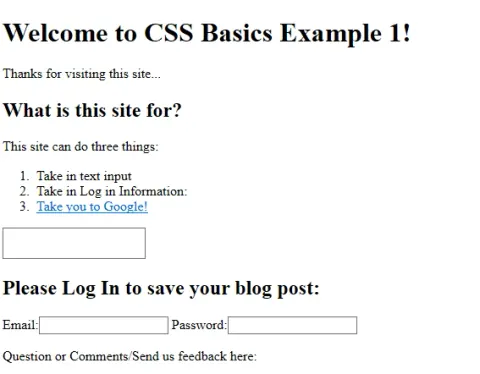
Learn CSS fundamentals including syntax, colors, and selectors, with examples of linking a stylesheet to an HTML page.
Deep Dive With CSS - Background And Colors
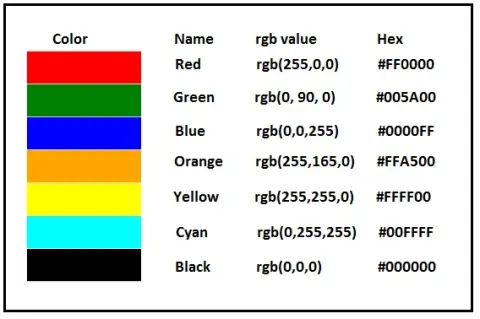
Learn how to use CSS color and background properties, including background colors, images, repetition, and positioning.
Word Wrapping in CSS
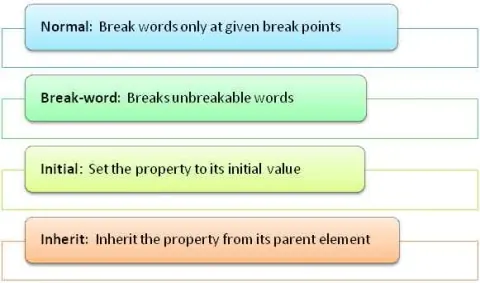
This article briefly explains the concept of word wrapping in CSS with some simple examples.
Display Property in Cascading StyleSheet
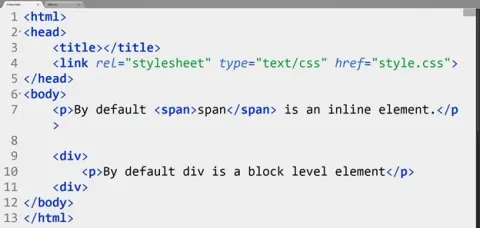
Learn how CSS display values inline, block, and inline-block affect element sizing, margins, padding, and page layout.
CSS3 Series Part 2: Playing With Backgrounds
Learn how to use CSS3 background properties, including multiple images, background sizing, repeating, positioning origins, and clipping.
CSS3 Features: Borders
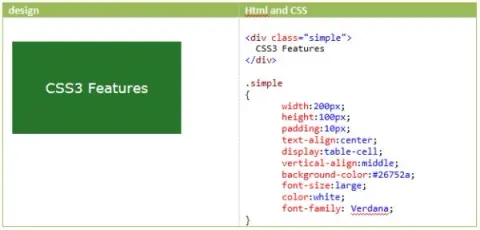
Learn how to create rounded corners with border-radius and use images as borders with the CSS3 border-image property.
Part 4: Introduction to CSS3 - 2d Transform
In this article, you'll learn about CSS3 transformation effects using CSS3 properties.
Creating Form With Zurb Foundation in PHP
Create responsive HTML forms with Zurb Foundation, including grid-based layouts, fieldsets, and custom select lists.
Function in SQL Server 2012
Learn how to use the CSS overflow:auto property to show scrollbars automatically when content exceeds a div's dimensions.
Cascading Style Sheets (CSS) in ASP.NET
Learn how Cascading Style Sheets (CSS) are used to style ASP.NET web applications.