Loading
Mahesh Chand's contributions
ASP.NET 2.0 with C# Training
If you are looking to get into .NET programming or need to upgrade yourself to .NET 2.0 and ASP.NET, here is good news. We are providing live online training courses on C# Corner, which you can learn from your office or home desk. We have four online training courses coming up this month. Check them out.
Smart Coding, Think Outside of Loop
Beware when there is a looping and aways be careful when you define any variables inside the loop specially if loop frequency is a lot or the variables are large in size.
Smart Coding, Think Memory
I have noticed, some programmers define variables for no reason. By using this quick tip, we can write more cleaner and efficient code.
Smart Coding, Think Modular
Recently, I saw some code written by naive programmers and I decided to write a new series of blogs for beginners, which you won't find in books. In these tips, I will talk about small things we should keep in mind to be more efficient.

Building Reports from a DataSet using ReportViewer
In this step-by-step tutorial, you will learn how to create reports from a Database using a DataSet, the ReportViewer control and Visual Studio 2005.
What is .NET Framework 3.0?
The Microsoft .NET Framework 3.0 (formerly WinFX), is the successor of .NET Framework 2.0 and new managed code programming model for Windows. This blog talks about .NET 3.0 and various new technologies available in it.

Implement Sorting in Reports using Report Viewer
This article shows how to implement sorting on columns in a report using Report Viewer.
Building Reports from XML Documents using ReportViewer
In this step-by-step tutorial, you will learn how to create reports from an XML document using the ReportViewer control and Visual Studio 2005.
Implement Sorting in Reports using Report Viewer
This article shows how to implement sorting on columns in a report using Report Viewer.
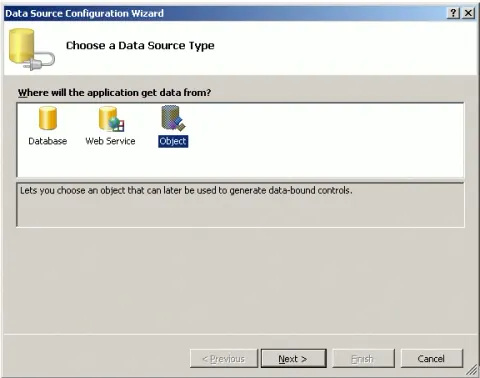
Building Reports from Object Collection using ReportViewer
Learn how to create an RDLC report in a Windows Forms application by binding a ReportViewer control to a collection of business objects using local processing.
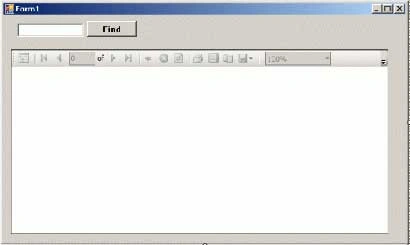
Implementing Search in Reports using ReportViewer
The ReportViewer control provides Find and FindNext methods to find a text in the report. This article explains how you can implement search functionality in reports programmatically.
Getting Started with ReportViewer Control
I could not be more happier when I saw the ReportViewer control as a part of Visual Studio 2005 controls. This article is an introduction to the ReportViewer control and how to write a simple report using the ReportViewer control in Visual Studio 2005.
Introduction to Microsoft Expression Tools
Microsoft Expression tools are a new series of products from Microsoft to build and design modern, high quality, richer user experience graphics and interactive Web and Windows applications.

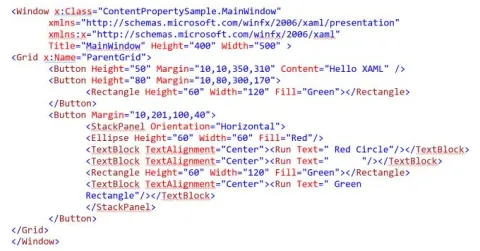
What is XAML
XAML is a descriptive programming language used in UWP, WPF, and Xamarin Forms to build user interfaces. What is XAML? Why do we need XAML? How to learn XAML?

What Is WPF
WPF (Windows Presentation Foundation) introduced as a part of .NET Framework 3.0 is a sub framework of .NET that is used to build Windows client apps for Windows operating system. WPF uses XAML as its front end language and C# as its code behind language. The current version of WPF is 4.5.
Congratulations Scott Lysle and Mike Gold
Mike Gold has just completed 200 articles and Scott has finished 100 articles on C# Corner. Congratulations guys.
I am loving it - Wii
When it comes to Video games, I am far away from it. I was never into video games. I guess games are too complex for me and I don't want to use my brain processor for games, where I can use it for other things. I would rather play real games. Recently, I got my hands on Nintendo Wii and I have to confess, this is something else.
Implementing Search in Reports using ReportViewer
The ReportViewer control provides Find and FindNext methods to find a text in the report. This article explains how you can implement search functionality in reports programmatically.
Building Reports from a DataSet using ReportViewer
Create an RDLC report in Visual Studio 2005 using a typed DataSet, bind it to the ReportViewer control, and load report data from an XML file.
Building Reports from XML Documents using ReportViewer
In this step-by-step tutorial, you will learn how to create reports from an XML document using the ReportViewer control and Visual Studio 2005.
Building Reports from Object Collection using ReportViewer
In this article, I discuss how to create reports from a business objects collection. I create a Windows Forms application with reporting being processed as local processing mode.
Selecting an item in an ASP.NET DropDownList Programmatically
This tip shows how to select an item in an ASP.NET DropDownList control programmatically.

Drawing Graphics Shapes in XAML
This article describes the drawing model in XAML and how to draw various objects such as line, rectangle, ellipse, and paths using XAML.
Programming XAML - A Quick Start
XAML is a new descriptive programming language that is used to define user interfaces in WPF, Silverlight and Windows 8 Metro Style Apps. This article is an introduction to XAML.
XAML TextBox
XAML <TextBox /> element represents the XAML TextBox control. This article discusses how to create a TextBox and set its various properties such as background and foreground colors, setting size and positions, fonts, wrapping, scrolling, and input validations.