Loading
Mahesh Chand's contributions
- Article · Visual Studio 2005
Manage and Administer ASP.NET Web Sites in Visual Studio 2005
ASP.NET Configuration Wizard is a new feature available in Visual Studio 2005, which takes care ASP.NET Web Application configuration and deployment problems and allows developers to set Web application settings using a visual interface.
- Article · Visual Studio 2005
Smart HTML Editor in Visual Studio 2005
If you have been writing Web applications using Visual Studio, at some point you would end up editing HTML file by hand. Now HTML Editor available in Visual Studio 2005 now supports Intellisense, which makes developers life much easier when editing HTML file by hand.
- Article · UWP
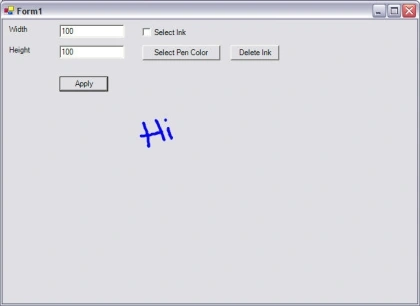
Tablet PC Ink Editing Modes - Select and Delete Ink
In my previous articles, I discussed how to use Ink and set its properties to draw on a Windows Forms and Windows controls. In this article, I will discuss some more features of Tablet PC Ink including selecting and deleting ink, Ink collection, and Ink object.
- Article · UWP
Working with Tablet PC InkPicture Control in C#
Tablet PC SDK provides two very powerful but easy to use Ink controls for Ink recognition. These two controls are - InkEdit and InkPicture. This article discusses how to work with InkPicture control. See Working with Tablet PC InkEdit control to work with InkEdit control.
- Article · UWP
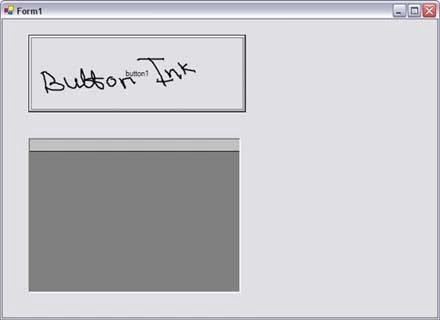
Using Tablet PC Ink on Windows Controls
You can use any control as a surface for the ink and can write on these controls using a Tablet PC pen. To make a control ink enabled, you must have to assign the handle of the control to InkOverlay handle.
- Article · Visual Studio 2005
Better Exception Handling in Visual Studio 2005
With many new cool features, components, controls, and tools, Visual Studio 2005 definitively is a winner. In this article, I discuss the new exception handling dialog in Visual Studio 2005.
- Article · Visual Studio 2005
New Features of Visual Studio 2005 Editor
In my previous articles, I discussed various new features introduced in Visual Studio 2005. This article is another addition to the same series. In this article, I discuss some new features of Visual Studio 2005 editor.
- Article · Windows Controls
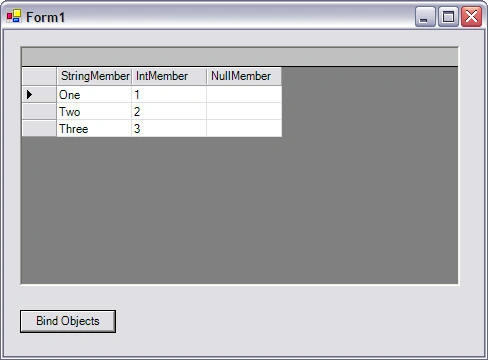
Object Binding in DataGrid with C#
In this article, I will discuss how to bind objects such as an ArrayList to a DataGrid control using C#.
- Article · Visual Studio
Refactoring in Visual Studio 2005
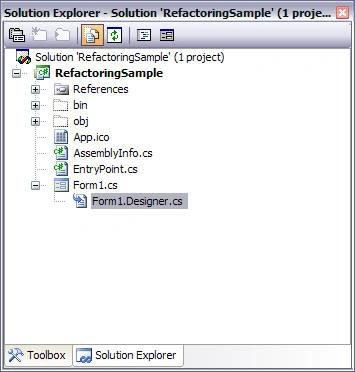
Refactoring allows developers to use the built-in feature of Visual Studio to rename and convert and change the signatures and definitions of a class members. In this article, I will show you how refactoring feature provided by Visual Studio 2005 can be a handy tool when you are reorganizing or optimizing your existing projects.
- Article · Visual Studio
Refactoring in Visual Studio 2005
Learn how to use Visual Studio 2005 refactoring tools to rename members, extract code and interfaces, and change class member signatures while improving existing projects.
- Article · Visual Studio
Learning Visual Studio 2005 IDE - The Toolbox
In this article of Learning Visual Studio 2005 IDE series, we will take a quick look at Toolbox and see what are the new controls added to it.
- Article · Visual Studio 2005
Learning Visual Studio 2005 IDE - The Designer
In this article of Learning Visual Studio 2005 IDE series, I will explore some of the designer features and the breakdown of the classes of a Windows Forms project.
- Article · Visual Studio
Learning Visual Studio 2005 IDE - Main IDE
In this article of Learning Visual Studio 2005 IDE series, I will explore some of the designer features and the breakdown of the classes of a Windows Forms project.
- Article · Visual Studio
Learning Visual Studio 2005 IDE - The Designer
In this article of Learning Visual Studio 2005 IDE series, I will explore some of the designer features and the breakdown of the classes of a Windows Forms project.
- Article · Visual Studio 2005
Learning Visual Studio 2005 IDE - Main IDE
In this article of Learning Visual Studio 2005 IDE series, I will explore some of the designer features and the breakdown of the classes of a Windows Forms project.
- Article · UWP
Saving and Loading Ink on InkPicture Control in C#
This article shows a real-world usage of Tablet PC InkPicutre control and ink. The attached file is a Visual Studio 2003 project, which allows you to load an image file, write on the image using ink and save the ink. It also allows you to load and view the saved ink on the image.
- Article · UWP
Setting Ink Overlay Properties in Tablet PC
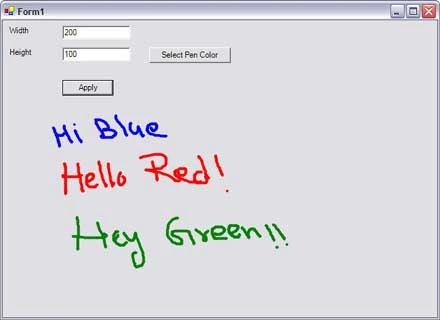
In this article, I will write an application that allows us to set the Ink Overlay properties dynamically based on the values selected by the user.
- Article · Windows Forms
Working with Tablet PC InkEdit Control in C#
Tablet PC SDK provides two very powerful but easy to use Ink controls for Ink recognition. These two controls are - InkEdit and InkPicture. This article discusses how to work with InkEdit and InkPicture controls.
- Article · Visual Basic 2010
Setting Ink Overlay Properties in Tablet PC
In this article, I will write an application that allows us to set the Ink Overlay properties such as height, width, and color of the ink dynamically based on the values selected by the user.
- Article · Tablet PC
My First Tablet PC application using VB.NET
This step by step tutorial shows you how to create your first Tablet PC application using Visual Studio .NET and C# with the help of Microsoft Tablet PC API.
- Article · Tablet PC
Tablet PC Ink Editing Modes - Select and Delete Ink
In my previous articles, I discussed how to use to use Ink and set its properties to draw on a Windows Form and Windows controls. In this article, I will discuss some more features of Tablet PC ink including selecting and deleting ink, Ink collection, and Ink object.
- Article · Visual Basic 2010
Tablet PC Frequently Asked Question
This article answers some of the frequently asked questions related to Tablet PC and Tablet PC application development.
- Article · Windows Controls
Using Tablet PC Ink on Windows Controls
Any Windows Forms control including a Form itself can be used as a surface to draw using the Tablet PC pen and ink. In this article, I will discuss how to use the Ink functionality to write on various Windows Forms controls.
- Article · Visual Basic 2010
Reading XML Files
XmlTextReader class is a class you might want to look into if you want to read XML files. Just pass your XML file as an argument when you create XmlTextReader object and call read() method to read the document.
- Article · UWP
My First Tablet PC Application using C#
This step by step tutorial shows you how to create your first Tablet PC application using Visual Studio .NET and C# with the help of Microsoft Tablet PC API.