Loading
Mahesh Chand's contributions
Working with Pen in WPF
Pen was a major player to draw layouts and borders in GDI+. However, WPF graphics sub-system is redesigned and pens are merely used. But if you know the usage of pens, you may need it. This article demonstrates how to use pens in WPF using XAML and C#.
Silverlight MediaElement
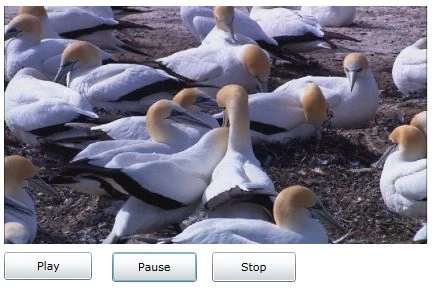
The MediaElement control is used to display and play videos in Silverlight. This article demonstrates how to use a MediaElement control in Silverlight to play videos with the help of XAML and C#.

Play Video in Silverlight using VB.NET
The MediaElement control is used to display and play videos in Silverlight. This article demonstrates how to use a MediaElement control in Silverlight to play videos with the help of XAML, C# and VB.NET.
Play Video in Silverlight
The MediaElement control is used to display and play videos in Silverlight. This article demonstrates how to use a MediaElement control in Silverlight to play videos with the help of XAML and C#.

How to fix a missing Vertical Scrollbar on a Silverlight Page
This tip shows how to add scrollbars to a Silverlight page.
Why Every Developer Should Write
You can be a great developer, but if you do not share your expertise with anybody, nobody will know about you. That said, you need to come out of your cave and show the world what you've got. Unleash the hell of code!

WPF Brushes in VB.NET
This article discusses types of brushes found in WPF and how to use them in your applications.
WPF Printing in XAML
Printing has changed in WPF if you compare with GDI and GDI+. This article discusses the process of printing in WPF and how to create a FlowDocument dynamically and print it in WPF using a PrintDialog control.
What is new in Internet Explorer 9
IE 9 beta is available to public now. Check out these all new features.

Bye Bye Stsadm, Welcome PowerShell
If you are a SharePoint admin, you must be familiar with the Stsadm command line tool. Step away Stsadm, here comes Windows PowerShell 2.0.

WebShell, Web applications Framework
The idea behind WebShell is to translate HTTP requests to commands each command or more than one command represented by DLL, Command class that implements ICommand interface will include methods that ends with one one of these suffixes (_POST, _GET, _PUT and _DELET) and according to HTTP request method these methodes inside Command class will be invoked dynamically.

Getting Started with Windows PowerShell
Windows PowerShell is a new Windows command-line shell designed especially for system administrators. The Windows PowerShell includes an interactive prompt and a scripting environment that can be used independently or in combination.
Building Zoom and Pan Enabled Silverlight Applications with Deep Zoom Composer
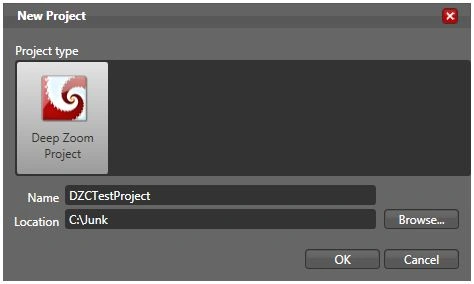
This tutorial is an introduction to the Deep Zoom Composer and how to use it to build zoom and pan enabled Silverlight applications with the help of Expression Blend and Visual Studio 2008.
Getting Started with Microsoft Expression
Recently, Microsoft launched a new product called Microsoft Expression, which allows developers to create interactive graphics and much more. This article gives you a head start on Expression tools.
Best Windows Server Hosting Companies
Many people from different user groups have been asking me about various hosting companies. I have worked or still working with several hosting companies direct or indirect and here are my recommendations.

Getting Started with Visual Studio LightSwitch
Here are the steps required to get started with Visual Studio LightSwitch
Why do I need Visual Studio LightSwitch?
This is the first question I had in mind when I first heard about Visual Studio LightSwitch. After working with it, I found the answer.
PrintPreviewControl in VB.NET
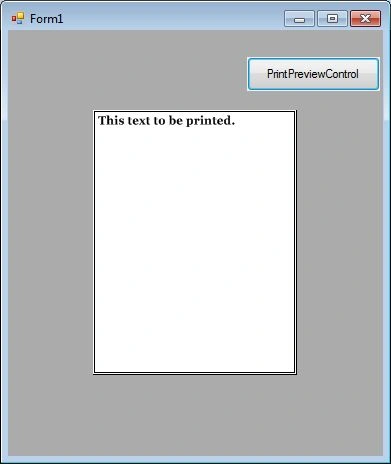
PrintPreviewControl control represents the raw part of print preview of a document that is ready go to the printer. In this article, I will discuss how to use a PrintPreviewControl control to display print previews of documents in Windows Forms applications.

PrintPreviewControl In C#
The PrintPreviewControl control represents the raw part of the print preview of a document that is ready go to the printer. In this article, I will discuss how to use a PrintPreviewControl control to display print previews of documents in Windows Forms applications.
ListBox in VB.NET
In this tutorial, we will learn how to create a ListBox control at design-time as well as at run-time. We will also see how to create multiple columns ListBox control with single and multiple selections. This article also covers most of the properties and methods of the ListBox control.
ListBox in C#
In this tutorial, we will learn how to create a C# ListBox control at design-time as well as at run-time. We will also see how to create a multiple-column ListBox control with single and multiple selections.
HelpProvider in VB.NET
HelpProvider control provides popup or online help for a control. In this article, we will discuss how to use a HelpProvider control to implement help for controls in a Windows Forms application.
HelpProvider in C#
HelpProvider control provides popup or online help for a control. In this article, we will discuss how to use a HelpProvider control to implement help for controls in a Windows Forms application.