Loading
Articles by Vijai Anand Ramalingam
- SharePoint
How to get the User Profile Synchronization Connection names from SharePoint 2010 using C#
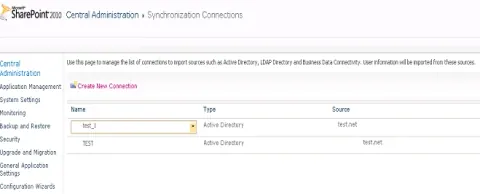
In this article we will be seeing how to get the User Profile Synchronization Connection names from SharePoint 2010.
- SharePoint
How to convert docx to doc document in SharePoint 2010 using Word Automation Services
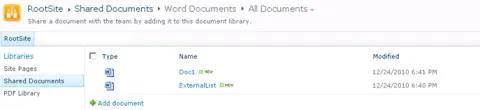
In this article we will be seeing how to convert .docx document to .doc document in SharePoint 2010.
- SharePoint
How to convert docx to pdf document in SharePoint 2010 using Word Automation Services: Part 3
In this article we will be seeing how to convert .docx document to pdf document in SharePoint 2010.
- SharePoint
How to convert docx to pdf document in SharePoint 2010 using Word Automation Services: Part 2
In this article we will be seeing how to convert .docx document to pdf document in SharePoint 2010.
- SharePoint
How to convert docx to pdf document in SharePoint 2010 using Word Automation Services
In this article we will be seeing how to convert .docx document to pdf document in SharePoint 2010.
- SharePoint
How to convert docx to pdf document in SharePoint 2010 using PowerShell
In this article we will be seeing how to convert .docx document to pdf document in SharePoint 2010 using powershell.
- SharePoint
How to convert docx to pdf document in SharePoint 2010 using Word Automation Services - Part 1
In this article we will see how to convert .docx document to pdf document in SharePoint 2010.
- SharePoint
How to convert docx to pdf document in SharePoint 2010 using PowerShell - Part1
In this article we will see how to convert a .docx document to a pdf document in SharePoint 2010 using Powershell.
- SharePoint
How to convert docx to doc document in SharePoint 2010 using Word Automation Services
In this article we will be seeing how to convert .docx document to .doc document in SharePoint 2010.
- SharePoint
How to add C# code in PowerShell script for adding a SharePoint list item
In this article we will be seeing how to add C# code in powershell script for adding a new SharePoint list item.
- SharePoint
How to display the SharePoint 2010 list items in the Silverlight Datagrid using Client Object Model
In this article we will be seeing how to display the SharePoint 2010 list items in the Silverlight Datagrid using Client Object Model.
- Silverlight
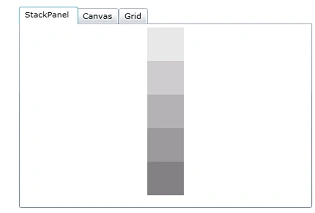
How to open XAML files in the Silverlight tab control
In this article we will be seeing how to open the xaml files in the Silverlight tab controls.
- SharePoint
How to publish Managed Metadata Service across Farms in SharePoint 2010
In Microsoft SharePoint Server 2010, some service applications can be shared across farms. By publishing a service application, you can optimize resources, avoid redundancy, and provide enterprise-wide services without installing a dedicated enterprise services farm.
- SharePoint
Integrating Oracle into SharePoint 2010 Using Business Data Connectivity Model
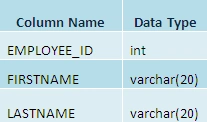
Create a SharePoint 2010 Business Data Connectivity model that reads Oracle database data and exposes it through an external list.
- Windows PowerShell
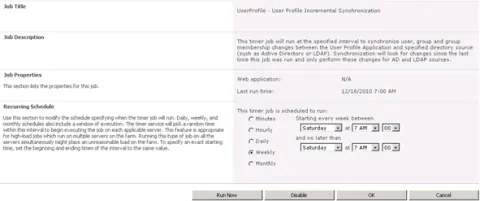
How to schedule User Profile Incremental Synchronization in SharePoint 2010 using Power shell
In this article we will be seeing how to schedule User Profile Incremental Synchronization in SharePoint 2010 using Power shell.
- SharePoint
Document Set Feature in SharePoint 2010
In this article we will be seeing how to create Document Set in SharePoint 2010.
- Windows PowerShell
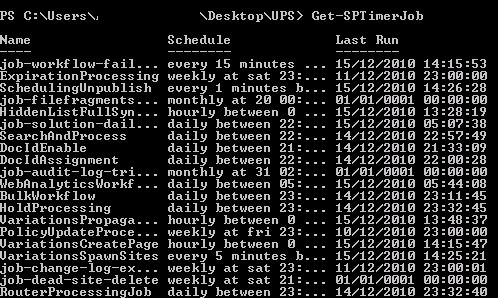
Get SPTimerJob
In this article we will be seeing how to use the powershell command Get-SPTimerJob.
- SharePoint
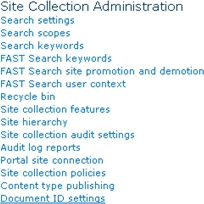
Document ID Service feature in SharePoint 2010: Part 2
In this article we will be seeing how to assign the Document ID’s and how to create Find by Document ID web part.
- SharePoint
Document ID Service feature in SharePoint 2010 - Part 1
A new feature has been introduced in SharePoint 2010 which is called “Document ID Service” feature. Document ID Service feature provides the Document ID’s for the documents with the ability to tag documents.
- Windows PowerShell
How to read an XML file in PowerShell 2010
In this article we will be seeing how to read an xml file in powershell 2010.
- SharePoint
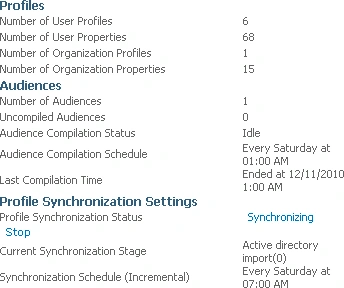
How to Start Full Synchronization using C# in SharePoint 2010
In this article we will be seeing how to Start Full Synchronization to import the user profile in SharePoint 2010.
- Silverlight
Silverlight ScrollViewer Example
In this article we will be seeing how to create Silverlight ScrollViewer control.
- Silverlight
Silverlight- TabControl Example Part 1
In this article we will be seeing how to create Silverlight TabControl control.
- Silverlight
Silverlight- TabControl Example Part 2
In this article we will be seeing how to create Silverlight TabControl.
- WCF
How to Create External Content Type Using WCF Service
In this article we will be seeing how to create an external content type using WCF Service.