Loading
Vijai Anand Ramalingam's contributions
- Article · Generative AI
Stream Conversations with Amazon Bedrock API in .NET Console App
Learn how to create a .NET console application that streams conversations using the Amazon Bedrock Converse API with the Anthropic Claude 3 Sonnet model. This guide covers setting up your AWS environment, configuring Visual Studio, and using the AWS SDK to handle streaming conversations and model responses.
- Article · Generative AI
Creating a Conversational App with Amazon Bedrock and .NET
This guide covers integrating AI models, leveraging cloud services, and implementing natural language processing to build intelligent chatbots and enhance user interactions.
- Article · Generative AI
Conversation with document using Amazon Bedrock and .NET
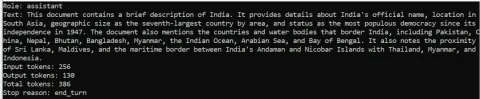
In this article, you'll learn how to send a document as part of a message using the Amazon Bedrock Converse API with the Anthropic Claude 3 Sonnet model and requests that the model describe the contents of the document.
- Article · Generative AI
Build Image Description Service with Amazon Bedrock and .NET App
Learn how to use the Amazon Bedrock Converse API with the Anthropic Claude 3 Sonnet model to send an image and receive a description. This guide covers setting up a .NET 8.0 console app in Visual Studio 2022, configuring AWS CLI, and using AWSSDK.BedrockRuntime to interact with the API.
- Article · Generative AI
How to configure Amazon Q in Visual Studio 2022
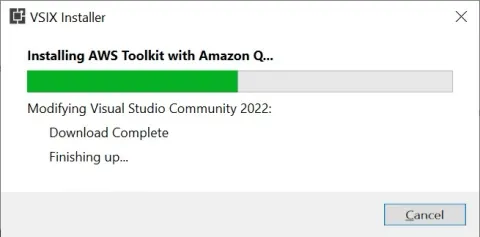
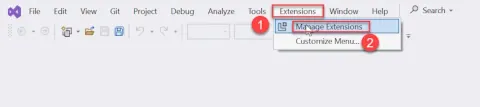
Discover how to set up Amazon Q, integrate it with your development environment, and streamline your workflow. This tutorial covers installation, configuration, and tips for optimizing your development process using Visual Studio 2022.
- Article · Generative AI
Amazon Bedrock Knowledge Base Query in .NET Console App
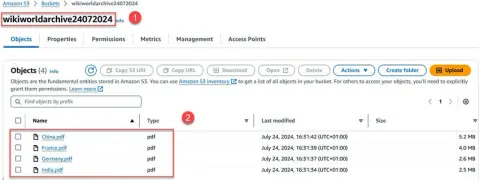
Learn to create a .NET console application using Visual Studio 2022 to query an Amazon Bedrock knowledge base. This guide demonstrates querying an Amazon S3 bucket for data, handling responses, and managing errors. Prerequisites include AWS CLI setup, .NET 8.0 SDK, and necessary IAM permissions.
- Article · Generative AI
Use a Guardrail with the Converse API in a .NET Console Application
Learn to develop a .NET console app using the Converse API with guardrails to block inappropriate content in Visual Studio 2022. This tutorial covers setting up AWS IAM permissions, installing the AWS CLI and .NET 8.0 SDK, and integrating the AWSSDK.BedrockRuntime.
- Article · Generative AI
Generate an image by invoking Amazon Titan Image on Amazon Bedrock using .NET console application
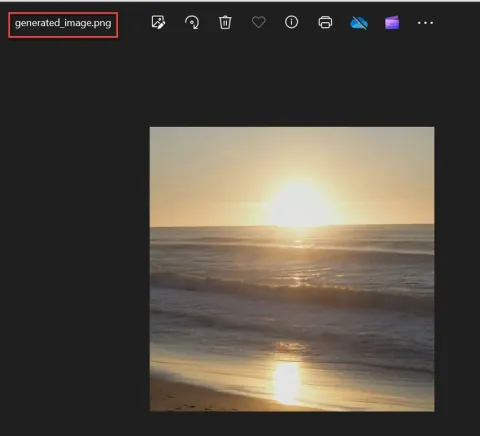
Generate an image using Amazon Titan Image on Amazon Bedrock with a .NET console application. Explore seamless integration of cloud services, leveraging AWS's robust infrastructure for efficient image processing.
- Article · MongoDB
How to connect to MongoDB locally using .NET console application
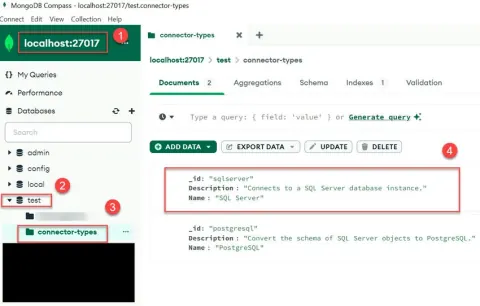
Learn how to establish a local connection to MongoDB using a .NET console application. This tutorial guides you through setting up MongoDB, configuring your .NET environment, writing code to connect to MongoDB locally, and performing basic CRUD operations.
- Article · Azure
App Registration with Microsoft Entra ID Configure SharePoint Permissions
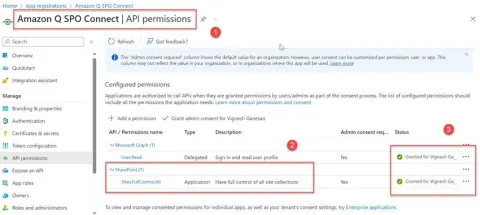
Register your app in Azure AD for SharePoint access using PowerShell. Configure permissions, obtain Client ID and Secret for OAuth authentication, granting necessary access to SharePoint resources, facilitating seamless integration and data interaction.
- Blog · SharePoint
Export All ASPX Pages from SharePoint On-Premises Using PowerShell
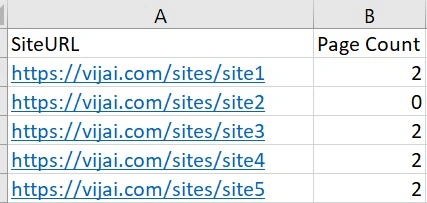
This blog provides a guide on exporting all pages (.aspx) from a SharePoint on-premises site collection to a CSV file using PowerShell. It outlines the steps involved, including unzipping the required folder, updating site URLs in a CSV file, running a PowerShell script.
- Blog · SharePoint
Export All Site Users from SharePoint On-Premises Using PowerShell
In this guide on exporting all site users from SharePoint on-premises to a CSV file using PowerShell. It outlines the necessary steps involved in running the PowerShell script, including updating the SharePoint site URLs, navigating to the folder containing the script, and executing the script.
- Article · Python
How To Create Item In Amazon DynamoDB Using AWS Lambda With Python
In this article, you will learn how to create item in Amazon DynamoDB using AWS Lambda with Python.
- Article · Python
How To Read Files From S3 Bucket Using Lambda Function And Python
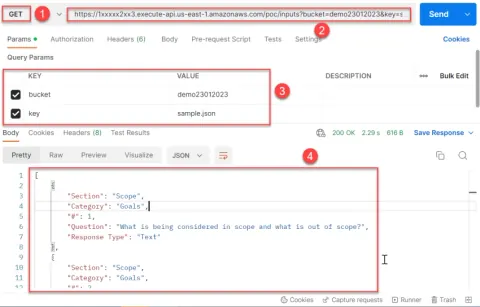
In this article, you will learn how to read the file from S3 bucket and return the JSON response using Lambda function with Python.
- Article · Python
How To Read And Write To Microsoft SQL Using Python REST API
In this article, you will learn how to read Microsoft SQL table, insert the results to another SQL table using Python REST API.
- Article · Python
How To Rename Columns In Dataframe Using Python
In this article, you will learn how to read Microsoft SQL table, add the results to DataFrame, rename the columns in DataFrame and export DataFrame to excel.
- Article · Python
How To Add New Columns To A DataFrame Using Python
In this article, you will learn how to read Microsoft SQL table, add the results to DataFrame, add new columns to a DataFrame and export DataFrame to excel.
- Article · Python
How To Upload CSV To SharePoint From Dataframe Using Python
In this article, you will learn how to read Microsoft SQL table, convert the DataFrame to CSV and upload it directly to SharePoint.
- Article · Python
Export Microsoft SQL Data To CSV Using Python
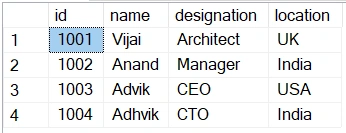
In this article, you will learn how to create REST API to read Microsoft SQL table and export the result to CSV file using Python. I have created a simple Microsoft SQL table for this demo named as Employees which contains the following columns and rows.
- Article · ASP.NET Core
How To Publish ASP.NET Core Web API To Amazon ECS Fargate Using Visual Studio 2022
In this article, you will learn how to publish ASP.NET Core Web API to Amazon ECS Fargate using Visual Studio 2022.