Loading
Articles by Vijai Anand Ramalingam

How to Get the Number of Items Inside the Folder in SharePoint 2013 Online Using REST API
In this article you will see how to get the number of items inside the folder using the REST API in SharePoint 2013 Online.
How to Get the Subfolders From the Document Library in SharePoint 2013 Online Using REST API
In this article you will see how to get the subfolders from the Document Library using the REST API in SharePoint 2013 Online.
How to Get the File Versions in SharePoint Online Using REST API
In this article you will see how to get file versions using the REST API in SharePoint 2013 Online.
How to Get the Check-Out Type Associated With the File in SharePoint 2013 Online Using REST API
In this article you will see how to get the check-out type associated with the file using REST API in SharePoint 2013 Online.
How to Get the Properties of a Website in SharePoint 2013 Online Using REST API
In this article you will see how to get the properties of a website using the REST API in SharePoint 2013 Online.
How to Get the Check-in Comments of the File in SharePoint 2013 Online Using REST API
In this article you will see how to get the check-in comments of the file using the REST API in SharePoint 2013 Online.
How to Get the File Checked Out by User in SharePoint 2013 Online Using REST API
In this article you will see how to get the file checked out by a user using the REST API in SharePoint 2013 Online.
How to Get the Major Version of the File in SharePoint Online Using REST API
In this article you will see how to get the major version of the file using the REST API in SharePoint 2013 Online.
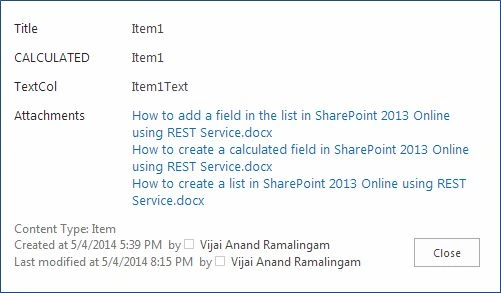
How to Get All the Attachments For the List Item in SharePoint 2013 Online Using REST API
In this article you will see how to get all the attachments for the list item using the REST API in SharePoint 2013 Online.
How to Get All the Files From a Folder in SharePoint 2013 Online Using REST API
In this article you will see how to get all the files from a folder using the REST API in SharePoint 2013 Online.
How to Get the Minor Version of the File in SharePoint 2013 Online Using REST API
In this article you will see how to get the minor version of the file using the REST API in SharePoint 2013 Online.
How to Get All the Items From the List in SharePoint 2013 Online Using REST API
In this article you will see how to get all the items from the list using the REST API in SharePoint 2013 Online.
Delete a Folder From the Document Library in SharePoint 2013 Online Using REST API
In this article you will see how to delete a folder from the document library using the REST API in SharePoint 2013 Online.
How to Delete a Field From the List in SharePoint 2013 Online Using REST API
In this article you will see how to delete a field from the list using the REST API in SharePoint 2013 Online.
How to Delete a List in SharePoint 2013 Online Using REST API
In this article you will see how to delete a list using the REST API in SharePoint 2013 Online.
Creating Subfolders in SharePoint 2010 Document Library Using NINTEX Workflow
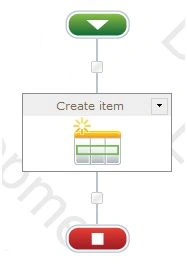
In this article you will see how to create subfolders in SharePoint 2010 document library using NINTEX workflow.
Create a Calculated Field in SharePoint 2013 Online Using REST API
In this article you will see how to create a calculated field using REST API in SharePoint 2013 Online.
Create a New Site Group in SharePoint 2013 Online Using REST API
In this article you will see how to create a new site group using REST API in SharePoint 2013 Online.
Add a Field in the List in SharePoint 2013 Online Using REST API
In this article you will see how to add a field in the list using the REST API in SharePoint 2013 Online.
How to Create a List in SharePoint 2013 Online Using REST API
In this article you will see how to create a list using the REST API in SharePoint 2013 Online.
How to Enable or Disable Document Property Promotion in SharePoint 2013
In this article you will see how to enable or disable document property promotion in SharePoint 2013 using PowerShell.
How to Get SharePoint 2013 ODATA/REST in JSON Format Using Fiddler
In this article you will see how to get SharePoint 2013 ODATA/REST in JSON format using Fiddler.
How to Move Documents Including Versions in SharePoint 2010 Document Library Using NINTEX Workflow
In this article you will see how to move documents including versions in SharePoint 2010 document library using a NINTEX workflow.
How to Create a Folder in SharePoint 2010 Document Library Using NINTEX Workflow
In this article you will see how to create a new folder in a SharePoint 2010 Document Library using a NINTEX workflow.
How to Get All the Top Level Folders From the List in SharePoint 2013 Online Using REST API
In this article you will see how to get all the top-level folders from the list using the REST API in SharePoint 2013 Online.