Loading
Articles by Vijai Anand Ramalingam

How to Get All The Active Features From Website in SharePoint 2013 Online Using REST API
In this article you will see how to get all the active features from a website using the REST API in SharePoint 2013 Online.
How to Get The List Columns in SharePoint Online Using REST API
In this article you will see how to get all the columns for a particular list using the REST API in SharePoint 2013 Online.
How to Get All The Top Level Folders From the Website in SharePoint 2013 Online Using REST API
Retrieve top-level folders from a SharePoint 2013 Online site with the REST API, including cross-domain requests from a SharePoint-hosted app.
How to Get All the Users From Site Group in SharePoint 2013 Online Using REST API
In this article you will see how to get all the users from a site group using the REST API in SharePoint 2013 Online.

How to Get All the Site Permission Levels in SharePoint 2013 Online Using REST API
Learn how to utilize SharePoint 2013's REST API to access site permission levels remotely. Explore creating apps with NAPA Tool, handling cross-domain requests, executing CRUD operations, retrieving permissions via HTTP GET, and deploying apps for displaying permission levels.
How to Get All the Site Groups in SharePoint 2013 Online Using REST API
In this article you will see how to get all the site groups using the REST API in SharePoint 2013 Online.
How to Get All the Views For a List in SharePoint 2013 Online Using REST API
In this article you will see how to get all the views for a list using the REST API in SharePoint 2013 Online.
How to Get All Available Web Templates From Website in SharePoint 2013 Online Using REST API
In this article you will see how to get all available web templates from a website using the REST API in SharePoint 2013 Online.
How to Get the List Content Types in SharePoint 2013 Online Using REST API
In this article you will see how to get all the content types for a particular list using the REST API in SharePoint 2013 Online.
How to Get the List Content Types in SharePoint 2013 Online Using REST API
This article shows how to get all the content types for a specific list using the REST API in SharePoint 2013 Online.
How to Get All the List Templates in SharePoint 2013 Online Using REST API
In this article you will see how to get all the list templates using the REST API in SharePoint 2013 Online.
How to Get All the Lists in SharePoint 2013 Online Using REST API
In this article you will see how to get all the lists using the REST API in SharePoint 2013 Online.
Get All Site Columns in SharePoint 2013 Online Using REST API
In this article you will see how to get all the site columns using the REST API in SharePoint 2013 Online.
Get All Site Content Types in SharePoint 2013 Online Using REST API
This article shows how to get all the site content types using the REST API in SharePoint 2013 Online.
Translate Documents to Another Language Using NINTEX Workflow in SharePoint 2013
In this article you will see how to translate documents to another language using NINTEX workflow in SharePoint 2013 Online.
Install NINTEX Workflow in SharePoint 2013 Online
In this article you will see how to add a NINTEX workflow app to SharePoint 2013 Online.
How to Import a BDCM File Into SharePoint 2013 Online BDC Metadata Store
In this article you will see how to import a BDCM file into the SharePoint 2013 Online BDC Metadata Store.
How to Create External Content Type Using OData Source in SharePoint 2013
In this article you will see how to create External Content Types using OData source in SharePoint 2013.
Re-index List or Library in SharePoint 2013
In this article you will see the new feature for re-indexing a SharePoint list or library in SharePoint 2013.
Continuous Crawls in SharePoint 2013
This article describes the new crawl type “Continuous Crawls” in SharePoint 2013.
Community Portal Site in SharePoint
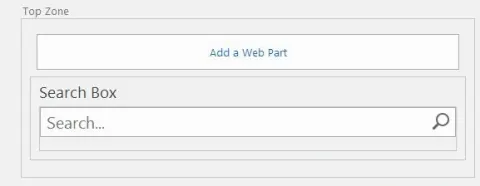
In this article, we will explore the robust capabilities of SharePoint 2013 as it powers your Community Portal Site, fostering collaboration, knowledge sharing, and social networking among your team.
How to Embed a Word Document in SharePoint 2013 Page
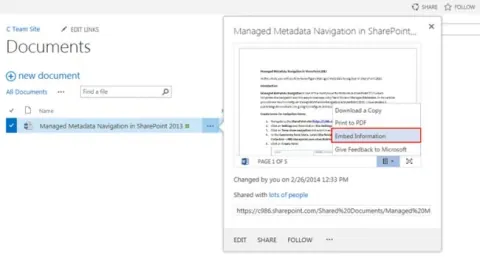
In this article you will see how to embed a Word document in a SharePoint 2013 page.
Print to PDF in SharePoint 2013
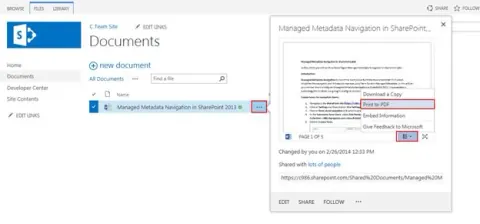
In this article you will see how to view, print or download a Word document as a PDF in SharePoint 2013.
How to Post a Blog From Word in SharePoint 2013
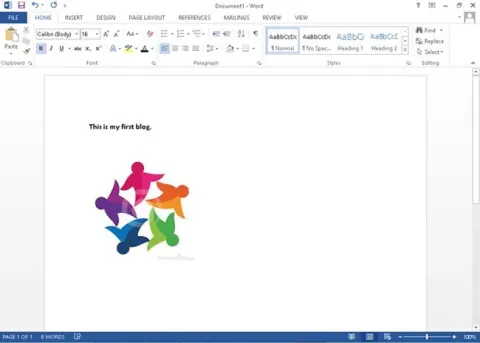
In this article you will see how to post a blog from Word in SharePoint 2013.
Managed Metadata Navigation in SharePoint 2013
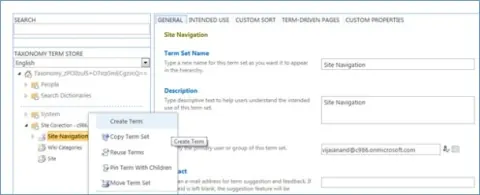
In this article you will see how to configure Managed Metadata Navigation in SharePoint 2013.