Loading
Mastering RecyclerView: How to Handle Multiple View Types in Android
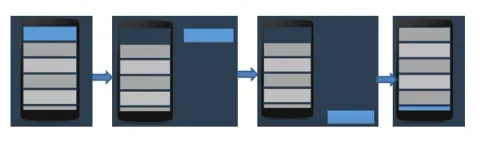
Master RecyclerView in Android! Learn to handle multiple view types (text, images, etc.) efficiently with Kotlin code examples. Build dynamic UIs with ease.
Google Rolls Out New Android Features for Messaging, Travel, and Entertainment
Android's March 2026 update enhances messaging with live location sharing, travel with luggage tracking, and app discovery with short-form videos. Plus, new games!
How Do Developers Debug ANR (App Not Responding) Issues on Android 14 Devices?
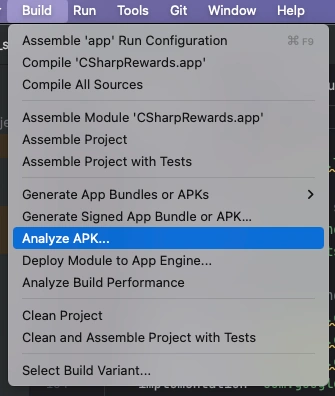
Learn to diagnose and prevent Android 14 ANRs using Play Console reports, Logcat, StrictMode, Android Studio Profiler, and background threading.
RecyclerView in Android with Java
In this article, we will learn how to implement RecyclerView in Android with Java.
How to create android app to open a shop online
How to create android app to be used as online shop?
Introducing Comet for Android
Comet, the AI-native browser, launches on Android! Experience AI-powered browsing with voice chat, tab summarization, and built-in ad blocking. Download now!
AirDrop Support Arrives for Android as Google Enables Cross-Platform File Sharing
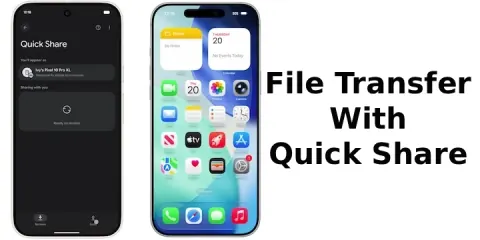
Google's Quick Share now works with Apple's AirDrop! Seamlessly share photos, videos, and files between Android and iPhone. Cross-platform sharing made easy and secure. First on Pixel 10!
Prepare for 16 KB Memory Pages (Mandatory by Nov 1, 2025)
Learn how to prepare Android apps with native libraries for 16 KB memory pages by updating the NDK, Android Gradle Plugin, dependencies, and testing on a compatible emulator.
Modern Android Development in 2025: A Practical Guide for Developers
Explore Android development in 2025: Kotlin, Jetpack Compose, AI, 5G, AR, best practices, and future trends for building exceptional mobile apps.
Android app does not supports 16k page size - Google Policy Violation?
On 10/11/2025 a notification about new requirements from play store came with request to submit app that supports 16KB page size. According to screenshot image from google play console in this case it is inly two files that are problematic, but how to fix this if those files are from deprecated nuggets, and its owners wont recompile them to be aligned with this new request.
Androidify: AI-First Android Apps with Gemini, Jetpack Compose & Firebase
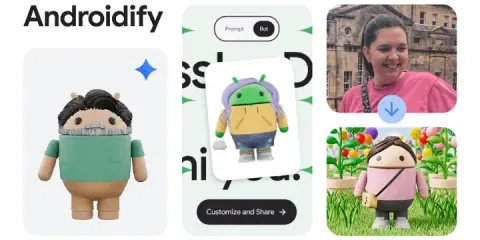
Google relaunches Androidify! Create personalized 3D Android avatars from selfies or text using AI, Jetpack Compose, and Firebase. Available on web & Android!
Android Gets LE Audio: A New Era of Bluetooth Sharing
Android's LE Audio update revolutionizes Bluetooth sharing with Auracast! Enjoy group listening, improved sound, and inclusivity on Pixel, Galaxy, and more.
Master Android App Development: From Beginner to Advanced with Android Studio
Learn Android app development with Android Studio, covering Java, Kotlin, UI design, data storage, APIs, testing, background work, and Google Play publishing.
Kotlin Multiplatform (KMP) in Android Development
Kotlin Multiplatform lets developers share business logic across Android, iOS, and more, while keeping native UIs. It speeds development, improves maintainability, and ensures consistent performance across platforms using Kotlin.
Kotlin Flow in Android
Kotlin Flow is a reactive, coroutine-based API for handling asynchronous data streams in Android. It supports operators like map, filter, and combine, and is ideal for real-time updates, UI, and data changes.
DataStore in Jetpack Compose
Learn how to use Preferences DataStore in Jetpack Compose to save and observe string values with Kotlin coroutines and Flow as a replacement for SharedPreferences.
Custom Slider in Jetpack Compose
Create a fully customized slider in Jetpack Compose with a green track, a white circular thumb, a thicker track, and a percentage range. Perfect for modern Android UIs that require elegant, user-friendly controls.
QR Code Scanner using ML kit and Camera APIs in Android using Compose
This article explains about the process of QR code scanning and processing results. I have used ML kit for object detection and QR detection from gallery and camera as well. Decode the QR image from gallery is most interesting feature of this app.
Key Performance Tuning Techniques in Android Development (2025)
Optimize Android app performance with innovative UI, memory management, threading, and modern tools like Jetpack Compose, Retrofit, Room, and Firebase to ensure smooth, fast, and reliable user experiences.
Build Android Apps with Swift: Apple Makes It Official
Apple has officially announced support for building Android apps using Swift, opening the door for cross-platform development and enabling developers to use Swift beyond just iOS and macOS.
Introduction to Dagger Hilt for Android Development
Learn how to use Dagger Hilt in Android to simplify dependency injection, reduce boilerplate code, and build cleaner, more maintainable apps with modern architecture best practices.
Jetpack Compose and Its Basic Building Blocks
earn the basics of Jetpack Compose, Android’s modern UI toolkit. Understand its core building blocks like Composables, Layouts, and Modifiers to create intuitive and dynamic user interfaces.
How To Protect Your Android Device From Unwanted Ads
Learn how to block unwanted ads on your Android device using Private DNS. This simple method boosts security, saves battery, and enhances your browsing experience with minimal setup and no extra apps.
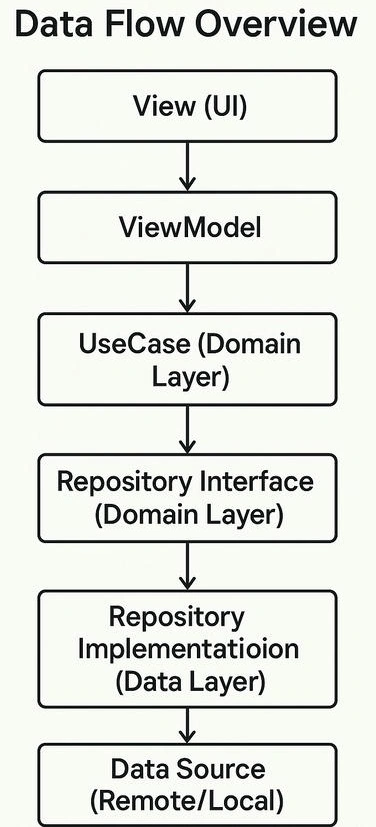
MVVM with Clean Architecture in Android Development
MVVM with Clean Architecture in Android Development refers to a structured approach that separates concerns in an Android app to improve scalability, testability, and maintainability.
Coil - Image Loading Library
Coil is a fast, lightweight, and modern image-loading library for Android, built using Kotlin and backed by Coroutines. It simplifies image loading with efficient caching and minimal setup.