Loading
Orientation, Anchoring, Resizing And Repositioning Of Views In Android Application
Learn Android programming basics, including handling screen orientations, anchoring views with RelativeLayout, resizing, and repositioning views for different orientations. Customize UI based on screen orientation using separate layout files. Understand how activity behavior changes with screen orientation.
When creating a react native project the app.js file can't be create ?
I type the command in cmd: npx create-expo-app loginHAT when creating the project in the loginHAT folder there is no App.js file? How to fix this error ?
Simplifying Background Tasks with WorkManager in Android
This article guides you on how WorkManager in Android simplifies task scheduling, improves background processing, and optimizes app development across different devices
React Native I created an application that reported an TypeErro ?
React Native I created an application that reported an error, TypeError: cli.init is not a function ? How do I fix this error ? See the error below: D:\>npx react-native init demotsx This will walk you through creating a new React Native project in D:\demotsx 'yarn' is not recognized as an internal or external command, operable program or batch file. Installing react-native... Consider installing yarn to make this faster: npm WARN deprecated @babel/[email protected]: This proposal has been merged to the ECMAScript standard and thus this plugin is no longer maintained. Please use @babel/plugin-transform-optional-catch-binding instead. npm WARN deprecated @babel/[email protected]: This proposal has been merged to the ECMAScript standard and thus this plugin is no longer maintained. Please use @babel/plugin-transform-numeric-separator instead. npm WARN deprecated @babel/[email protected]: This proposal has been merged to the ECMAScript standard and thus this plugin is no longer maintained. Please use @babel/plugin-transform-nullish-coalescing-operator instead. npm WARN deprecated @babel/[email protected]: This proposal has been merged to the ECMAScript standard and thus this plugin is no longer maintained. Please use @babel/plugin-transform-class-properties instead. npm WARN deprecated @babel/[email protected]: This proposal has been merged to the ECMAScript standard and thus this plugin is no longer maintained. Please use @babel/plugin-transform-optional-chaining instead. npm WARN deprecated @babel/[email protected]: This proposal has been merged to the ECMAScript standard and thus this plugin is no longer maintained. Please use @babel/plugin-transform-object-rest-spread instead. npm WARN deprecated @babel/[email protected]: Thi
Automatically connect to sql server when running React Native ?
When running the React Native application, in this application folder, open cmd and type: Node server.js to connect to the sql server data. Next, open Visual Studio Code and run the npm start command, if you run the npm start command without running the command before. Node server.js will report a data connection error. Can you declare the node server.js command to run before running the npm start command ?
Can Nodejs code run in React Native ?
var express = require('express'); var app = express(); var sql = require("mssql"); I declare the above library in React Native when running the error: Android Bundling failed 3690ms (D:\demo\node_modules\expo\AppEntry.js) The package at "node_modules\mssql\lib\base\connection-pool.js" attempted to import the Node standard library module "node:events". It failed because the native React runtime does not include the Node standard library.
Connection fail to SQL Server using NodeJS mssql msnodesqlv8 from the
I use windows authentication but when the username didn't have permissions, I got a different error var sql = require('mssql/msnodesqlv8'); const config = { user: 'sa', password: 'Coffee', server: 'localhost', database: 'Cafe', driver: 'msnodesqlv8', port: 1433, options: { trustedConnection: true, enableArithAbort: true } }; const conn = new sql.ConnectionPool(config).connect().then(pool => { return pool; }); When I connect to the internal server, I get an error: ConnectionError: [Microsoft][ODBC Driver Manager] Data source name not found and no default driver specified at PrivateConnection.callback2 (D:\NodeJS\node_modules\mssql\lib\msnodesqlv8\connection-pool.js:46:17) at Immediate.<anonymous> (D:\NodeJS\node_modules\msnodesqlv8\lib\connection.js:41:14) at process.processImmediate (node:internal/timers:478:21) { code: undefined, originalError: [Error: [Microsoft][ODBC Driver Manager] Data source name not found and no default driver specified] { sqlstate: 'IM002', code: 0, severity: 0, serverName: '', procName: '', lineNumber: 0 } }
React Native Login connect with sql server ?
I created a Login application that connects to the sql server using Visual Studio Code. The Login and SignUp application logs into the sql server to read the Table 'TABUSERNAME' and export it to the grid, but I get an error, my computer's sql server information: user: 'sa' pass: 'Coffee' server:'MICROSOFT' or '192.168.1.100' database: 'Cafe' Can you please fix my code errors ? File: App.js
How To Install Appium Inspector And Appium Server GUI
This article walks you through every step of installing and configuring Appium for mobile test automation. From downloading the necessary software to configuring dependencies , this guide covers it all
What is an example of an on-premise platform
Some of the popular on-premise solutions include Microsoft Windows Server, VMware vSphere, Oracle Database, Cisco Unified Communications Manager (CUCM), SAP ERP and IBM WebSphere Application ServerMicrosoft Office
Visual Studio Code fails to update strings when running virtual machin
Visual Studio Code fails to update strings when running virtual machine. I have installed the Android Studio virtual machine and Visual Studio Code when running the virtual machine to export the string normally, but when I edit the string it does not update again, I have to restart the machine to update the string, how can I fix this error? Here is my simple code example: App.js import React from 'react' import { StyleSheet, Text, View } from 'react-native' const App = () => { return ( <View style={styles.container}> <View style={styles.top}> <Text style={styles.topText}>Top Left</Text> //I edited this thread ??? </View> </View> ) } export default App const styles = StyleSheet.create({ container: { }, top: { marginTop : 80, marginHorizontal : 40, backgroundColor : 'pink', paddingVertical : 20, paddingHorizontal : 20, borderWidth : 1, borderColor : 'red' }, topText: { fontSize : 20, color : 'blue', fontWeight : 'bold' } })
mvvm cross native android flyout page gruop item menu color change
i am new in mvvm cross native android C# so i need menu item color change i had to multiple view model then any view model i will call some method menu item color change how can i do
Exploring the Anticipated Features of Android 15
Get ready for a mobile revolution! Android 15 is on the horizon, promising enhanced privacy, personalized experiences, boosted performance, and exciting features for creators and professionals. This article explores potential functionalities, from granular permission control to AI-powered optimization.
Android Responsive Login Screen Design using Constraint Layout
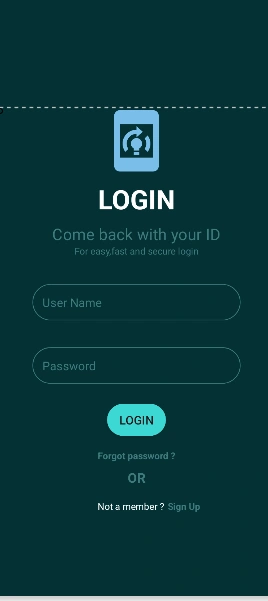
In this article, I going to explain how we can create a responsive Screen for different android Screens using Constraint Layout.
Android Intent using Kotlin
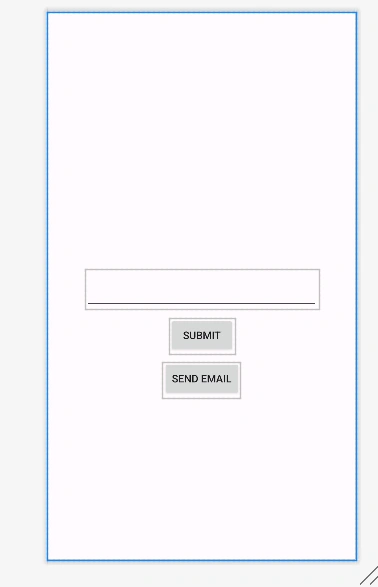
Here in this article, I going to pass data from one activity to another using intent and also able to send email using intent.
Android Studio 2022.3.1 reports error The emulator process for AVD xxx
I installed Android Studio 2022.3.1 on win10 pro, created a virtual machine successfully, but when running I got an error: Device Manager "The emulator process for AVD xxx has terminated", how to fix this error?
TextView in Android with Java
TextView in Android with Java programming language and its types with example programs
NavigationView in Android with Java
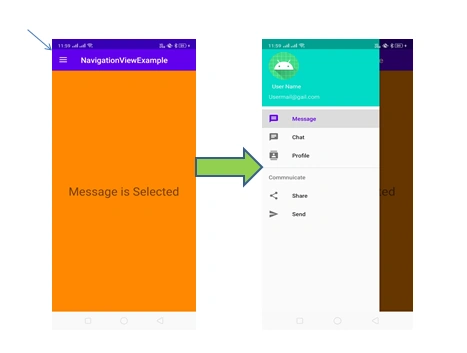
In this article, you will learn and implement NavigationView in Android with Java.
How can Evo Intel be used in computer vision applications
Hello, fellow tech enthusiasts! I'm eager to dive into the world of computer vision and explore the ways Evo Intel can be harnessed to enhance the capabilities of computer vision systems. Evo Intel has been making waves in the tech world, and I believe it has great potential in this field. I'd like to hear your insights and suggestions on how to use Evo Intel effectively in computer vision applications. I'm particularly interested in the technical details, case studies, and any practical advice you might have to offer. Let's exchange ideas and knowledge to uncover the full potential of Evo Intel in computer vision. Your expertise and insights are greatly appreciated! Looking forward to an engaging and informative discussion. Thanks in advance for your contributions!
How to redirect web app to android application page?
I have a website named CROSStrax and I'm facing issue of redirecting login page from web to app.crosstrax.co.
API Call Using Dagger2 Dependency Injection With RxJava In Android
In this article, you will learn about how to make API Call using Dagger2 dependency injection with RxJava in android.
How to open a file on Android using C#
This is part of my program in C#(Win): OpenFileDialog openFileDialog1 = new OpenFileDialog(); openFileDialog1.Title ="Open File"; try { if (openFileDialog1.ShowDialog() == DialogResult.OK) { string file = openFileDialog1.FileName; string fileData = File.ReadAllBytes(file); } } But in Android, the closest I can come is this: Intent intent = new Intent(Intent.ActionGetContent); intent.SetType("text/plain"); intent.AddCategory(Intent.CategoryOpenable); intent.SetAction(Intent.ActionGetContent); intent.PutExtra("android.content.extra.SHOW_ADVANCED", true); intent.PutExtra("android.content.extra.FANCY", true); intent.PutExtra("android.content.extra.SHOW_FILESIZE", true); StartActivityForResult(Intent.CreateChooser(intent, "Select file"), 0); And while I can look at the files in various folders, I cannot open any of them. Thanks. RON
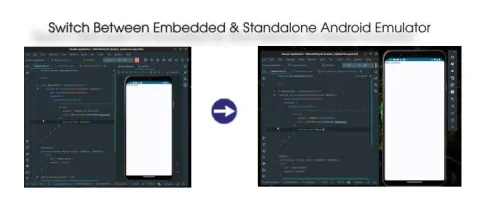
Switch Between Embedded & Standalone Android Emulator | Android Studio
In this article, we'll explore the process of transitioning between embedded and standalone Android Emulators within Android Studio.
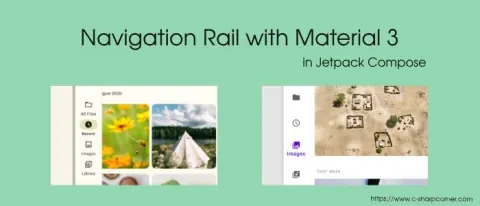
Navigation Rail with Material 3 in Jetpack Compose
This article is a tutorial for creating a Navigation Rail in Android.
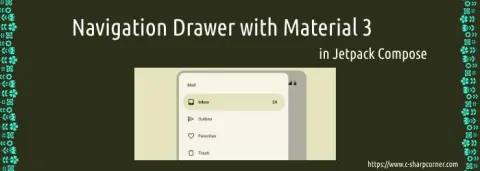
Navigation Drawer with Material 3 in Jetpack Compose
This article is a tutorial for creating a Navigation drawer in Android.